I'm rebuilding my whole site with AI, in public (part 1)
Last updated July 2026 · Series (part 1) · $20/mo (Claude Pro) · Comfortable
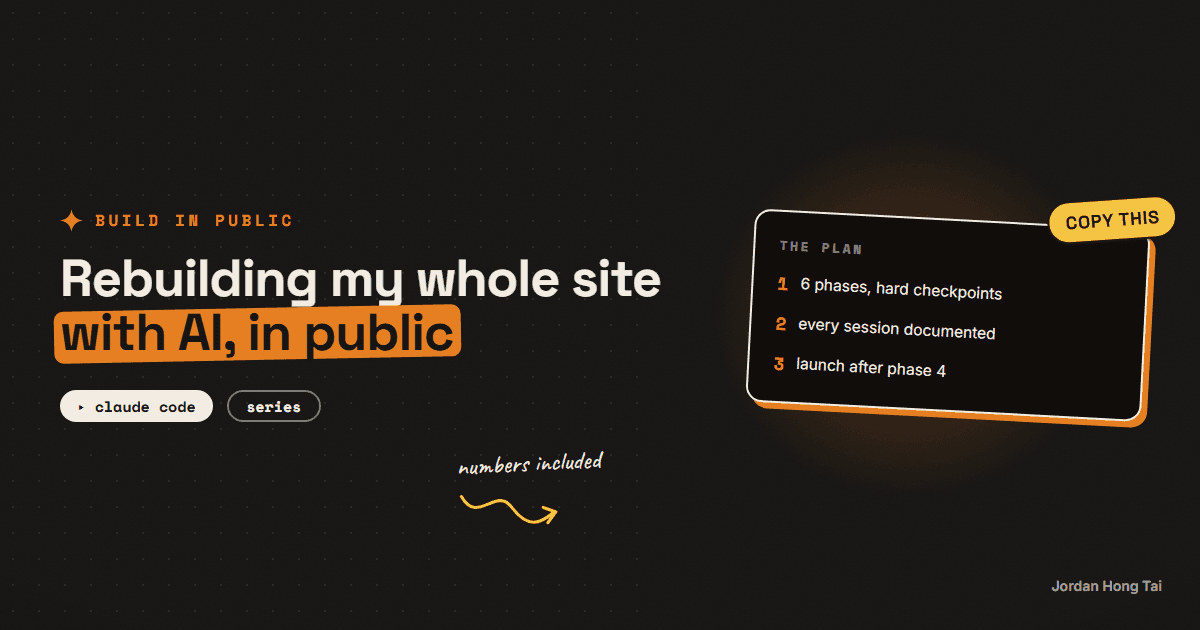
I'm tearing my website down and letting AI rebuild it, with every phase documented in public. Part 1 covers the three documents that made the whole thing survivable, and what actually happened in the first phases.
I decided to rebuild my website with Claude Code and document everything: the plan, the checkpoints, the wrong turns, the numbers. This is part 1, the setup and the first phases. The site you're reading is the result so far.
What you'll have when you're done
- The three-document setup that makes an AI rebuild survivable, ready to copy
- The real phase map from this rebuild, with what each stop caught
- The two moments where the plan met reality and reality won
- The sanitized version of my actual overhaul plan as the download
Before you start
This is a field-notes guide: follow along, steal what's useful. If you want the copy-paste method itself (the phase plan template, the tracker, the checkpoint prompts), that's the phase method guide. This series is what the method looks like when it collides with a real project.
Step 1: The three documents that ran everything
Before any code, I wrote three documents. Every session of the rebuild started by reading them.
- The master plan. One file with the whole build split into six phases, each ending in a hard STOP for my review. The prompt at the top says it plainly: "We build in phases. One phase per session. Never continue into the next phase without approval."
- The progress tracker. PROGRESS.md, the AI's memory between sessions: phase statuses, a checkpoint log, and a conflicts section with a standing rule I'd tattoo on every AI project: if a doc conflicts with the code, flag it, don't silently pick one.
- The brand spec. Every visual decision (colors, type, layout energy, image style) in one file, so design choices get made once and referenced forever, instead of re-argued with the AI every session.
Check it worked: if you're following along: you can name the three documents and what each one is for. That's the whole setup.
Step 2: Phase 0, the audit that rewrote the plan
Phase 0's only job was to read everything and write down reality. No code changes allowed.
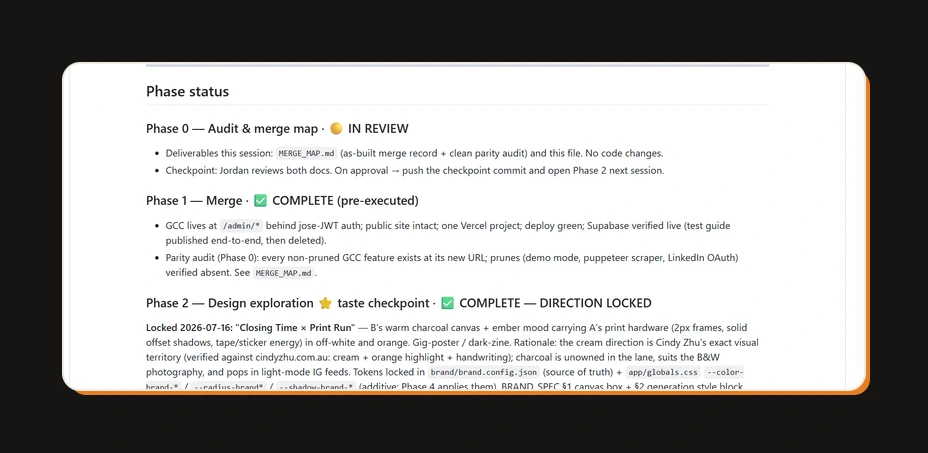
It mattered immediately. The audit discovered the project was further along than the plan assumed: a whole admin app I'd been building separately was already merged into the site in an earlier work stream, which meant two of the plan's phases were already done and two others were half-done. The plan got re-sequenced on day one, before any duplicate work happened.
That's the audit's entire value: ten minutes of reading versus weeks of rebuilding things that already existed.
Check it worked: the takeaway travels: never let AI start building before it has written down what already exists.
Step 3: Phase 2, the taste checkpoint
The phase I was most nervous about: making an AI-built site not look AI-built.
The move that worked: instead of asking for "a nice design", the plan forced three complete visual directions, built as real comps on a hidden preview page. A warm cream print-zine direction, a warm charcoal direction with ember-orange accents, and a wildcard. Same content in all three, so only the design varied.
Then I picked, and here's the part worth stealing: I picked a mix (one direction's canvas and mood, the other's print hardware), and the winning tokens were locked into a config file, brand.config.json, that every later phase had to read. Colors, radii, shadows, type stack: decided once, in one file, no drift.
Check it worked: the takeaway: make AI show you complete options side by side, pick like a creative director, then lock the decision in a file the AI must obey.
Step 4: The stops that saved it
The method's real product is the checkpoint log. A few entries from mine, verbatim in spirit:
- A review round where two brand logos turned out to have opaque backgrounds baked in; caught at the checkpoint, fixed with an image script, not shipped.
- A generated-identity experiment that got rejected at review because the renders drifted from how I actually look; the approach was replaced with reference-image generation using my real photos.
- A hero illustration cut entirely at click-through review because it read as filler.
None of those are code problems. They're taste and judgment problems, which is exactly what the STOP points exist to catch. The AI ships speed; the checkpoints ship standards.
Check it worked: the takeaway: schedule your judgment. Reviews that happen "when I get around to it" happen never.
Step 5: Where the series goes next
As of part 1, the rebuilt site is live: new positioning, a guides system with a publishing pipeline, gated downloads, and the brand applied everywhere. The upcoming parts cover the machinery built on top: the asset pipeline that produced the cover images (including the one on this page), the content systems, and the launch numbers, real ones, once there are enough weeks of data to be honest.
Check it worked: you know what part 2 covers, and the download below is the sanitized version of the actual plan document this whole rebuild ran on.
The rebuild plan doc (sanitized)
FAQ
Did AI really build the whole thing?
AI wrote the code; I made the decisions. Every phase ended with a hard stop where I reviewed, pushed back, and approved before anything continued. The design direction, the copy positioning, the calls on what to cut: all human. The typing: almost all AI.
How long did the rebuild take?
The build phases ran over a small number of focused sessions, roughly one phase per session plus review rounds, spread across days rather than months. The honest total is hard to give because review rounds are bursty, but the pattern held: a phase is one evening, a review round is a coffee.
What did it cost?
The Claude Pro plan at $20/month covers Claude Code, plus normal hosting I already paid for. The image generation for brand assets used a separate tool with credits. No agencies, no freelancers, no templates bought.
Why not just use a website builder?
Builders are great at day one and painful at day 300, when you want the site to do something the template didn't plan for. This rebuild's whole point is the custom machinery: a publishing pipeline, gated downloads, scheduled research. Owning the code is what makes the rest of this channel's systems possible.
Can I follow this series to do my own rebuild?
Yes, that's the point of documenting it. The copyable method (the phase plan, the tracker, the checkpoint prompts) is in the phase method guide. This series is the field notes: what the method looks like when it hits reality, including the parts that went sideways.
Related guides
Build a real app with AI without it falling apart (the phase method)
You'll set up the phase method: the plan file, the progress tracker, and the checkpoints that keep an AI-built app from collapsing halfway through. It's the exact method that rebuilt the site you're reading right now.
On-brand AI images every time: the reference trick nobody uses
You'll stop describing your brand to AI and start handing it references. Ten minutes of setup, and your generated images come back in your palette every run.
The exact system that writes a week of my content in an hour
You'll build the AI content creation system that turns one topic into a week of platform-ready drafts, in your voice. One hour to set it up, and after that Monday runs the week.
Get the next build in your inbox
One email a week: the newest guides, plus one thing I only share with the list.
No spam. Unsubscribe anytime.
Build alongside others
Join the free community and share what you're shipping.

Jordan Hong Tai
I've scaled products to over 500K users, and now I build AI systems in public from a balcony in Tokyo.