Build a real app with AI without it falling apart (the phase method)
Last updated July 2026 · 45 min · $20/mo (Claude Pro) · Comfortable
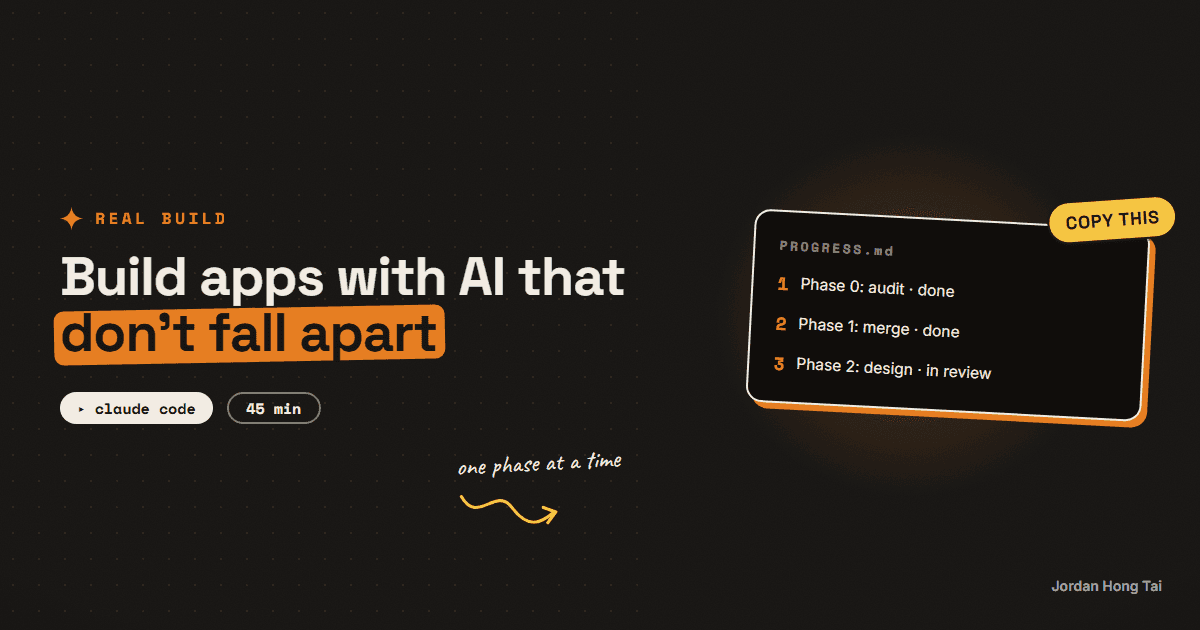
You'll set up the phase method: the plan file, the progress tracker, and the checkpoints that keep an AI-built app from collapsing halfway through. It's the exact method that rebuilt the site you're reading right now.
Everyone's AI apps break the same way: one giant prompt, forty minutes of generated code, then a collapse nobody can debug. To build an app with Claude Code that actually ships, you don't need better prompts. You need phases. This is the method I used to rebuild this entire site.
What you'll have when you're done
- A master plan file that splits your app into 5-7 phases with hard stop points
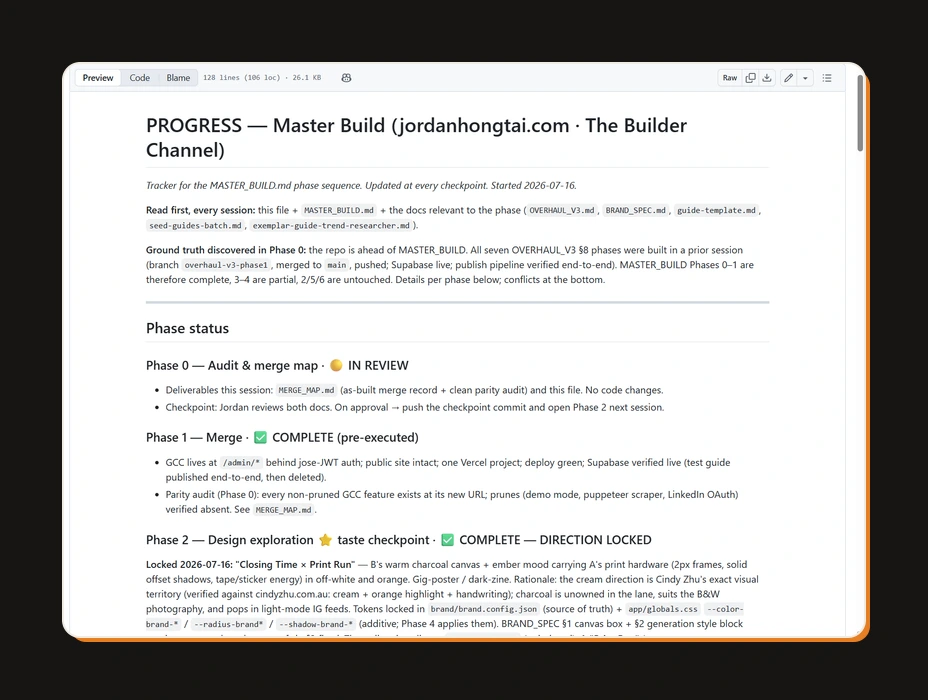
- A PROGRESS.md tracker the AI reads at the start of every session, so nothing gets forgotten between sessions
- A checkpoint ritual where you review and approve before the AI continues
- The exact standing rules that keep the AI from silently going off-plan
Before you start
- Claude Code installed. It's Claude running in a terminal (the text window developers use), and it can read and write real files on your computer. Included with the Claude Pro plan at $20/month.
- An app idea you can describe in a paragraph.
- 45 minutes for planning. No code gets written today, and that's the point.
Step 1: Write the master plan before any code
Create a file called MASTER_PLAN.md in your project folder. This is the one prompt that starts every phase. Paste this and fill in your app:
My app: [one paragraph: what it does, who it's for, what "done" looks
like]

We build in phases. One phase per session.

Rules:
- At the end of each phase, update PROGRESS.md and STOP for my review.
  Never continue into the next phase without my approval.
- Start every session by reading PROGRESS.md before doing anything.
- If anything in the code conflicts with this plan, flag it in
  PROGRESS.md. Don't silently pick one.
- Commit the work at every checkpoint.

The phases:
Phase 0: Audit. Read everything that exists, write down what's there
  and what's missing. No code changes.
Phase 1: Skeleton. The app runs end to end with placeholder content.
Phase 2: Design. Three visual directions as static comps. I pick one,
  then it gets locked.
Phase 3: Core build. The main feature working with real data.
Phase 4: Polish. Every page reviewed, mobile checked, errors handled.
Phase 5: Content and launch. Real content in, launch checklist done.
Adjust the phase list to your app, but keep phase 0 as a look-don't-touch audit and keep every phase small enough that you could review it in 20 minutes.
Check it worked: MASTER_PLAN.md exists in your project folder with your app described and 5-7 phases listed.
Step 2: Create the tracker
The tracker is the AI's memory between sessions. Create PROGRESS.md next to the plan:
# PROGRESS

Read this first, every session, before doing anything.

## Phase status
- Phase 0: not started
- Phase 1: not started
[one line per phase]

## Checkpoint log
[the AI appends an entry here at the end of every session: what was
done, what's incomplete, what needs my review]

## Conflicts
[anything found in the code that contradicts the plan gets flagged
here, never silently resolved]
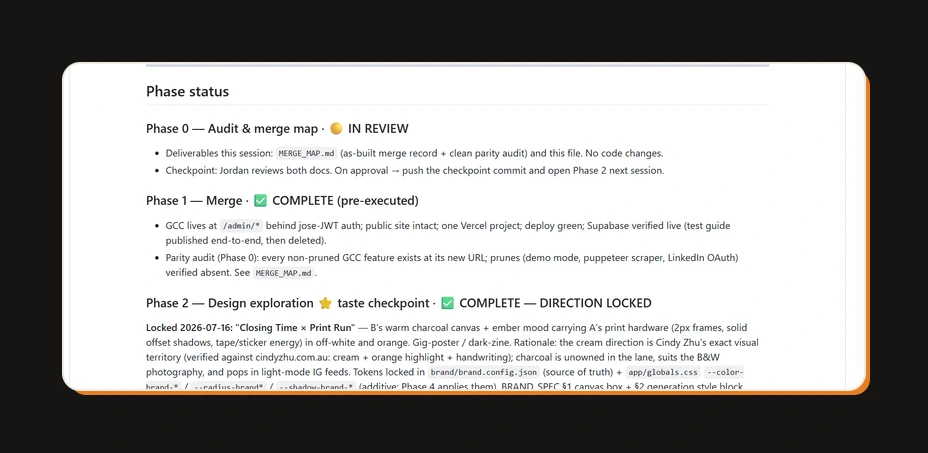
This file is why the method works. A fresh session has no memory of last night, but it reads this file and knows exactly where the project stands. Mine currently holds the full history of this site's rebuild, checkpoint by checkpoint.
Check it worked: PROGRESS.md exists with all your phases listed as "not started".
Step 3: Run phase 0, the audit
Open Claude Code in your project folder and send your first real prompt:
Read MASTER_PLAN.md and PROGRESS.md. Then run Phase 0: audit what
exists in this folder (or confirm it's empty), write down what we have
and what's missing for the plan, update PROGRESS.md, and stop for my
review. No code changes in this phase.
Phase 0 feels like a waste of a session. It isn't. When I ran it on my own rebuild, the audit discovered half the plan was already built in an earlier form, which changed the entire sequence. Ten minutes of reading saved weeks of duplicate work.
Check it worked: PROGRESS.md shows phase 0 complete with a checkpoint entry, and no code was touched.
Step 4: Learn the checkpoint ritual
At the end of every phase the AI stops. Now you work. Read the checkpoint entry, click through whatever was built, then run the review prompt:
Phase [N] looks done. Before I approve:
1. List everything this phase changed.
2. List anything you left incomplete or worked around.
3. Run the app (or the build) and paste the result.
Then wait. If I say "approved", update PROGRESS.md, commit, and stop.
We start the next phase in a fresh session.
Push back freely at checkpoints. "The header is wrong, fix it before I approve" costs one message now. The same problem discovered three phases later costs a day.
Check it worked: the phase has a checkpoint log entry, an approval from you, and a commit. Nothing continued without your sign-off.
Step 5: Start every session the same way
Every new session opens with the same two lines:
Read PROGRESS.md and MASTER_PLAN.md first. Then start the next phase.
One phase only, then stop for my review.
One phase per session keeps the AI's context clean, and the ritual makes progress boringly predictable: session, checkpoint, review, approve, repeat until the phase list is done.
Check it worked: your second session picked up exactly where the first left off, without you re-explaining anything.
The phase-plan template + checkpoint prompts
FAQ
Why do AI-built apps fall apart without this?
Because one giant 'build me an app' prompt forces the AI to make hundreds of decisions with no review points. Errors stack silently until the whole thing tips over. Phases cap how much can go wrong before a human looks at it.
Do I need to know how to code?
No, but you need to be willing to read what the AI writes in plain English. The method is built around review moments where the AI reports what it did and you approve or push back. Judgment required, syntax not.
What does Claude Code cost?
Claude Code is included in the Claude Pro plan at $20/month, with higher limits on bigger plans. For a side project built in evening sessions, Pro is enough.
How many phases should my plan have?
Five to seven for most apps. Fewer than four means each phase is too big to review. More than eight means you're micromanaging. My site rebuild ran on six phases plus a phase 0 audit.
Why one phase per session instead of powering through?
Fresh sessions keep the AI's working context clean, and the tracker file carries the memory between them. Powering through means decisions from hour one silently constrain hour four. The stop is a feature.
What goes in PROGRESS.md exactly?
Three things: a status line per phase, a checkpoint log entry for every session (what was done, what's blocked, what you approved), and a conflicts section for anything the AI found that contradicts the plan. If a stranger could pick up the project from that file alone, it's right.
Related guides
I'm rebuilding my whole site with AI, in public (part 1)
I'm tearing my website down and letting AI rebuild it, with every phase documented in public. Part 1 covers the three documents that made the whole thing survivable, and what actually happened in the first phases.
Automations that work while you sleep (free, no Zapier)
You'll put your AI research on a timer: it runs at 7 in the morning and the results are waiting when you wake up. Twenty minutes of setup, no Zapier, no subscription.
I made Claude Code my video editor (cuts, captions, exports)
You'll give Claude Code a skill file that edits your videos: transcribe, cut the dead air, burn captions, export 9:16. After the 30-minute setup, editing a clip is one sentence in a terminal.
Get the next build in your inbox
One email a week: the newest guides, plus one thing I only share with the list.
No spam. Unsubscribe anytime.
Build alongside others
Join the free community and share what you're shipping.

Jordan Hong Tai
I've scaled products to over 500K users, and now I build AI systems in public from a balcony in Tokyo.