The exact system that writes a week of my content in an hour
Last updated July 2026 · 1 hour · Free to start (Pro at daily volume) · Comfortable
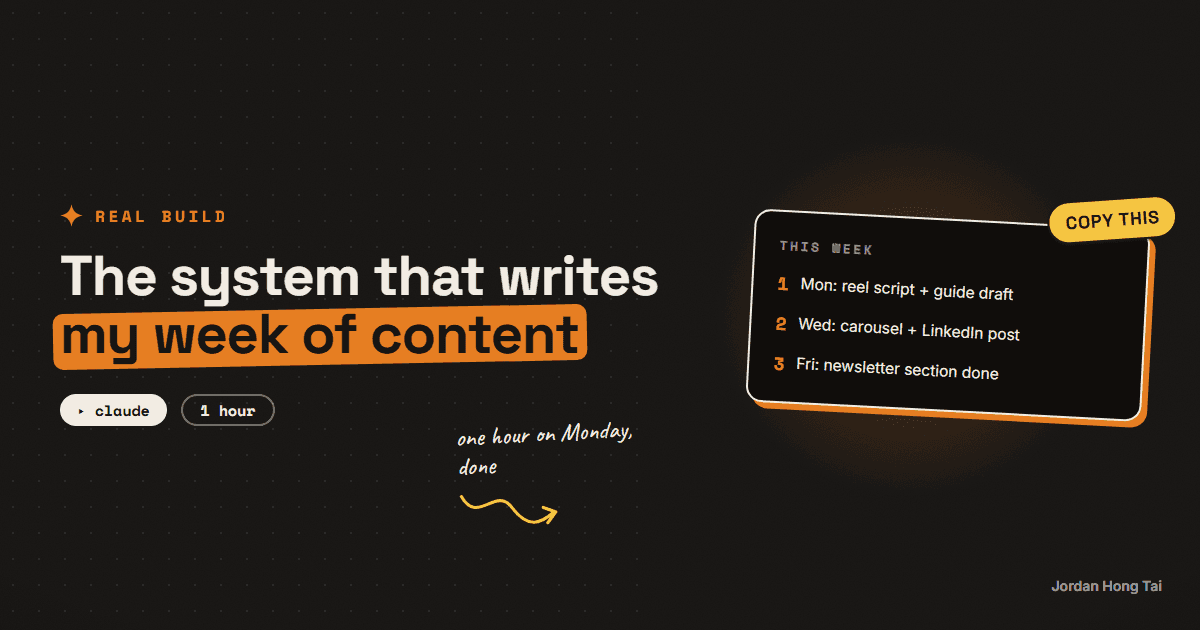
You'll build the AI content creation system that turns one topic into a week of platform-ready drafts, in your voice. One hour to set it up, and after that Monday runs the week.
An AI content creation system is not one clever mega-prompt. It's a small set of instructions with jobs, run in a fixed order. This is the exact structure mine uses.
What you'll have when you're done
- A Content Engine project that turns one topic into four platform-ready drafts: reel script, carousel outline, LinkedIn post, newsletter section
- A content chain, so all four pieces tell one story instead of four random ones
- Your voice file installed, so drafts sound like you and not like AI
- A repeatable Monday hour that covers the week
- [SCREENSHOT: one topic in, four labeled drafts out]
Before you start
- A Claude account. The free plan works for a weekly batch; the Pro plan ($20/mo) removes the limits once you run it daily.
- Your voice file. If you don't have one, the voice file guide builds it in 15 minutes, or use the quick version in step 3.
- Three topics you could talk about this week. Your trend researcher hands you these if you built it.
- About an hour.
Step 1: Create the Content Engine project
In Claude, click Projects → New Project. Name it Content Engine.
One project, one job. Don't reuse your research project for this. Mixed instructions produce mixed output.
Check it worked: you're looking at an empty project named Content Engine.
Step 2: Paste the engine instructions
Open Set project instructions and paste this whole block. It encodes the one rule that matters: the reel script comes first, and everything else is adapted from it.
You are my content engine. You turn one topic into a week of content.

THE CHAIN
The reel script comes first. Every other piece (carousel, LinkedIn post,
newsletter section) is adapted FROM the reel script, never written from
scratch. Same story, same order, same claims. This keeps every platform
telling one story.

MY VOICE
My voice file is in this project's knowledge. Load it before writing
anything. If output drifts from it, that is a bug.

THE FORMATS
1. REEL SCRIPT (spoken, 30-60 seconds, about 120-150 words)
   - Hook (2-4 seconds): outcome first. "This took 40 minutes and
     costs $0." Never "this changes everything."
   - Build: narrate what's happening on screen, step by step. Name each
     tool, then say what it does in plain words in the same breath.
   - Close: one line of payoff, then "Comment [KEYWORD] and I'll send
     you the full guide."
   - Mark screen moments as [SCREEN: what's being shown].
2. CAROUSEL (7-9 slides)
   - Slide 1 is the hook rewritten for a reader, not a viewer.
   - One idea per slide, two sentences max each.
   - Last slide: the comment-keyword CTA.
3. LINKEDIN POST
   - Same story, professional framing. Short lines, generous white
     space. End with a question. No hashtags in the first line.
4. NEWSLETTER SECTION
   - 150-250 words. Assume the reader never saw the reel.
   - End with a link line where the full guide goes.

RULES
- Adapt each piece so it feels native to its platform. Never copy-paste
  between formats.
- No em-dashes. No emojis in scripts. No hype words. The result is
  the hype.
- Numbers over adjectives: "10 minutes, $0" beats "quick and easy."

When I give you a topic, ask zero questions. Return the four pieces in
order, labeled REEL SCRIPT / CAROUSEL / LINKEDIN / NEWSLETTER.
Check it worked: the instructions are saved and visible in the project sidebar.
Step 3: Install your voice file
Add your voice file to the project's knowledge (in the project, look for Add content or the knowledge section) so the engine loads it before every draft.
No voice file yet? Use this stopgap: paste your 3 best posts into the project knowledge with the title "My voice examples", and add one line to the instructions: "Match the voice of the examples in project knowledge." Then build the real file later with the voice file guide. The difference is noticeable.
Check it worked: the project knowledge shows your voice file (or the examples doc) attached.
Step 4: Run the chain on one topic
Start a new chat inside the project and feed it one topic:
Topic: [one line, e.g. "I automated my morning research and it costs
nothing"]. Run the chain.
Read the reel script first. If the script is wrong, everything downstream is wrong, because the other three pieces are adapted from it. Fix the script with one round of notes before you even look at the rest:
The reel script's hook is weak. Lead with the number, not the setup.
Rewrite the script, then re-adapt the other three pieces from the new
version.
Check it worked: you have four labeled drafts, and the carousel, LinkedIn post, and newsletter section all tell the same story as the reel script. [SCREENSHOT: four labeled outputs in one chat]
Step 5: Make Monday the batch hour
The engine's value is the routine, not the novelty. Every Monday:
- Open your trend researcher and pick 3 topics from the scan.
- Run the chain once per topic. That's 12 pieces.
- Edit everything in one sitting. You are the quality bar; cut anything you wouldn't say out loud.
- Schedule the week.
Check it worked: your content calendar shows a full week of scheduled pieces, and your Monday took about an hour. [SCREENSHOT: the week's calendar view]
Content engine starter: the full prompt stack + voice worksheet
FAQ
Do I need to know how to code?
No. The engine in this guide is a Claude Project with a good instruction file. My own version runs as an app that calls the Claude API, but the prompts inside it are the same ones you're pasting here. The Project version is the same system without the plumbing.
Will the output sound like AI?
Only if you skip step 3. The voice file is what separates generic output from drafts that sound like you. Budget 15 minutes for it, and calibrate it once a week for the first month.
Can I do this with ChatGPT instead?
Yes. A Custom GPT with the same instructions works. I use Claude because Projects keep the engine instructions, the voice file, and the chat history in one place, which makes weekly calibration easier.
How is this different from just asking AI to write a post?
A single prompt gives you one generic draft. The engine enforces a chain: the reel script is written first, and every other piece is adapted from it. One story, four platforms, consistent claims. That chain is what makes the output feel planned instead of scattered.
How long does the Monday hour actually take?
With 3 topics ready, about 45 to 60 minutes: 10 minutes per topic to run the chain and 5 to 10 minutes per topic to edit. The editing pass is not optional. You are the quality bar, the engine is the speed.
Related guides
Make AI sound exactly like you (the voice file trick)
AI content sounds like AI because the model has never met you. In 15 minutes you'll build the one file that fixes it: a voice file the AI loads before writing anything.
Turn Claude into your trend researcher (10 minutes, free)
You'll set up a Claude Project that answers the question 'what should I post about today?' with a ranked, source-linked list on demand. It takes 10 minutes and works on the free plan.
Turn Notion into your AI operating system (free template)
You'll share three Notion databases with an AI that can read and write them: your content calendar, your tasks, and your leads. Thirty minutes, all free, and the first live write happens in step 5.
Get the next build in your inbox
One email a week: the newest guides, plus one thing I only share with the list.
No spam. Unsubscribe anytime.
Build alongside others
Join the free community and share what you're shipping.

Jordan Hong Tai
I've scaled products to over 500K users, and now I build AI systems in public from a balcony in Tokyo.