Sell YouTube thumbnails with Higgsfield: about $0.14 an image in credits, what designers charge, and the 3-option test
Last updated October 2026 · About 45 minutes per video for three concepts · Higgsfield Starter $19/mo (270 credits); free tier to test · Beginner
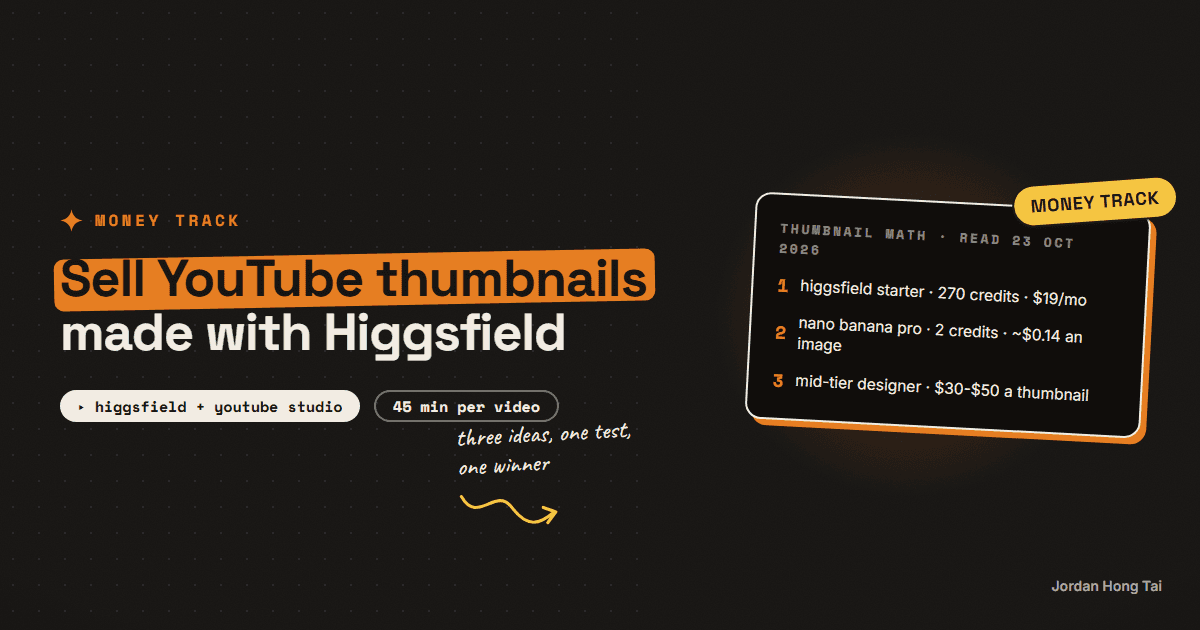
Higgsfield's Starter plan is $19 a month for 270 credits, and its Nano Banana Pro model costs 2 credits an image. That's about 14 cents an image. A thumbnail-designer hiring guide updated in July 2026 lists mid-tier designers at $30 to $50 a thumbnail and premium specialists at $100 to $300. The image is cheap. What a YouTuber pays for is three ideas worth testing.
Higgsfield's Starter plan is $19 a month for 270 credits, and its Nano Banana Pro image model costs 2 credits an image. That's about 14 cents an image, read from its pricing page on 23 October 2026. A thumbnail-designer hiring guide updated in July 2026 lists mid-tier designers at $30 to $50 a thumbnail and premium specialists at $100 to $300.
So the picture itself is almost free now. What a YouTuber still pays for is someone who reads the video, comes up with three ideas worth testing, and makes the face on the thumbnail look like them on a good day. People are selling exactly that.
This guide is that service: the brief, the face rule, three concepts per video, the test that proves which one won, and a price. I make my own long-form thumbnails this way. Results vary a lot. Nothing here is a forecast of what you or anyone will earn.
What you'll have when you're done
- A five-question brief you send a creator before every video
- Three thumbnail concepts per video, each built around one idea
- A face edit from the creator's own photo, with their permission
- A Test & Compare run in YouTube Studio so the creator sees which one won
- A per-video price and a pitch message
- [SCREENSHOT: three thumbnail concepts side by side in YouTube Studio's Test & Compare panel]
Before you start
- Higgsfield. Starter is $19 a month billed annually, and the pricing page says there's no difference compared to monthly. It comes with 270 credits. Plus is $47 a month billed annually ($59 monthly) for 1,200 credits. There's a free tier to try it.
- Canva or any editor for the type. AI image models still mangle text, so the words go on last.
- One creator's photo with their permission. Your own channel is the best first client.
- YouTube Studio on a computer. Test & Compare doesn't run on the phone app.
- About 45 minutes per video for three concepts.
Higgsfield: higgsfield.ai
Disclosure: the Higgsfield link on this page is an affiliate link. If you subscribe through it I earn a commission at no extra cost to you. I use Higgsfield on the builds in this guide; the workflow works the same on any plan, including the free tier.
There's no download pack for this one. The brief, the cost sheet and the pitch are all on the page.
Step 1: Know what one video costs you
Here's the math on Higgsfield's Starter plan, read on 23 October 2026: $19 a month, 270 credits, 2 credits per Nano Banana Pro image, so 135 images a month at about $0.14 each.
The configuration I'd plan around is a creator who posts two videos a week, so about nine a month. Three concepts a video, with around four generations to get each one right, is about 108 images. That fits inside Starter with room for re-dos, at about $15 of credits a month for that client.
And here's the market you're pricing into. Ad Snipper's hiring guide, updated 1 July 2026, lists budget freelancers on Fiverr and Upwork at $5 to $30 a thumbnail, mid-tier designers at $30 to $50 and premium specialists who study a channel's analytics at $100 to $300. Ad Snipper sells designer staffing, so read it as one public reference, not a survey.
Thumbnail cost sheet (one row per client per month)
videos this month:       ______  (two a week = about 9)
concepts per video:      3
generations per concept: ______  (start at 4)
images used:             videos x 3 x generations
credit cost:             images x 2 credits  (Starter: 270 credits = $19)
your minutes per video:  ______
Check it worked: you can say what one client's month costs you in credits and in hours. If the images go over 135, either cut generations or price for the Plus plan.
Step 2: Send a five-question brief before every video
A thumbnail sells a promise the video keeps. You can't write that promise without knowing the video, so ask before you open any tool.
Thumbnail brief: [video title]
1. What's the one thing a viewer gets from this video?
2. What's the most surprising moment or number in it?
3. Who is it for, in one line?
4. Which of your past thumbnails did best, and which flopped?
5. Any words, people or brands that can't appear?
Check it worked: you can write the video's promise in six words or fewer. If you can't, ask the creator one more question before you design anything.
Step 3: Write three different concepts, not three versions
A test between three near-copies teaches nobody anything. Each concept should be a different idea.
Concept A, the result:    the end state or the number, big
Concept B, the reaction:  the creator's face reacting to the surprise
Concept C, the contrast:  before and after, or this vs that
Text: 4 words max per thumbnail, never the title repeated
Check it worked: someone who hasn't seen the video can tell the three concepts apart in one glance at phone size.
Step 4: Edit the creator's own face, with permission
Faces carry thumbnails, and this is where AI gets people in trouble. The rule I work to is simple: only the client's own face, from a photo they gave you, and only the expression and the framing change. Never generate a real person who isn't your client. Never make someone look like they're endorsing something they aren't.
In Higgsfield, start from the creator's photo, ask for one expression change at a time ("surprised, eyebrows up, mouth slightly open") and keep the lighting the same. Then put the person on a clean background and add the type in Canva last.
Face edit prompt
Same person, same face, same hair and clothes.
Change only the expression to: [surprised / skeptical / laughing].
Keep the lighting soft and front-on. Plain background.
Check it worked: the creator looks at the edit and says it looks like them. If it looks like a cousin, throw it out and redo it from a better photo.
Step 5: Run Test & Compare and report the winner
This is the step that turns a picture into a service. YouTube Studio's Test & Compare tests up to three thumbnails or titles on one video, and the option with the most watch time gets shown to everyone. It's desktop only, needs advanced features turned on, and doesn't work on Shorts. YouTube says a test should finish within two weeks.
Upload all three concepts on publish, then send the creator a one-line result when it lands.
Test result: [video title]
Winner: concept [A/B/C], [result / reaction / contrast]
What I'll try next time: [one line]
Check it worked: after a few videos you have a list of which concept type wins for this channel. That list is the thing a cheaper designer won't give them.
Step 6: Price per video, and pitch with their next upload
Price per video, with all three concepts and the test included, because that's how a creator thinks about the cost. The public range runs from $5 gig work to $100-plus specialists. Where you land depends on your concepts and on whether you report results, not on how cheap your credits are.
Hi [name], I made three thumbnail ideas for your last video
"[title]" (attached): one result, one reaction, one contrast.

YouTube Studio can test all three on your next upload and keep
the one with the most watch time. I'll set up the test and send
you the winner.

One price per video, three concepts and the test included.
Want to try it on the next one?
Jordan
Check it worked: your pitch shows three real concepts for their channel, names the test and gives a price per video. If it promises a view count, rewrite it.
The honest part about this market
The bottom of this market is crowded. Fiverr gigs start at a few dollars, and the creator can buy the same credits you do. Competing on price there is a race you lose.
I think the part that holds up is the thinking: reading the video, writing three different ideas and reporting which one won. And the face rule isn't optional. One thumbnail that makes a creator look fake or puts words in their mouth costs you the client.
What I'd do differently
Start with your own channel. Test your own videos first so you have results to show.
Make three ideas, not three versions. That's the only way a test teaches you something.
Report the winner every time. It's what makes the creator renew.
Watch the credit count. Re-dos add up. Log generations per concept for the first month.
FAQ
How much does Higgsfield cost for thumbnails?
Higgsfield's pricing page, read 23 October 2026, lists Starter at $19 a month billed annually for 270 credits, and says there's no difference compared to monthly. Plus is $47 a month billed annually ($59 monthly) for 1,200 credits. Nano Banana Pro costs 2 credits an image, so Starter covers about 135 images.
What do YouTube thumbnail designers charge?
Ad Snipper's hiring guide, updated 1 July 2026, lists budget freelancers on Fiverr and Upwork at $5 to $30 a thumbnail, mid-tier designers at $30 to $50 and premium specialists at $100 to $300. Ad Snipper sells designer staffing itself, so treat it as one public reference, not a survey.
Can I put a creator's face in an AI thumbnail?
Only their own face, from a photo they gave you, with their permission. Edit the expression and the framing, not who they are. Never generate a real person who isn't your client, and never make a creator look like they endorse something they don't.
How do I prove a thumbnail works?
Use YouTube Studio's Test & Compare. It tests up to three thumbnails or titles on one video and shows the option with the most watch time to everyone. It runs on desktop only, needs advanced features turned on, and doesn't work on Shorts.
Is the Higgsfield link an affiliate link?
Yes. The Higgsfield link on this page is an affiliate link, so I earn a commission if you subscribe through it, at no extra cost to you. The workflow works the same in other image tools.
Who should I pitch first?
Channels that post every week and still use plain screenshots or the same template on every video. They have a steady need, and a test on their next upload shows them the difference.
Related guides
On-brand AI images every time: the reference trick nobody uses
You'll stop describing your brand to AI and start handing it references. Ten minutes of setup, and your generated images come back in your palette every run.
Sell AI product photos to small online shops: the Higgsfield cost per image, what Fiverr sellers ask, and the label rule
One lifestyle product photo made with Nano Banana Pro on Higgsfield costs 2 credits, about 10 cents on the $59 Plus plan. On Fiverr, the first page of AI product photography gigs started at $5 to $250, and half started at $15 or less. The image is close to free. The service is keeping the real label, passing the marketplace's first-image rule, and handing back a set the shop can upload.
Podcast clipping with AI: Opus Clip vs HeyGen AI clipping, the per-clip cost and what clippers charge
A 60-minute podcast episode costs 60 credits to clip on Opus Clip, which is about $5.80 of the $29 Pro plan. If it yields ten usable clips, the tool cost is about 58 cents a clip. Fiverr clippers list the same clip at $5, $10 and $15. The gap is not the AI picking the moments. It is somebody rewriting the hook, fixing the captions, naming the clips and sending the podcaster a report that says which ones worked.
Get the next build in your inbox
One email a week: the newest guides, plus one thing I only share with the list.
No spam. Unsubscribe anytime.
Build alongside others
Join the free community and share what you're shipping.

Jordan Hong Tai
I've scaled products to over 500K users, and now I build AI systems in public from a balcony in Tokyo.