Never run out of video ideas: the swipe file table Claude reads for you
Last updated November 2026 · 20 min setup, then 10 min a week · Free · Beginner
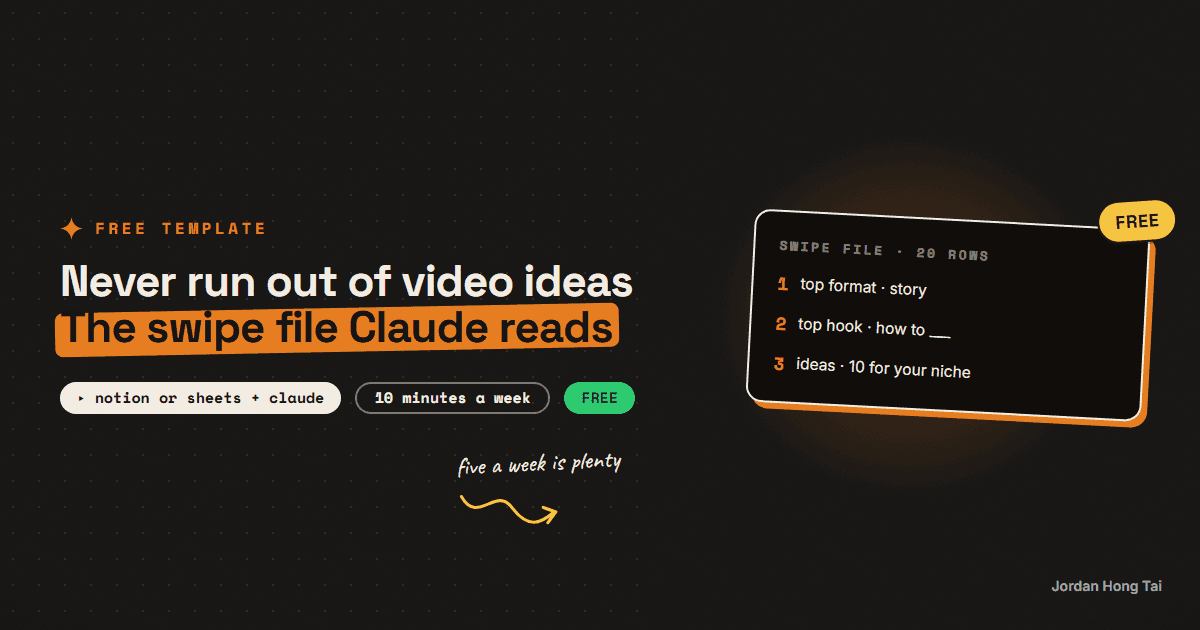
Most people save videos to a folder and never open it again. This guide turns that folder into a table you add to in seconds, and once it has 20 rows, Claude tells you which hooks and formats keep winning and hands you 10 ideas built on them.
If you never want to run out of video ideas again, stop saving videos to a folder you'll never open. Put them in a table instead. Four columns, about five rows a week, and once you have 20, Claude can tell you what keeps working.
What you'll have when you're done
- A swipe file: one table in Notion or Google Sheets with every video that stopped your scroll
- A clear read on which hooks and formats keep showing up in the videos that got watched
- 10 video ideas for your niche, built on those hooks and formats
- A 10-minute weekly routine, so the list keeps growing without turning into a chore
- [SCREENSHOT: the finished swipe file with 20 rows and the format column filled in]
Before you start
- A free Notion account or a free Google account for Sheets. Pick the one you already use.
- A Claude account. The free plan is fine. (ChatGPT works too.)
- 20 minutes for setup. After that it's 10 minutes a week.
How I do it
On my own team we did this at a bigger scale. We logged 84 reels from one large creator in our space: the link, the play count and the first line of each one. Then we grouped the first lines into hook families, like "This is the best X" or "Here's how", and ranked the families by median plays.
We used the median, not the average, because a few huge hits pull the average way up and hide what a normal video does. One family clearly beat the rest, and that changed how we open our own reels. This guide is the same idea at beginner scale, and I think the small version teaches you more, because you watch every video yourself. You won't need a scraper or a script, just a table and a habit.
Step 1: Make the table
Open a new Google Sheet or a new Notion database and name it Swipe File. Add these columns, in this order:
| Column | What goes in it |
|---|---|
| Date added | The day you saved it |
| Link | The URL of the video |
| Views | The view or play count when you saved it |
| Hook | The first line, word for word, exactly as it's said or shown on screen |
| Format | One word from the format list below |
| Notes (optional) | Anything you noticed: the niche, length, why it stopped you |
For Google Sheets, paste this into cell A1 and it fills the header row for you:
Date added Link Views Hook (word for word) Format NotesFor Notion, use these property types: Date added as Date, Link as URL, Views as Number, Hook as Text (rename the default Name column to Hook), Format as Select, and Notes as Text.
The hook column is the one that matters most. Type it word for word. "Video about saving money" is a summary and teaches you nothing. "I stopped buying coffee and here's what happened to my bank account" is a hook you can study.
Check it worked: you have an empty table with six columns, and Format is a dropdown (Data validation in Sheets, a Select property in Notion).
Step 2: Set up the format list
Add these as the options in your Format dropdown. One word per video keeps the table easy to sort.
List: "5 tools that..." Numbered items, one after another.
Story: Something happened, then something changed. Has a beginning,
  middle and end.
Before/after: Shows a starting point and a result, side by side or
  one after the other.
Screen recording: The screen is the video. A tool, an app, a website.
Tutorial: Teaches one task, step by step, so you can copy it.
Opinion: One person to camera, making one argument.
Myth vs fact: States a common belief, then corrects it.
Comparison: X vs Y. Two options, judged against each other.
Reaction: Responds to another video, post, comment or piece of news.
Day in the life: Follows a person through a day or a routine.
Mistakes: "Stop doing X." What people get wrong and what to do
  instead.
Q&A: Answers a question, often a real comment on screen.
If a video fits two formats, pick the one you'd use to describe it to a friend. If none fit, add a new option. The list is yours, so let it grow.
Check it worked: your Format dropdown has the options above, and you could label most videos in your feed with one of them in a few seconds.
Step 3: Add every video that stops your scroll
From now on, when a video makes you stop scrolling, save it to the table. Not the ones you think you should save. The ones that actually stopped your thumb, because that's the real test of a hook.
Five a week is plenty. You can add them as you go, or save them in the app and add them all at once during your weekly routine (below).
- Link: tap Share, then Copy link.
- Views: copy the number shown on the video. A rough number is fine.
- Hook: play the first two seconds again and type it out word for word. Include text on screen if that's the hook.
- Notes: if the views look far higher than that creator's other videos, write "way above usual". That's the strongest sign the hook or format did the work, not the account size.
Check it worked: after a week you have about five rows, each with a word-for-word hook and a format.
Step 4: At 20 rows, ask Claude what keeps winning
With about four weeks of saving, you'll hit 20 rows. Before that, one lucky video can look like a pattern. At 20, the same hooks and formats start showing up more than once.
Copy the whole table, headers included. In Sheets, click the top-left corner to select everything, then copy. In Notion, select all rows in the table view and copy. Open a new Claude chat and paste this, with your table where marked:
Below is my swipe file: videos that stopped my scroll, with the link,
views, the hook word for word, the format and my notes.

Study it and tell me:
1. FORMATS: which formats show up most, and which formats have the
   highest views. Use the median views per format, not the average,
   so one huge video doesn't skew it. Show the count for each.
2. HOOK FAMILIES: group the hooks into families by their shape (for
   example "The best X for Y", "Stop doing X", "I tried X for 30
   days"). For each family give the shape, the count, the median
   views and two examples quoted from my table.
3. WHAT KEEPS WINNING: the 3 hook families and 2 formats I should
   copy the shape of, and one sentence on why each works.
4. WEAK SPOTS: anything in my table that is too thin to trust, like
   a family with only one example.

Only use what's in the table. If something isn't there, say so
instead of guessing.

My swipe file:
[paste your table here]
Check it worked: Claude gives you named hook families with counts and quoted examples from your own table, plus a short list of what to copy. If the counts look wrong, check that the paste included every row. [SCREENSHOT: the pattern analysis in Claude]
Step 5: Ask for 10 ideas in those formats
Stay in the same chat, so Claude still has your table and its analysis. Send this, with your niche filled in:
Good. Now give me 10 video ideas for my niche: [describe your niche
in one sentence, e.g. "budget meal prep for students"].

Rules:
- Use only the 3 hook families and 2 formats you just picked.
- Each idea is about my niche and my audience, not the original
  videos' topics.
- Never reuse another creator's wording. Copy the shape of the hook,
  write new words.
- For each idea give me:
  HOOK: the first line, ready to say on camera
  FORMAT: which format it uses
  HOOK FAMILY: which family it borrows from
  WHAT HAPPENS: 2 sentences on what the video shows

Order them from easiest to film to hardest.
Pick the three you would be happiest filming this week. Start with the easiest one. I think the habit needs an early win more than it needs your best idea. Add them to the table as rows of their own, with "mine" in the notes, so you can compare them later.
Check it worked: you have 10 ideas, each with a hook you could say out loud today, and each one points back to a pattern from your own table.
Step 6: The 10-minute weekly routine
Pick one fixed slot, like Sunday morning, and do this:
- Add your saves (5 minutes). Move this week's saved videos into the table. Hook word for word, format, views.
- Check your own videos (2 minutes). Update the views on any rows marked "mine" that went out this week.
- Pick next week's videos (3 minutes). Choose two or three ideas from your last list, or ask Claude for more from the same chat.
Every time you add another 20 rows, run the step 4 prompt again on the full table. Then add this so you can see what moved:
Compare this to your last analysis. Which hook families and formats
got stronger, which got weaker, and how did my own videos (marked
"mine") do against the rest of the table?
Check it worked: your table grows by about five rows every week, and you always have at least three ideas waiting for the next week.
How the list gets better as it grows
At 20 rows, the patterns are a first guess. I treat them as useful, and still a guess.
At 50 rows, each hook family has enough examples that Claude can compare them properly, and the weak spots from step 4 start filling in. You'll also notice your own taste getting sharper. You start seeing hook shapes the moment a video starts.
At 100 rows, you can ask narrower questions. Which hooks win in your niche only? Which formats win for videos under 30 seconds? Do the "way above usual" videos share anything? You can also split the table by platform if you post in more than one place.
I think the rows marked "mine" are the most valuable part over time. They show you which borrowed patterns actually work for your audience, not just for someone else's. When a family keeps winning for you, make it your default opener and keep testing new ones beside it.
FAQ
Should I use Notion or Google Sheets?
Use whichever one you already open every day. Sheets is faster for pasting into Claude because you can copy the whole range in one go. Notion is nicer on your phone if you save videos while scrolling in bed. Both work the same way with the prompts in this guide.
Why 20 rows before I ask Claude anything?
With five or ten rows, one lucky video can look like a pattern. Twenty is about where the same format or hook shape starts showing up three or four times, so Claude has something real to compare. You can run the prompt earlier, just treat the answer as a guess.
Can I use ChatGPT instead of Claude?
Yes. The prompts are plain text and work in ChatGPT or Gemini. The only thing that matters is that you paste the whole table, hooks included, so the model reads the actual words instead of guessing from titles.
Isn't this just copying other creators?
No, because you only take the shape. A format like before/after or a hook like 'the best X for Y' belongs to nobody. The prompt in step 5 tells Claude to use your niche and your topics and to never reuse another creator's wording.
Do the views need to be exact?
No. Round numbers are fine, and so is the number you saw on the day you saved it. What helps more is a note when a video did far better than that creator usually does, because that is the clearest sign the hook or format did the work.
What if I only find videos outside my niche?
Save them anyway. Hooks and formats travel across niches, and some of the best ideas come from borrowing a shape from a cooking or fitness video and using it for your own topic. Just mark the niche in the notes column so you can see it later.
Related guides
Turn Claude into your trend researcher (10 minutes, free)
You'll set up a Claude Project that answers the question 'what should I post about today?' with a ranked, source-linked list on demand. It takes 10 minutes and works on the free plan.
A hook lab without trial reels: test 3 openers per reel when Instagram locks you out
Instagram's trial reels feature needs roughly 1,000 followers. My account had 13. That is not a small gap you close in a month, so the entire trial-reel A/B protocol was unusable and I had to replace it with something that works at any account size. This guide is that replacement: three hooks per reel in different archetypes, one variant shipped per platform so every reel gets three real reads instead of one, every post tagged so the clicks are separable, and a set of hard decision rules that stop you retiring a hook on noise.
Make AI sound exactly like you (the voice file trick)
AI content sounds like AI because the model has never met you. In 15 minutes you'll build the one file that fixes it: a voice file the AI loads before writing anything.
Get the next build in your inbox
One email a week: the newest guides, plus one thing I only share with the list.
No spam. Unsubscribe anytime.
Build alongside others
Join the free community and share what you're shipping.

Jordan Hong Tai
I've scaled products to over 500K users, and now I build AI systems in public from a balcony in Tokyo.