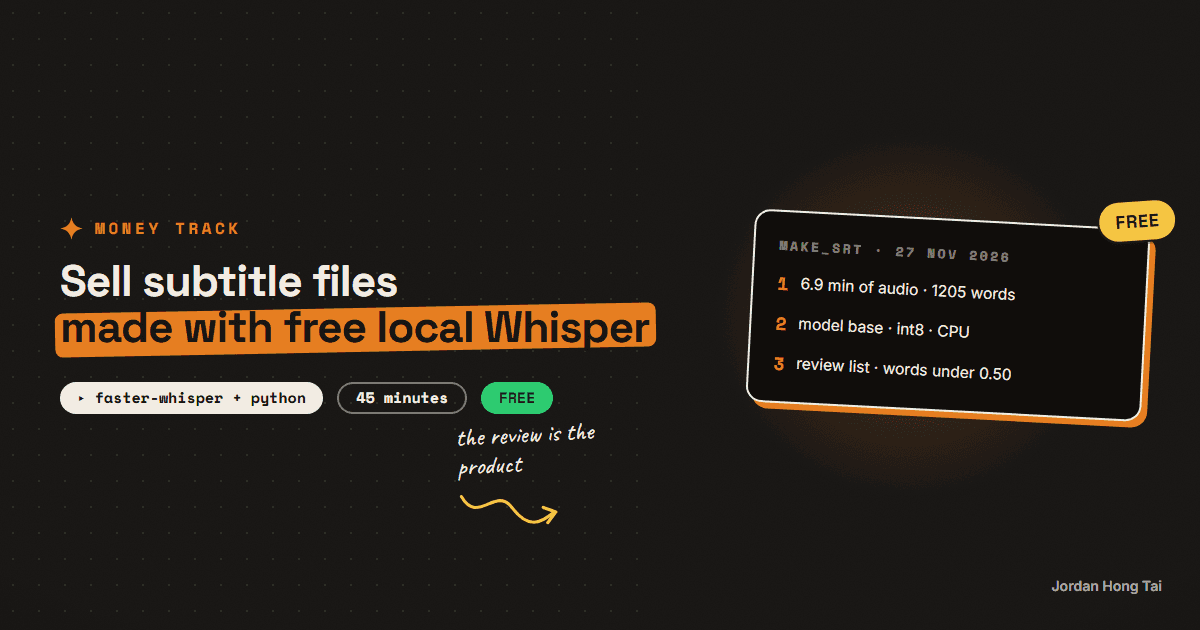
Rev's pricing page says human transcription starts at $1.99 a minute. On Fiverr, I found sellers offering a subtitle file for a 10-minute video for $10. And the software that does the first draft is free: Whisper is open source, and it runs on a normal laptop.
So people are already paid for this, and the tool costs nothing. What's left to sell is the part the tool gets wrong. On 27 November 2026 I ran a 6.9-minute video through Whisper on my laptop. It took 51 seconds, and it wrote the name of the company in the first sentence wrong.
This guide is the script I used, the review pass that fixes what the model misses, and what the going rates look like today.
What you'll have when you're done
- A script that turns any video or audio file into an
.srtsubtitle file - Captions that fit two lines of 42 characters, so they're readable on a phone
- A review list of the words the model wasn't sure about
- A ten-minute review routine you can repeat for every job
- [SCREENSHOT: terminal, the three summary lines from make_srt.py]
Before you start
- Python 3.9 or newer.
- A laptop. No graphics card needed. Mine has a Ryzen 9 5900HS and I ran this with about 1 GB of memory free.
- One video with clear speech to practise on. Use your own.
- About 45 minutes for setup and a first file.
There's no download pack for this one. The script is on the page.
Step 1: Install faster-whisper
Whisper is OpenAI's speech recognition model. Its README says the code and the model weights are released under the MIT License. faster-whisper is a reimplementation by SYSTRAN, also MIT licensed, and its README says it's up to 4 times faster than the original for the same accuracy while using less memory.
pip install faster-whisper
The first run downloads the model. After that everything runs on your machine, and the client's video never leaves it. I think that's worth saying in your pitch, because some clients can't upload unreleased footage to a web tool.
Check it worked: python -c "import faster_whisper; print(faster_whisper.__version__)" prints a version number. Mine printed 1.2.1.
Step 2: Save the script
Save this as make_srt.py.
# python make_srt.py video.mp4 [model]
# Writes video.srt (captions of at most 2 lines x 42 characters) and video.review.txt (words to check by ear).
import sys, time
from pathlib import Path
from faster_whisper import WhisperModel

src = Path(sys.argv[1])
size = sys.argv[2] if len(sys.argv) > 2 else "base"
LINE, MAX_SECONDS, LOW = 42, 6.0, 0.50

def stamp(t):
    ms = int(round(t * 1000))
    h, ms = divmod(ms, 3600000); m, ms = divmod(ms, 60000); s, ms = divmod(ms, 1000)
    return f"{h:02}:{m:02}:{s:02},{ms:03}"

def two_lines(text):
    # Returns the caption on one or two lines, or None when it cannot fit.
    if len(text) <= LINE: return text
    words, best = text.split(), None
    for i in range(1, len(words)):
        a, b = " ".join(words[:i]), " ".join(words[i:])
        if len(a) <= LINE and len(b) <= LINE and (best is None or abs(len(a) - len(b)) < best[0]):
            best = (abs(len(a) - len(b)), a + "\n" + b)
    return best[1] if best else None

t0 = time.time()
model = WhisperModel(size, device="cpu", compute_type="int8")
segments, info = model.transcribe(str(src), word_timestamps=True, vad_filter=True)

cues, cur, review = [], [], []
for seg in segments:
    for w in seg.words:
        word = w.word.strip()
        if w.probability < LOW: review.append(f"{stamp(w.start)}  {word}  ({w.probability:.2f})")
        text = " ".join(x[2] for x in cur + [(0, 0, word)])
        if cur and (two_lines(text) is None or w.end - cur[0][0] > MAX_SECONDS):
            cues.append(cur); cur = []
        cur.append((w.start, w.end, word))
        if word[-1:] in ".?!": cues.append(cur); cur = []
if cur: cues.append(cur)

srt = [f"{i}\n{stamp(c[0][0])} --> {stamp(c[-1][1])}\n{two_lines(' '.join(x[2] for x in c))}\n" for i, c in enumerate(cues, 1)]
src.with_suffix(".srt").write_text("\n".join(srt), encoding="utf-8")
src.with_suffix(".review.txt").write_text("\n".join(review), encoding="utf-8")
words = sum(len(c) for c in cues)
print(f"{src.name}: {info.duration/60:.1f} min of audio, {words} words, {len(cues)} captions")
print(f"model {size} (int8, CPU): {time.time()-t0:.0f} s")
print(f"{len(review)} words under {LOW:.2f} confidence -> {src.with_suffix('.review.txt').name}")
It does three things. It transcribes with a timestamp on every word. It groups the words into captions that end at a sentence, last six seconds at most, and fit on two lines of 42 characters. And it writes down every word the model gave less than 0.50 confidence, with the time it was said.
Check it worked: the file is saved next to your practice video and you haven't changed anything in it yet.
Step 3: Run it on one video
python make_srt.py video.mp4
This is my run from 27 November 2026. The file was the full audio mix of a long video I published in September, with music under the voice. I used the base model.
video.wav: 6.9 min of audio, 1205 words, 133 captions
model base (int8, CPU): 51 s
33 words under 0.50 confidence -> video.review.txt
So that's a little under seven minutes of video in under a minute, on a laptop processor. The first captions came out like this:
1
00:00:00,000 --> 00:00:03,580
Open AI just shipped a model that
uses a computer the way you do.

2
00:00:04,060 --> 00:00:08,240
It clicks, it types, it drags files
around, and it finishes real work while

3
00:00:08,240 --> 00:00:09,540
you go and do something else.

4
00:00:10,140 --> 00:00:12,320
That part's real, and I'll
show you the receipts.
The timing is right and the line breaks are clean. But read caption 1 again. The video is about OpenAI, and the model wrote "Open AI" as two words. It did that seven of the eight times the name came up.
For reference, the faster-whisper README has its own benchmark: 13 minutes of audio with the small model on a desktop processor in 1 minute 42 seconds, using 1,477 MB of memory. A bigger model is slower and more accurate. Pass the name as the second argument, like python make_srt.py video.mp4 small.
Check it worked: you have a .srt file that opens in a text editor, and the three summary lines printed with no error.
Step 4: Do the review pass
This is the step people pay for. A client can get machine captions for free. YouTube makes them automatically, and YouTube's own help page says they "might misrepresent the spoken content due to mispronunciations, accents, dialects, or background noise", and that you should always review them.
Open video.review.txt. Mine had 33 words in it. The start looked like this:
00:00:21,500  7  (0.24)
00:00:30,980  6  (0.36)
00:00:31,220  Astra  (0.36)
00:00:54,760  Job  (0.41)
00:02:02,100  open  (0.39)
00:02:18,300  Early  (0.33)
00:02:38,220  world,  (0.48)
00:02:38,940  Astra  (0.37)
Fifteen of the 33 were a name, a number or a product. "Astra", the model in the video, was on the list six times. Further down, ChatGPT Plus had come out as "Chatchee plus". The rest were ordinary words like "and" and "sometimes". So the list is a mix, and I think the names and numbers are the ones to check first, because they matter most to the person who made the video.
Here's the routine I'd run on every file:
1. Ask the client for a list of names, brands and terms before you start.
2. Search the .srt for each one and fix the spelling everywhere.
3. Go through review.txt. Jump to each timestamp, listen, fix or leave.
4. Watch the whole video once at 1.5x speed with the captions on.
5. Check numbers and prices twice. A wrong number is the worst error to ship.
Step 1 would have caught "Open AI" before I ever ran the script. The review list flagged only two of the seven, so don't treat the list as the whole check. You still watch the video once.
Check it worked: every name on the client's list is spelled the same way in every caption, and you've watched the video through once with captions on.
Step 5: Deliver the file
Send the .srt file and tell the client what to do with it. YouTube, Vimeo and most course platforms take an .srt upload on the video's subtitles page. If they want the words burned into the video for Reels or TikTok, that's a different job with an editor, and I'd price it separately.
Put two lines in your delivery message:
Captions were drafted by speech recognition and reviewed by me against the audio.
Names and terms checked against your list: [list them].
I think you should say the first line out loud every time. Some sellers advertise "100% human, no auto tools". You're selling something different, which is a fast draft plus a careful review, and it's better to say so than to have a client find out.
Check it worked: the client can upload the file without asking you a question, and your message says how the captions were made.
What people charge
These are published prices I read on 27 November 2026. They're other people's prices, not a forecast of what you'll earn.
| Who | What | Price |
|---|---|---|
| Rev | Human transcription | starts at $1.99 a minute |
| Rev | Global Subtitles (translated) | $6.49, $10.49 or $15.99 a video minute, by language |
| Fiverr seller A | Subtitles for up to 5 minutes, including transcription | $10 |
| Fiverr seller B | SRT or VTT file for a 10-minute video | $10 |
| Fiverr seller B | SRT or VTT file for a 50-minute video | $30 |
| Fiverr seller C | Synced subtitles on one video, basic package | $10 |
The Fiverr rows come from three sellers' published gig packages. A Fiverr price is a starting package, and sellers quote long videos by message.
Notice the gap. A 10-minute video is $10 on Fiverr and would start at $19.90 at Rev's human rate. I think the low end of Fiverr is a hard place to live, so I wouldn't compete on price there. I'd pick one kind of client where mistakes are expensive, like course creators or podcasts with technical guests, and sell the term list and the review.
The honest part
The software does the easy part and you're paid for the rest. That means the job is listening, and it's slow if the audio is bad. Two people talking over each other, heavy accents and loud music all make the review list longer. Try the script on a sample before you quote.
I haven't sold this as a service. I use faster-whisper in my own video pipeline, to check takes and line captions up with the voice. The run above is real, and the prices are other people's.
What I'd do differently
Ask for the term list first. It fixes the most visible errors before they happen.
Try the small model on hard audio. It's slower, and it's still free.
Never skip the full watch. The review list finds unsure words. It doesn't find a confident mistake.
Say how the captions were made. A fast draft with a careful review is a fair thing to sell.
FAQ
Is Whisper free to use for client work?
Whisper's README says its code and model weights are released under the MIT License. faster-whisper, the reimplementation used in this guide, is also MIT licensed. Both run on your own machine with no per-minute fee.
How long does Whisper take to transcribe a video on a laptop?
In a run on 27 November 2026, 6.9 minutes of audio took about a minute with the base model at int8 precision on a Ryzen 9 5900HS laptop processor. The faster-whisper README reports 13 minutes of audio in 1 minute 42 seconds with the small model on an Intel Core i7-12700K. Bigger models are slower and more accurate.
How much do people charge for subtitles?
Published prices read on 27 November 2026: Rev's pricing page says human transcription starts at $1.99 a minute. Three Fiverr sellers listed subtitle packages at $10 for a video of 5 to 10 minutes and $30 for 30 to 50 minutes. These are other people's prices, not a forecast of what you'll earn.
Why would someone pay for subtitles when YouTube makes them automatically?
Because automatic captions make mistakes on the words that matter. YouTube's help page says automatic captions might misrepresent the spoken content due to mispronunciations, accents, dialects or background noise, and that you should always review them. The paid part is the review.
What file do I deliver?
An SRT file. YouTube, Vimeo and most course platforms accept an SRT upload on the video's subtitles page. Burning the words into the video for Reels or TikTok is a separate editing job.
Related guides
Get the next build in your inbox
One email a week: the newest guides, plus one thing I only share with the list.
No spam. Unsubscribe anytime.

I can build this for you.
If you would rather not do the steps yourself, tell me what you need and I will show you how I would approach it.