AI video dubbing as a service: HeyGen video translate, what it costs per minute, and what Fiverr sellers charge
Last updated October 2026 · An afternoon for the first dubbed sample and the gig listing · HeyGen Creator $29/mo for 600 credits (about 100 Speed minutes); API from $0.57 a minute; Fiverr free to list · Beginner
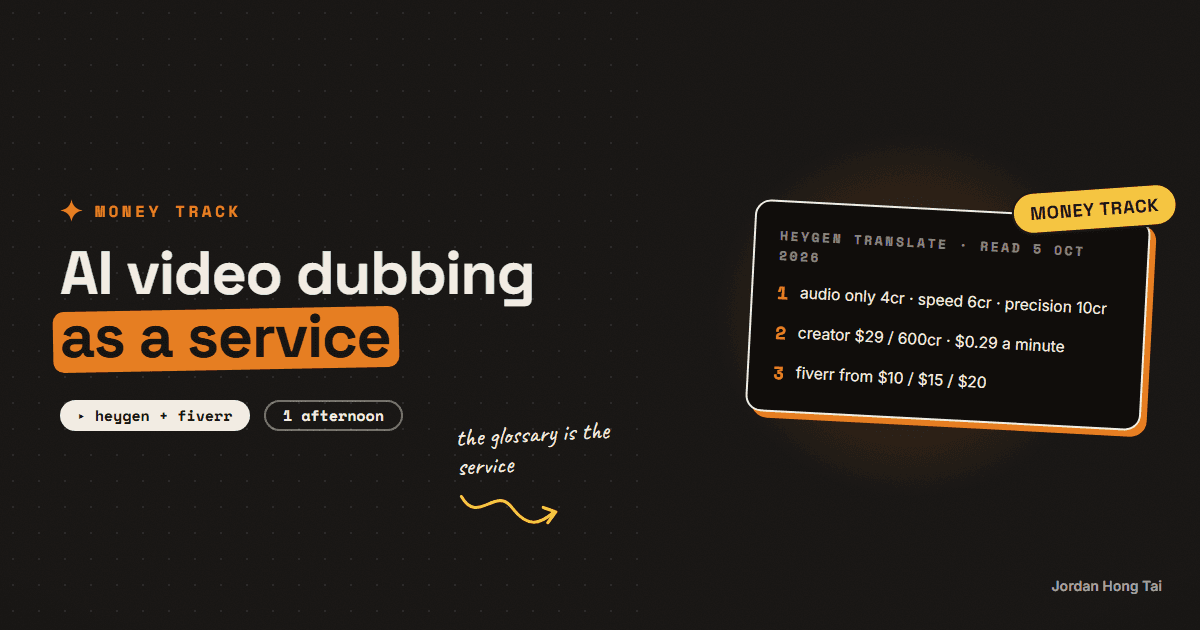
A minute of AI-dubbed video with lip sync costs about 29 cents in HeyGen credits on its $29 Creator plan. The Fiverr listings for the same service start at $10, $15 and $20, and one lip-sync gig starts at $120. That gap is the whole business, and it exists because the client is not paying for the render. They are paying for someone to check the brand names, fix the one line the model got wrong, deliver the files in the right shape and tell them honestly that a synthetic voice was used.
A minute of AI-dubbed video with lip sync costs about 29 cents in HeyGen credits on its $29 Creator plan. The Fiverr listings for the same service start at $10, $15 and $20, and one lip-sync gig starts at $120.
That gap is the whole business. It exists because the client is not paying for the render. They are paying for somebody to check that their brand name survived the translation, fix the one line the model got wrong, deliver the files in the shape their editor needs, and tell them honestly that a synthetic voice was used.
This guide is the cost sheet from HeyGen's own help centre, the asking prices from Fiverr and Upwork read on 5 October 2026, and then the part that actually earns the fee: the glossary, the lip-sync check, the delivery and the disclosure line.
Results vary a lot. None of this is a forecast of what you or anyone will earn. It is what a minute costs and what people ask for one.
What you'll have when you're done
- A per-minute cost sheet for HeyGen's three translation modes, in the app and through the API
- A Brand Glossary for your first client so names and product terms survive every language
- A QC checklist for lip sync, timing and the one mistranslation that always slips through
- A delivery folder shape with the video, the SRT and the VTT
- A gig description and a delivery note with the disclosure line already written
- [SCREENSHOT: HeyGen's Translate screen with the Advanced tab open and a Brand Glossary selected]
Before you start
- A HeyGen account. The Creator plan is $29 a month, or $24 a month billed annually, for 600 credits, and videos up to 30 minutes. Pro is $49 a month for 1,000 credits. Business is $149 a month for 1,500 credits and 60-minute videos, and only Business can top up, at $0.05 a credit in blocks of 100. Unused credits roll over one billing cycle on all three.
- Or no plan at all. HeyGen's API is pay as you go, and its help centre says any user, including free users, can buy API credits in US dollars with no subscription. The per-minute prices are higher, which I cover in step 1.
- Pro or above if you want Proofread. HeyGen's getting-started article says the Review & Edit step is available on Pro, Business, Team and Enterprise. Creator users translate blind.
- A Fiverr or Upwork profile, both free to list.
- One test video of your own, 2 to 3 minutes, one speaker, facing camera.
HeyGen: heygen.com
Step 1: Do the cost sheet before you write the gig
HeyGen prices Video Translate per minute of source video, in credits, and the credit cost depends on the mode. From its help centre, read 5 October 2026:
| Mode | What it does | Credits a minute | On Creator, $29 for 600 | On Business top-ups, $0.05 a credit |
|---|---|---|---|---|
| Audio Only | New voice track, no lip sync | 4 | about $0.19 | $0.20 |
| Speed | Lip sync, built for front-facing single speakers | 6 | about $0.29 | $0.30 |
| Precision | Highest-quality lip sync, handles angle changes and speaker switches | 10 | about $0.48 | $0.50 |
So a 600-credit Creator month is about 100 minutes of Speed dubbing or 60 minutes of Precision. A ten-minute client video in Speed mode is 60 credits, about $2.90 of your plan.
The API is a different price list. HeyGen's API pricing page, last updated 16 September 2026, charges in dollars per minute of source video:
| API mode | Price a minute |
|---|---|
| Speed, audio only | $0.57 |
| Speed, lip sync | $0.81 |
| Precision, lip sync | $1.50 |
The API is roughly three times the app price, so I'd start in the app. The API makes sense once you have a client sending a batch every week and you want the job to run itself.
Cost sheet (one row per client video, per language)
source minutes:        ______
mode:                  audio only / speed / precision
credits per minute:    4 / 6 / 10
credits used:          minutes x credits per minute
plan cost per credit:  29 / 600 = 0.0483   (creator, monthly)
tool cost:             credits used x cost per credit
languages:             ______  (multiply everything above)
your QC time:          ______ minutes
price quoted:          ______
Check it worked: fill the sheet for your test video in all three modes. If you cannot see the tool cost for a ten-minute video in two languages without a calculator, do it again until you can.
Step 2: Read what the market asks, with the date on it
Asking prices are not earnings. They are the number a seller put on a page, and the page I read may have changed. With that said, here is what I found on 5 October 2026.
Fiverr. A search for "ai video dubbing" returned over 1,300 gigs. Of the first fourteen results, five started at $10, three at $15, two at $20, and one each at $30, $40, $50 and $120. The $40 gig was a Top Rated seller offering a synced dubbing voice-over recorded by a person. The $120 gig was "ultra realistic ai lip sync". Fiverr blocked my attempt to open the individual packages, so I cannot tell you what those starting prices include in minutes. Treat them as the entry number, nothing more.
Upwork. Upwork's own cost page for translators says they cost $15 to $25 an hour, with entry-level at $15 to $30, and it gives per-word rates of $0.08 to $0.15 for common languages. Its video editor page says editors cost $6 to $25 an hour. Nobody on either page is pricing AI dubbing by the minute yet, so if you do, you are pricing a service that the marketplace has not standardised.
What that tells me is that the entry price is about $10 to $20 for a first package, and that the sellers charging more are selling either a human voice or a quality promise on lip sync. The tool cost underneath a $15 gig for a five-minute video in Speed mode is about $1.45. The other $13.55 is the work in steps 3 to 6.
Check it worked: write down the three prices you saw today, with the date, in your cost sheet. Re-read them in a month. If they moved, your price moves.
Step 3: Build the Brand Glossary first, then translate
This is the step that separates a dubbing service from a button. HeyGen's Brand Glossary has three rule types, from its help centre:
- Pronunciation rules. You enter the original word and how it should be said, with a phonetic spelling if needed.
- Force Translate. A term that must always become one specific word in the target language. HeyGen's own example is turning "artificial intelligence" into "AI" in every language.
- Don't Translate. Product names and brand names that should stay exactly as they are.
Build one glossary per client before the first translation. Then, when you start a translation, click the Advanced tab and select the glossary. HeyGen applies the rules automatically for that language, and in the editor the words with rules show in italic purple so you can see they took.
Brand glossary intake (send to the client before the first job)
1. Your company name, exactly as written, and how it is said
2. Every product or service name that must not be translated
3. People's names that appear on camera, with pronunciation
4. Three industry terms you want kept in English (or forced to one word)
5. Anything you have been mistranslated as before
Check it worked: run the test video with the glossary on. Every name in the intake list appears unchanged in the translated script.
Step 4: Pick the mode from the footage, not from the price
HeyGen's getting-started article is clear about what each mode is for. Speed is optimised for front-facing videos with single speakers or simple conversations. Precision includes the highest-quality lip sync and handles speaker switches, camera angle changes and side-profile shots. Audio Only skips lip sync entirely.
Its proofreading article adds the two failure conditions. Lip sync may not be perfect if a speaker's head is turned more than 30 degrees from the camera, or if the speaker appears too small in the frame. And only one person should speak at a time.
So before you quote, watch the source once with three questions:
- Does anyone turn more than 30 degrees away while talking?
- Is the speaker small in frame for long stretches, as in a wide shot of a stage?
- Do two people ever talk over each other?
Any yes means Precision, or Audio Only with subtitles, and a higher quote. A no to all three means Speed at 6 credits a minute.
Check it worked: the quote names the mode and why. "Speed, because it is one speaker facing camera" is a sentence a client can trust.
Step 5: The QC pass, which is what they are paying for
If you are on Pro or above, use Review & Edit rather than Translate. HeyGen's help centre describes it as the step where you review and adjust the translated script, voices and timing before generating the final video, and you can download the script as Excel or SRT, fix it, and upload it back. You can also preview without lip sync first, which is cheaper, and generate the final with lip sync only once the script is right.
On Creator, you do not get that step, so the QC happens after the render, and a bad render costs a second render. That is the real reason to go Pro once you have a paying client.
The pass itself, in order:
- Names and numbers. Read the translated script against the glossary. Check every number, date and price survived.
- Sentence ends. Watch the last two seconds of every sentence. If the mouth keeps moving after the voice stops, the timing needs adjusting in Review & Edit.
- The one idiom. Every script has one phrase that translated literally. Find it, replace it with the plain version.
- A native read. For any language you do not speak, pay a native speaker on the same marketplace to read the script, not the video. Upwork's entry rate for that is $15 to $30 an hour and a ten-minute script takes less than one.
- Speaker voice. HeyGen lets you change the speaker or voice in Review & Edit. If a woman on camera has been given a male voice, which happens, fix it here.
Check it worked: you have a written list of every change you made. It goes in the delivery note, because it is the proof of the service.
Step 6: Deliver in the shape their editor needs
HeyGen's translation output, through the API, comes back as three download links: the video, an SRT caption file and a VTT caption file. In the app you download the video and can export the script. Deliver all three every time, even when the client only asked for the video, because the caption file is what their editor will actually use when they need to change one word later.
/ClientName_VideoTitle_LANG/
    VideoTitle_es-MX.mp4
    VideoTitle_es-MX.srt
    VideoTitle_es-MX.vtt
    delivery-note.txt   (mode used, glossary applied, changes made, disclosure line)
Name the files with the regional code. HeyGen's language list has Spanish (Mexico), Spanish (Spain) and Spanish (Latin America) as separate entries, and the client will want to know which one they got.
Check it worked: open the SRT in a text editor. The timestamps are not all zero and the first line is in the target language.
Step 7: Price it, and write the disclosure line
I'd price per minute of source video, per language, with a minimum. The marketplace entry is $10 to $20, so a minimum in that range for the first five minutes, then a per-minute rate above it that reflects the mode. Precision costs you about 65% more in credits than Speed, and much more in QC time, so it should cost the client more too.
What I would not do is price per job without seeing the footage. Step 4 is the quote.
Then the disclosure, in two places. In the gig description, so the client knows before they buy. And in the delivery note, so they have it in writing. If the video is going to YouTube, the client has their own obligation: YouTube requires creators to disclose realistic altered content that makes a real person appear to say something they did not say, which is what a dub of a real speaker is, and it shows viewers an "AI generated or altered" label. The one case YouTube exempts is a creator cloning their own voice.
Disclosure (gig description and delivery note)
This dub was produced with AI video translation (HeyGen). The voice
is synthetic and the lip movement was generated to match it. The
translated script was reviewed and corrected by a person. If you
publish on YouTube or another platform that requires it, please mark
the video as AI generated or altered.
Check it worked: a stranger reading your gig page knows the voice is synthetic before they click Continue.
The honest part about this market
Fiverr had over 1,300 gigs for this search on one day. The tool underneath most of them costs under 50 cents a minute, and the gap between that and a $10 starting price is where the sellers live. That gap only holds if the client gets something the button does not give them.
So I think the service works in one situation. You build the glossary before you render, you pick the mode from the footage, you check the script with a native speaker, you deliver the caption files, and you say in writing that the voice is synthetic. Do those five and you are selling a dubbing service. Skip them and you are reselling a $29 subscription at a markup, and that will not last.
What I'd do differently
Go Pro at the first paying client. Review & Edit turns a re-render into an edit, and the first time a client's name comes out wrong you will wish you had it.
Make the glossary intake part of the order form. Clients will not volunteer the names that matter. Ask.
Quote after watching, never before. The 30-degree rule and the small-speaker rule decide the mode, and the mode decides your cost.
Deliver the SRT every time. It is the file that makes you easy to work with twice.
FAQ
How much does HeyGen video translation cost per minute?
HeyGen's help centre lists Video Translate at 4 credits a minute for Audio Only, 6 for Speed (lip sync) and 10 for Precision (lip sync). On the Creator plan, $29 a month for 600 credits, that works out at about $0.19, $0.29 and $0.48 a minute. The pay-as-you-go API, which needs no plan, charges $0.57, $0.81 and $1.50 a minute for the same three modes. Read 5 October 2026; HeyGen's API pricing page was last updated 16 September 2026.
What do Fiverr sellers charge for AI video dubbing?
On 5 October 2026 a Fiverr search for AI video dubbing returned over 1,300 gigs. Of the first fourteen, five started at $10, three at $15, two at $20, and the rest at $30, $40, $50 and $120. The $40 gig was a Top Rated seller recording a synced human dub, and the $120 gig was ultra-realistic lip sync. These are asking prices for the first package, not what sellers earn. Results vary.
How many languages can HeyGen dub into?
HeyGen's language list for video translation, pulled through its API on 5 October 2026, returned 190 entries. Many are regional variants, so Spanish appears as Spanish (Mexico), Spanish (Spain), Spanish (Latin America) and so on, and Arabic has 18 entries. HeyGen's own marketing says 175+ languages. For a client, the regional variant is the one that matters.
How do I stop the dub mistranslating my client's brand name?
Use HeyGen's Brand Glossary before you translate. It has three rule types: a pronunciation rule that spells out how a word should be said, Force Translate for terms that must always become a specific word in the target language, and Don't Translate for product and brand names that should stay as they are. When you start a translation, open the Advanced tab and pick the glossary. Build one per client and the names survive every language.
When does HeyGen lip sync fail?
HeyGen's proofreading article says lip sync may not be perfect when a speaker's head is turned more than 30 degrees from the camera or appears too small in the frame, and its getting-started article says only one person should speak at a time for best results. Speed mode is built for front-facing single speakers; Precision mode handles speaker switches, camera angle changes and side-profile shots. Check the source footage against those three things before you quote.
Do I have to tell the client or the audience the dub was made with AI?
Yes to the client, in writing, in the delivery note and the gig description. For the audience, it depends on where the video goes. YouTube requires creators to disclose realistic altered content that makes a real person appear to say something they did not say, which is what a dub of a real speaker is, and it shows viewers an 'AI generated or altered' label. Cloning your own voice is the one case YouTube exempts. The simplest version is one line under the video and one line in your delivery note, which this guide gives you.
Related guides
AI avatar videos for local businesses: the build, the pitch and the price
A 40-second AI avatar video costs about $2 to produce. On Fiverr the cheapest gigs selling that work start at $5. That gap is why the marketplace is crowded and why the marketplace is the wrong place to sell this, and the rest of this page is the version that works instead: the three videos a local business will actually pay for, the real per-video cost from my own render log, the public asking range read off live listings, and the three ways the deal goes wrong.
I stopped filming my reels (my AI avatar reads the script)
You'll set up a pipeline where a text file becomes a talking-head clip of your own AI avatar, in your voice, with no camera. Claude Code calls HeyGen's API from a skill file, waits for the render, and drops the clip in your editing folder. After the 30-minute setup, a reel starts with a paragraph, not a tripod.
Getting paid when other people use your cloned voice: the ElevenLabs Voice Library, how payouts work, and what it takes
ElevenLabs says voice creators on its platform have earned $22 million, across more than 10,400 creators, up from $11 million in November 2025. You clone your own voice, share it in the Voice Library, and when a paying user generates audio with it you get paid in cash. The default rate is around $0.03 per 1,000 characters, so a million characters of other people's audio is about $30. The total is real. The split is very uneven.
Get the next build in your inbox
One email a week: the newest guides, plus one thing I only share with the list.
No spam. Unsubscribe anytime.
Build alongside others
Join the free community and share what you're shipping.

Jordan Hong Tai
I've scaled products to over 500K users, and now I build AI systems in public from a balcony in Tokyo.