I made Claude Code my video editor (cuts, captions, exports)
Last updated July 2026 · 30 min · $20/mo (Claude Pro); ffmpeg + Whisper free · Builder
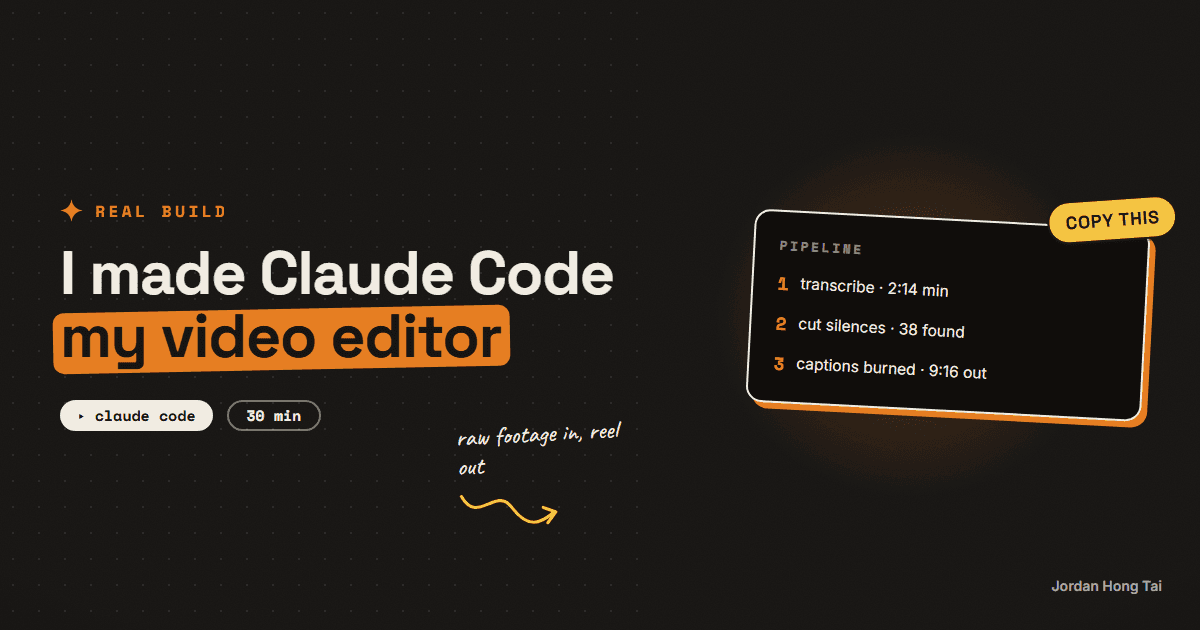
You'll give Claude Code a skill file that edits your videos: transcribe, cut the dead air, burn captions, export 9:16. After the 30-minute setup, editing a clip is one sentence in a terminal.
AI video editing automation sounds fancy, but an edit is really four mechanical moves: transcribe, cut the dead air, caption, export. Claude Code can run all four with free tools, and a skill file means you teach it your taste exactly once.
What you'll have when you're done
- A one-command pipeline: raw clip in, cut and captioned 9:16 export out
- A skill file that holds your editing rules, so every future session already knows them
- A cut list you approve before anything renders, so you stay the editor in chief
- Zero per-video costs and no watermarks
- [SCREENSHOT: before/after, raw clip vs captioned 9:16 export]
Before you start
- Claude Code installed (it's Claude in a terminal that can run tools on your machine). Comes with the Claude Pro plan, $20/month.
- ffmpeg and Whisper, both free. Don't install them by hand; Claude Code does that in step 1.
- A raw talking-head clip to practice on, ideally 1-3 minutes with some obvious dead air.
- 30 minutes.
Step 1: Let Claude Code set up the tools
Open Claude Code in a new folder (call it editor) with your practice clip copied inside. First prompt:
Install ffmpeg and OpenAI's Whisper (the open-source transcription
tool) on this machine if they're missing, the standard way for my
OS. Then verify both: run ffmpeg -version and transcribe nothing with
whisper --help. Tell me when both respond.
ffmpeg is the command-line video tool almost every video app is secretly built on. Whisper is a free transcription model that runs locally, no API key needed. Claude Code handles the install commands and tells you if anything needs your password.
Check it worked: Claude Code reports both tools responding, and ffmpeg -version prints a version number.
Step 2: Write the editor skill file
A skill file is a saved instruction document Claude Code reads before working, the same idea as a voice file but for editing taste. Create it once:
Create a file called EDITOR.md in this folder with exactly this
content, then confirm you'll follow it whenever I ask for an edit:

You are my video editor. When I give you a clip, run this pipeline:

1. TRANSCRIBE: run Whisper on the clip. Save the transcript with
   word-level timestamps as [clipname].json and a readable
   [clipname].srt next to it.
2. CUT: find silences longer than 0.8 seconds using ffmpeg's
   silencedetect filter. Cut them out, snapping every cut to the
   nearest word boundary from the transcript. Never cut mid-word.
3. CAPTIONS: burn the transcript in as captions. Style: uppercase,
   max 4 words per line, centered in the lower third, white text
   with a thick black outline.
4. EXPORT: 1080x1920 (9:16), H.264, keep the source frame rate,
   audio untouched.

Rules:
- Never modify the original file. Every output is a new file next
  to it: [clipname]-cut.mp4, then [clipname]-final.mp4.
- Show me the cut list (timestamps in and out, total time removed)
  and WAIT for my approval before rendering anything.
- If the audio clips or peaks, flag it, don't fix it silently.
Check it worked: EDITOR.md exists in the folder and Claude Code repeats the pipeline back correctly.
Step 3: Run the first edit, approve the cut list
Now the whole pipeline is one sentence:
Read EDITOR.md, then edit myclip.mp4.Claude Code transcribes, finds the silences, and stops to show you the cut list: every cut's in and out point plus the total dead air removed. This approval gate is the difference between an editor and a slot machine. Scan the list; if a "silence" is actually a dramatic pause you want kept, say so and it re-plans.
Check it worked: you're looking at a cut list with timestamps and a total-time-removed figure, and nothing has rendered yet. [SCREENSHOT: the cut list waiting for approval]
Step 4: Render and review
Say "approved" and let it render. Two files appear: the silence-cut version, then the final with captions burned in at 9:16.
Watch the final top to bottom once. Check the three usual suspects:
- Cuts that clip the first syllable of a word (tighten the 0.8s threshold to 1.0s if so)
- Captions drifting out of sync in the second half
- The 9:16 crop cutting off your face (tell it where to anchor the crop)
Anything wrong goes back as one note, and the fix goes into EDITOR.md, not just this edit:
The cuts feel too aggressive, raise the silence threshold to 1.0
seconds. Update EDITOR.md so this is permanent, then re-run the edit.
Check it worked: myclip-final.mp4 plays as a cut, captioned, vertical video, and your correction is written into EDITOR.md.
Step 5: Make it the default workflow
From now on, editing is: drop the raw clip in the folder, open Claude Code, one sentence. The skill file carries your taste between sessions, and each calibration note makes the next edit closer to hands-free.
Check it worked: a second clip goes from raw to final with one prompt and one approval, no re-explaining.
The editor skill file + caption preset
FAQ
Do I need to know ffmpeg?
No, and that's the whole point. ffmpeg is the command-line video tool most video software is built on, and its commands are famously unreadable. Claude Code writes and runs them for you; your job is describing what a good edit looks like, once, in the skill file.
What does this cost compared to an editor or CapCut?
Claude Code comes with the Claude Pro plan at $20/month, and ffmpeg and Whisper are free open-source tools that run on your machine. There's no per-video cost and no watermark. A human editor charges more than that per single reel.
Will the cuts be as good as a human editor's?
For talking-head content, silence cuts plus word-boundary snapping gets you 90% of a paid rough cut. What it won't do is creative pacing, b-roll selection, or taste. I treat it as the rough-cut machine and spend my saved hour on the 10% that needs a human.
My clips are long. Will transcription be slow?
Local Whisper on a laptop runs roughly at or faster than real time with the base model, so a 3-minute clip transcribes in about a minute or two. Use the small or base model for speed; you only need word timestamps, not perfect prose.
Can it edit screen recordings too?
Yes, the pipeline is the same, but silence-cutting is tuned for talking-head footage. For screen recordings with narration it works as-is; for silent screen captures, skip the silence pass and just use the caption and export steps.
Related guides
Build a real app with AI without it falling apart (the phase method)
You'll set up the phase method: the plan file, the progress tracker, and the checkpoints that keep an AI-built app from collapsing halfway through. It's the exact method that rebuilt the site you're reading right now.
The exact system that writes a week of my content in an hour
You'll build the AI content creation system that turns one topic into a week of platform-ready drafts, in your voice. One hour to set it up, and after that Monday runs the week.
Automations that work while you sleep (free, no Zapier)
You'll put your AI research on a timer: it runs at 7 in the morning and the results are waiting when you wake up. Twenty minutes of setup, no Zapier, no subscription.
Get the next build in your inbox
One email a week: the newest guides, plus one thing I only share with the list.
No spam. Unsubscribe anytime.
Build alongside others
Join the free community and share what you're shipping.

Jordan Hong Tai
I've scaled products to over 500K users, and now I build AI systems in public from a balcony in Tokyo.