Automate your weekly social calendar with Metricool + Claude Code
Last updated August 2026 · 90 min · Metricool paid plan (MCP access) + Claude Pro $20/mo · Builder
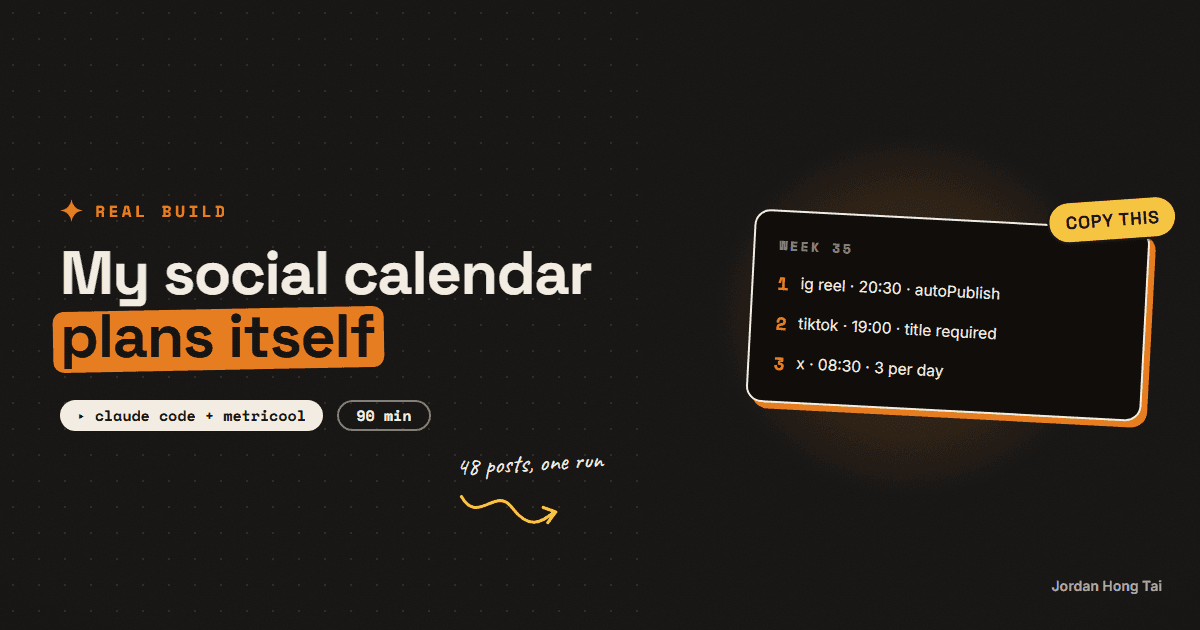
You'll build the task that plans and schedules your whole week of social posts while you're asleep. Claude Code reads last week's numbers out of Metricool, writes them back into your calendar, plans the next seven days, and pushes every post into the scheduler with autoPublish on. My first full run put 48 posts across 5 networks in one pass.
Every Friday morning a scheduled task wakes up on my machine, reads last week's numbers out of Metricool, writes them into my content calendar, plans the next seven days, and schedules every post across Instagram, TikTok, YouTube, X and LinkedIn. I read the summary with coffee. The first full run put 48 posts across 5 networks into the planner in one pass.
This is that system, in the order I built it. It is a Claude Code task, one Metricool connection, and one markdown file that holds every rule. The file is the important part: the prompt is one line, and everything the agent needs to know lives in a document you can edit, diff and improve.
What you'll have when you're done
- A Metricool connection inside Claude Code that can read your analytics and create scheduled posts
- One operating manual, a single markdown file in your repo, that the agent reads at the start of every run
- A weekly task that pulls last week's metrics, writes them back into your calendar, plans the next week, and schedules it
- A week file: one JSON per week holding the plan and the scheduler's post ids, so nothing is invisible
- Working request bodies for each network, including the three that fail silently if you get them wrong
- [SCREENSHOT: the Metricool planner showing a full week of scheduled posts across five networks]
Before you start
- Claude Code installed, and a Claude plan that lets you run scheduled tasks.
- A Metricool account on a plan with MCP or API access, with your networks already connected. The free tier will not do the API half.
- Your Metricool brand id (the number in the URL when you open your brand's dashboard). Mine is a 7-digit number.
- A place for the results. I use a Notion database; a Google Sheet works the same way.
- A repo or folder the agent can write into. The manual and the week files live there in git.
- About 90 minutes, most of it spent writing the manual.
Step 1: Connect Metricool to Claude Code
Add the Metricool MCP server as a connector in Claude Code, then authorize it against your account. An MCP server is just a bridge: it exposes one tool per API endpoint so the agent can call them directly instead of you writing HTTP code.
Once connected you get, among others: getBrandSettings, getAnalyticsAvailableMetrics, getAnalyticsDataByMetrics, getScheduledPosts, createScheduledPost, updateScheduledPost, and getBestTimeToPostByNetwork.
Confirm the connection and grab your brand id in one message:
Call getBrandSettings on the Metricool connector and show me: my brand
id, the brand timezone, and every connected network with its account
name. Just the table, no commentary.
Write the brand id down. Every other call needs it.
Check it worked: you get a table naming your brand id, the timezone the brand is set to, and each connected network. If a network you want is missing, connect it in Metricool's UI first; the API cannot add accounts.
Step 2: Write the operating manual
This is the step people skip and then wonder why the automation drifts. Create one markdown file, docs/SOCIAL_AUTOPILOT.md, and put every decision in it. The scheduled task's prompt will be one sentence pointing at this file.
The sections that earn their place:
# Social autopilot - the weekly operating manual

## 0. Locked decisions
A table of the calls I have already made so the agent never asks:
approval model, posts per platform per day, spend caps, timezone,
what is off limits, voice rules.

## 1. Accounts and tools
Brand id, network handles, which connector does what, where media is
hosted, where results get written.

## 2. The weekly run, step by step
Learn (pull last week) -> Plan (pick topics, draft posts) ->
Make (render anything that needs rendering) -> Schedule -> Report.

## 3. Slots
A table: platform, time of day, posts per day, in ONE timezone.

## 4. Content system
Pillars, formats, per-platform copy rules, the post-type mix.

## 5. Publish paths
The exact commands for anything that has to be built before it ships.

## 6. Budgets and safety rails
Hard caps in numbers. What to do when something fails twice.

## Learning log
Append-only. 3 to 6 bullets per run: what won, what lost, follower
deltas, spend. This is what makes run 10 better than run 1.
Two rules make the difference between a manual and a wish list. Write decisions as values, not preferences: "Instagram Reels, 20:30, 1 per day" beats "post consistently in the evening". And record every gotcha the moment it costs you a run, in the section where the agent will hit it. My manual has a line about a thumbnail field being a string and not an array, because that cost me an afternoon once.
Check it worked: the file exists in your repo, and a colleague could read section 3 and know exactly what gets posted where and when without asking you a question.
Step 3: Pull last week's numbers, by field id
Metricool's analytics API takes metric field ids, not friendly names. You ask for IGRE02 and get reel views. The ids differ per network and per connector (posts versus evolution), so list them once and paste the ones you care about into your manual.
Call getAnalyticsAvailableMetrics for blogId <YOUR_BRAND_ID> for each
network: instagram, tiktok, youtube, twitter, linkedin, with both
connectors (posts and evolution). Return one table per network:
field id, name, connector. Do not summarize, I want the full list.
These are the ids I pull every week, and what they are for:
- Instagram Reels:
IGRE02views,IGRE03reach,IGRE28reel view rate.IGRE28is my hook-rate proxy. - X:
TTTW02impressions,TTTW03engagements, per post. - TikTok:
TKPO02views,TKPO13watched-full-video rate. - YouTube:
YTVP02views for videos published in the range.
Add likes, comments, saves and shares from the same lists if you want them. The four above are the ones that decide next week's plan.
Call getAnalyticsDataByMetrics for blogId <YOUR_BRAND_ID>, the last 14
days, in this order:
- instagram, connector posts, metrics IGRE02,IGRE03,IGRE28
- tiktok, connector posts, metrics TKPO02,TKPO13
- youtube, connector posts, metrics YTVP02
- twitter, connector posts, metrics TTTW02,TTTW03

Return one row per published post: date, platform, the post title or
first 40 characters, and each metric. Sort by date. Flag any post whose
view count is below 50% of that platform's median for the period.
The 14-day window instead of 7 is deliberate: it gives the agent a comparison, so "down" and "up" mean something.
Check it worked: you get a table of real posts with real numbers, and the flagged rows match the posts you already suspected were weak. [SCREENSHOT: the metrics table from a real run]
Step 4: Write the results back before you plan
Results first, plan second. If the agent plans before it writes down what happened, it plans from memory, which means it plans from nothing.
Every post in my calendar is a card carrying the plan (slug, platform, hook variant, keyword, tracking link) with empty metric fields. The run fills those fields in, sets a measured date, and appends to the learning log. Then, and only then, it plans.
For every published post from the pull:
1. Find its card in the content calendar by slug + platform + variant.
2. Write: Views, Hook Rate %, Completion %, Likes, Comments, Saves,
   Shares, Post URL, Measured = today. Status = Published.
3. If no card exists, create one so the row is not lost.

Then append 3 to 6 bullets to ## Learning log in the manual:
what won and lost this week (hook style, topic, format, time slot),
follower change per platform, and spend.

Decision rules to apply before planning:
- No verdict on a format with fewer than 4 data points.
- The format with the best median gains one slot next week.
- The worst loses one slot.
- Any hook below 25% hook rate at 48h is retired, by name, in the log.
Those four decision rules are the whole learning loop. Without them the agent writes nice summaries and changes nothing.
Check it worked: last week's cards all carry numbers and a measured date, and the learning log has new bullets naming specific posts, not generalities.
Step 5: Schedule the week with createScheduledPost
Here is the part that costs you an afternoon if you guess. Each network needs its own sub-object, and three of them fail in ways that are hard to read: the post is created, and then it does not go out, or it goes out wrong.
The shapes below are the ones I have running in production.
{
  "blogId": 1234567,
  "autoPublish": true,
  "text": "Caption with the keyword in the first 125 characters.",
  "media": ["https://your-host/reel.mp4"],
  "videoThumbnailUrl": "https://your-host/cover.jpg",
  "providers": [{ "network": "instagram" }],
  "instagramData": { "type": "REEL", "showReelOnFeed": true },
  "publicationDate": {
    "dateTime": "2026-08-25T20:30:00-04:00",
    "timezone": "America/New_York"
  }
}
videoThumbnailUrl is a string, not an array. Pass an array and the post is created and then publishes without your cover.
{
  "blogId": 1234567,
  "autoPublish": true,
  "text": "Topic phrase in the first 50 characters. DM me CALENDAR.",
  "media": ["https://your-host/reel.mp4"],
  "providers": [{ "network": "tiktok" }],
  "tiktokData": { "title": "Topic phrase in the first 50 characters" },
  "publicationDate": {
    "dateTime": "2026-08-25T19:00:00-04:00",
    "timezone": "America/New_York"
  }
}
tiktokData.title is required. Leave it out and the call is rejected. I use the caption's first line. TikTok takes no thumbnail here.
{
  "blogId": 1234567,
  "autoPublish": true,
  "text": "Description, keyword first, then the link, then #Shorts",
  "media": ["https://your-host/reel.mp4"],
  "providers": [{ "network": "youtube" }],
  "youtubeData": {
    "title": "Query-first title, 20 to 40 characters",
    "type": "short",
    "privacy": "public",
    "tags": ["ai marketing", "automation"],
    "category": "EDUCATION",
    "madeForKids": false
  },
  "publicationDate": {
    "dateTime": "2026-08-25T12:00:00-04:00",
    "timezone": "America/New_York"
  }
}
YouTube needs its own title inside youtubeData; the top-level text becomes the description. Do not send a thumbnail for a Short.
{
  "blogId": 1234567,
  "autoPublish": true,
  "text": "One post. No hashtags, no emoji, no link if you can avoid it.",
  "providers": [{ "network": "twitter" }],
  "twitterData": { "tags": [] },
  "publicationDate": {
    "dateTime": "2026-08-25T08:30:00-04:00",
    "timezone": "America/New_York"
  }
}
twitterData with an empty tags array is still required. X posts need no media, which is why they are the cheapest volume on the calendar.
Two more rules that came out of real failures. Record every returned data.id in the week file, because updateScheduledPost re-issues the id and you will lose track otherwise. And when you swap the media on an existing post, add a cache-buster to the URL (?v=2), or the scheduler keeps serving the file it already copied.
Check it worked: one test post per network appears in the planner at the right local time with the right media, title and cover. Check the planner, not the API response: a created post is not a correct post.
Step 6: Fix the timezone before you fix anything else
The single most common failure in this system is a post landing at 4am. It is almost never the schedule logic. It is the timezone.
Your brand in Metricool carries its own timezone. Send a bare datetime and it gets read in that one. I am in Tokyo scheduling for a US-heavy audience, so every post I create carries two things that have to agree:
Every createScheduledPost call MUST carry:
  publicationDate.timezone = "America/New_York"
  publicationDate.dateTime = the same instant, written with the
  matching UTC offset (-04:00 during EDT, -05:00 during EST)

Never send a naked "2026-08-25T20:30:00". Never let the agent infer the
timezone from the brand settings. Both fields, every post, every time.
The offset flips twice a year. Put that in the manual too, or one November morning your whole week posts an hour early.
Check it worked: a post scheduled for 20:30 shows 20:30 in the planner when the planner is set to your target audience's timezone, not yours.
Step 7: Make the week file the contract
Before it schedules anything, the agent writes weeks/2026-W35.json: the plan for the week, in one file, in your repo. After scheduling, it writes each returned post id back into the same file.
{
  "week": "2026-W35",
  "timezone": "America/New_York",
  "videos": [
    {
      "slug": "metricool-claude-weekly-calendar",
      "platform": "instagram",
      "variant": "B",
      "hook_archetype": "MISTAKE",
      "date": "2026-08-25T20:30:00-04:00",
      "keyword": "CALENDAR",
      "media": "https://your-host/reel.mp4",
      "metricool_id": null,
      "calendar_page": null
    }
  ],
  "x_posts": [
    {
      "type": "contrarian",
      "date": "2026-08-25T08:30:00-04:00",
      "text": "...",
      "metricool_id": null
    }
  ],
  "spend": { "render_usd": 0 },
  "notes": []
}
This file is what makes the system debuggable. When a post goes out wrong you have the exact plan, the exact time, the exact id, and the run that produced it. Committing it also means you can read back six weeks of your own strategy.
Check it worked: the week file exists, every entry has a metricool_id after the scheduling step, and the number of entries matches the number of posts in the planner.
Step 8: Put it on a schedule
Now the payoff. Create a scheduled Claude Code task, weekly, and give it a one-line prompt.
Read docs/SOCIAL_AUTOPILOT.md and execute the weekly kickoff exactly as
written. Read the last two files in weeks/ first. Do not ask me
questions; act, then report what you did, what you learned, what you
spent, and anything you skipped.
That is the entire prompt, on purpose. Improving the system means editing the manual, not rewriting a prompt you cannot diff.
Three settings that matter more than they look:
- Run it two days before the week starts. I run Friday for the following Monday to Sunday. That buffer is the veto window, and it means a failed run has time to be re-run.
- Schedule ahead, never publish live. The agent creates scheduled posts. Nothing goes out the moment it is written, so there is always a gap where you can kill something.
- Add a midweek check. A second, smaller task on Wednesday that pulls 48-hour numbers, retires anything under the threshold, and adjusts the back half of the week.
Check it worked: the task runs on its schedule without you in the room, the planner fills up, and the report lands with numbers in it. [SCREENSHOT: the run report with the week's plan table]
What it costs you after setup
The honest accounting from my own weeks: the run is about 40 minutes of agent time, of which I spend roughly 5 minutes reading the report and occasionally deleting a post I do not like. The manual gets an edit most weeks, usually two lines in the learning log that change what the next run does.
The trap is treating week one's output as the product. Week one gives you a working pipeline and mediocre content. Week ten gives you a pipeline that knows which of your hooks work, because it wrote that down every Friday.
FAQ
Do I need a paid Metricool plan for this?
You need a plan that gives you the Metricool MCP connector and API access, which is not the free tier. Everything else in the guide (the operating manual, the week file, the scheduled task) works with any scheduler that has an API. If you are on the free plan, run the planning half and paste the posts in by hand until the volume justifies the upgrade.
Why put the rules in a markdown file instead of the prompt?
Because the prompt is thrown away and the file is not. The scheduled task's prompt is one line: read the manual and execute it. Every decision, slot, payload shape and gotcha lives in the file, so when something breaks you fix the file once and every future run inherits the fix. It also gives you a diff history of how your own strategy changed.
What happens if a post is wrong? Is the agent posting without me?
It schedules, it does not publish immediately. I run a veto model: everything gets scheduled two days ahead, and the scheduler's planner is the review surface. If a post is wrong I edit or delete it there. The alternative, approving every item, means the system stops the first week you get busy.
Why does my scheduled post land at the wrong hour?
Almost always the timezone. The brand in Metricool carries its own timezone, and if you send a bare datetime it gets read in that one. Pass publicationDate.timezone explicitly on every post and send the date with the matching UTC offset. I am in Tokyo scheduling for a US audience, so every post carries America/New_York plus the -04:00 or -05:00 offset.
Can I do this with n8n or Zapier instead of Claude Code?
You can do the scheduling half. The part those tools do not do is the judgment: reading last week's numbers, deciding which hook archetype earned another slot, and writing 21 posts in your voice. That is why the agent sits in the middle. If you already have the automation platform, keep it for the mechanical steps and let the agent decide what goes in them.
How long does one run actually take?
My Friday run takes about 40 minutes of agent time end to end: roughly 10 pulling and writing back last week's numbers, 20 planning and drafting the week, and 10 scheduling and mirroring the cards. I read the summary afterwards. The first run took longer because the payload shapes were wrong twice, which is why the cheat sheet in Step 5 exists.
Related guides
Automations that work while you sleep (free, no Zapier)
You'll put your AI research on a timer: it runs at 7 in the morning and the results are waiting when you wake up. Twenty minutes of setup, no Zapier, no subscription.
The exact system that writes a week of my content in an hour
You'll build the AI content creation system that turns one topic into a week of platform-ready drafts, in your voice. One hour to set it up, and after that Monday runs the week.
Turn one guide into 21 X posts with a voice file
One guide holds about seven reusable atoms: a contrarian claim, a number, a mistake, a framework, a step, a tool tip and a question. Each atom becomes three posts in different forms, which is 21. A voice file keeps all 21 sounding like you instead of like a content calendar.
Get the next build in your inbox
One email a week: the newest guides, plus one thing I only share with the list.
No spam. Unsubscribe anytime.
Build alongside others
Join the free community and share what you're shipping.

Jordan Hong Tai
I've scaled products to over 500K users, and now I build AI systems in public from a balcony in Tokyo.