The comment-to-DM system that grows your email list on autopilot
Last updated August 2026 · 25 min · Free · Beginner
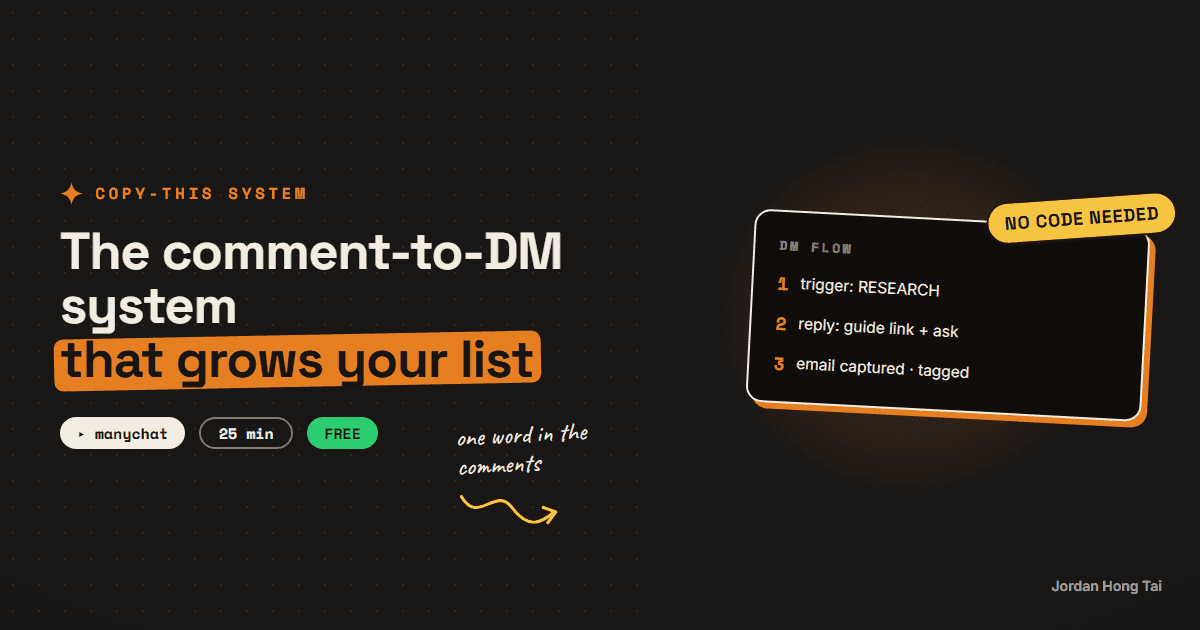
You'll build the flow where one word in your comments turns into a DM with your link and an email on your list. Twenty-five minutes in ManyChat, on the free plan.
An Instagram comment to DM automation turns a one-word comment into a delivered link and a captured email while you sleep. If you commented SYSTEM to get this page, you're inside the exact flow you're about to build.
What you'll have when you're done
- A keyword trigger on your posts: one word in the comments starts the machine
- An automatic DM that delivers your link instantly, then asks for the email
- Every email tagged by keyword, so you know which post converted it
- A pipe from ManyChat into your newsletter list
- [SCREENSHOT: test comment firing the DM]
Before you start
- An Instagram professional account (Creator or Business; free switch in settings) with a linked Facebook Page. Meta requires the Page for DM automation.
- A free ManyChat account.
- Something worth sending: a guide link or download. One good link beats ten mediocre ones.
- A newsletter home for the emails (I use Beehiiv; its free plan is fine).
- 25 minutes.
Step 1: Connect ManyChat to Instagram
Sign up at ManyChat, choose Instagram as your channel, and walk through the connection: it logs you into Facebook, asks which Page and Instagram account to link, and requests messaging permissions. Approve them all; the automation literally is those permissions.
Check it worked: your ManyChat dashboard shows your Instagram handle connected with a green status.
Step 2: Create the keyword trigger
In ManyChat, create a new automation. Choose the Instagram trigger "user comments on your post" and configure it:
- Post: start with "any post" for testing; switch to a specific post when you go live.
- Keyword: one uppercase word. Rules that keep it clean: one keyword per post, easy to type, hard to typo (RESEARCH, ENGINE, VOICE). This page's keyword is SYSTEM, and every guide on this site has its own.
One keyword per post matters more than it looks: it routes each commenter to the right link and turns your keywords into per-post conversion tracking for free.
Check it worked: the automation shows the trigger "user comments with SYSTEM" (or your word) attached.
Step 3: Build the three-part flow
The flow that converts has three moves, in this order: public reply, deliver, then ask. Build them in ManyChat's flow builder.
1. Comment reply (public): ManyChat replies to the comment itself. This confirms the machine heard them and shows everyone else the keyword works.
Sent! Check your DMs2. The DM, part one, deliver first: the link goes out immediately, no conditions. This is the promise the reel made, so it gets kept before anything is asked.
Here's the guide: [your link]

It's the full setup, free, no signup needed. Takes about [X] minutes
to build.
3. The DM, part two, the ask: now the upgrade. Add a User Input step asking for the email, with the reply saved to the email field.
Want the full pack that goes with it? (the template + the copy-paste
files)

Drop your email and I'll send it over. You'll also get one email a
week with the newest build.
Check it worked: the flow canvas shows: trigger, comment reply, link DM, email question, in that order. [SCREENSHOT: the flow canvas]
Step 4: Tag and pipe the email out
Two finishing moves on the email step:
- Tag by keyword: add an action that tags the contact with the keyword (SYSTEM, RESEARCH, whichever fired). Your contact list is now a per-post conversion report.
- Send it to your newsletter: ManyChat stores the email, but your list lives in your newsletter tool. Check ManyChat's integrations for your tool; if there's no direct integration on your plan, a weekly export-and-import works fine at the start. Set a calendar reminder and treat it as a chore, not a blocker.
Check it worked: a test contact shows the email captured and the keyword tag applied.
Step 5: Test it end to end
Use ManyChat's preview tool first, then run the real thing: comment your keyword on your own post from a second account (or a friend's), and watch the machine run: public reply, DM with the link, email ask.
Then go post the reel that says "comment SYSTEM and I'll send you the guide", and let it run while you sleep.
Check it worked: the full chain fires on a real comment within a minute, and the contact lands tagged in ManyChat. [SCREENSHOT: DM received on the test account]
The DM flow template + exact message copy
FAQ
Does this work on a normal Instagram account?
You need a professional account (Creator or Business), which is a free switch in Instagram's settings, and a Facebook Page linked to it, because Meta requires the Page for DM automation access. Both take about five minutes and cost nothing.
Is ManyChat's free plan enough?
Yes, to start. The free plan covers the core comment-to-DM automation for your first contacts. You'll hit its limits (contact count and some pro features) as the list grows, which is a good problem: by then the system has already paid for the upgrade.
Why ask for the email in the DM instead of just sending the link?
Send the link first, no conditions, because that's the promise your reel made. The email ask comes after, as an upgrade offer for the full pack. Asking before delivering feels like a toll booth and kills trust; asking after converts the people who actually got value.
Why one keyword per post instead of reusing the same word?
Two reasons. Each keyword routes to the right guide, so someone commenting on your research reel gets the research link, not a generic one. And each keyword doubles as tracking: tag contacts by keyword and your list tells you exactly which post converts.
Will Instagram penalize automated DMs?
ManyChat works through Instagram's official API, which is exactly what it exists for: automated responses people explicitly triggered. What you shouldn't do is mass-DM people who never commented. Triggered, expected, single DMs are the safe pattern.
Related guides
Automations that work while you sleep (free, no Zapier)
You'll put your AI research on a timer: it runs at 7 in the morning and the results are waiting when you wake up. Twenty minutes of setup, no Zapier, no subscription.
The exact system that writes a week of my content in an hour
You'll build the AI content creation system that turns one topic into a week of platform-ready drafts, in your voice. One hour to set it up, and after that Monday runs the week.
Turn Claude into your trend researcher (10 minutes, free)
You'll set up a Claude Project that answers the question 'what should I post about today?' with a ranked, source-linked list on demand. It takes 10 minutes and works on the free plan.
Get the next build in your inbox
One email a week: the newest guides, plus one thing I only share with the list.
No spam. Unsubscribe anytime.
Build alongside others
Join the free community and share what you're shipping.

Jordan Hong Tai
I've scaled products to over 500K users, and now I build AI systems in public from a balcony in Tokyo.