Adobe expects visits to US retail sites from AI chat tools to rise 130% this holiday season compared with last year. Its forecast for Thanksgiving Day alone was 159%. Those are people who asked a chatbot what to buy and then clicked through to a store.
So I went and read how a product actually gets into ChatGPT's shopping results. OpenAI publishes the rules, and they changed this year. If the shop runs on Shopify or Etsy, the catalog is already in. Everyone else needs a product feed, and the feed has eleven required fields per product.
This guide is those rules as OpenAI's own pages state them on 27 November 2026, plus a small script that checks a feed before you upload it. I think it's also a good first job to do for a shop owner you know, because most of them haven't heard of any of this yet.
What you'll have when you're done
- A clear answer to "is this shop already in ChatGPT shopping?"
- A product feed file in the format OpenAI's schema asks for
- A script that marks every row ready or not, with the reason
- The crawler check, so ChatGPT search can read the product pages too
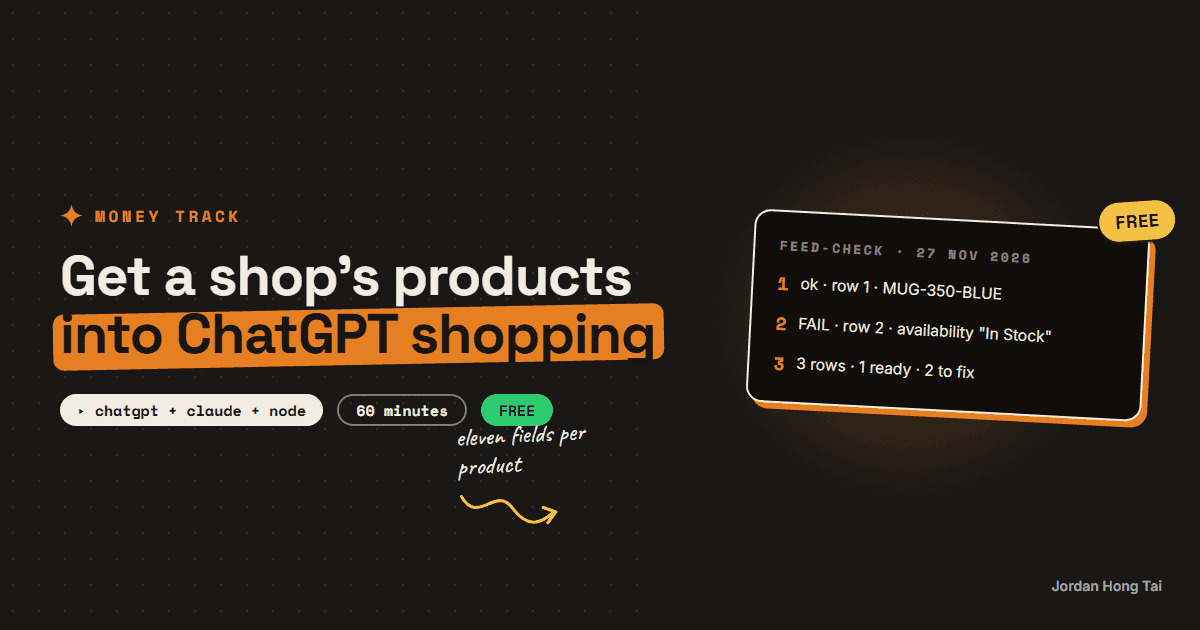
- [SCREENSHOT: terminal, one ok row and two FAIL rows from the feed check]
Before you start
- A shop with products and public product pages. Yours or a client's.
- A product export. Every shop platform can export products as a CSV.
- Node.js 20 or newer for the check script.
- About 60 minutes for a catalog of under a hundred products.
There's no download pack for this one. The script is on the page.
Step 1: Find out if the shop is already in
OpenAI's merchants page says this, word for word: "If you sell through Shopify or Etsy, your catalog is already integrated, and no additional setup or application is required."
So the first question is the platform.
Shopify or Etsy      already integrated, skip to Step 5
WooCommerce, Wix,    needs a product feed (Steps 2 to 4)
Squarespace, custom
Three more facts from the same page, so you set expectations right:
- Shopping in ChatGPT is live for users in the US. Other regions come later.
- OpenAI says there are no fees on purchases that start in ChatGPT.
- You can't check out inside ChatGPT. The page says OpenAI is "moving away from a standalone Instant Checkout experience", and purchases are completed on the merchant's own site or app.
That last one matters. A lot of advice from 2025 still describes buying inside the chat, and that advice is out of date.
Check it worked: you can say which of the two groups the shop is in, and you've told the owner that the buyer still lands on their own site to pay.
Step 2: Build the feed with the eleven required fields
A feed is one file with one row per product you can buy. If a shirt comes in three sizes, that's three rows. OpenAI's product feed schema lists nine required fields under basic product data and two more under geo tagging.
| Field | What goes in it |
|---|---|
item_id | A stable ID, unique per item or variant. Never reuse it. |
title | The product name. Aim for 150 characters at most. |
description | A factual description in plain text. Aim for 5,000 characters at most. |
url | The product page, with the variant selected if you can. |
brand | The brand as shown on the product page. |
seller_name | The name of the seller. |
image_url | A direct link to the main image, such as a JPEG or PNG. |
availability | in_stock, out_of_stock, pre_order, backorder or unknown. |
price | The regular price, a space, and the currency code, like 79.99 USD. |
target_countries | A list of country codes, like ["US"]. |
store_country | The country of the seller's store, like US. |
This is OpenAI's own minimal example, one product on one line of a JSONL file:
{"item_id":"MUG-350-BLUE","title":"Blue ceramic mug, 350 mL","description":"Dishwasher-safe glazed ceramic mug with a handle.","url":"https://example.com/products/mug-blue","brand":"Northline","seller_name":"Northline Home","image_url":"https://example.com/images/mug-blue.jpg","price":"18.00 USD","availability":"in_stock","target_countries":["US"],"store_country":"US"}
Two rules in the schema catch people out. The first is availability: the schema says omitted, empty or unrecognized values reject the row. In Stock with a capital and a space isn't on the list. The second is placeholders. The schema says not to use strings like null, unknown or n/a to fill a gap, and it asks for a real brand and seller name.
To get from a shop export to this file, I'd hand the CSV to Claude with one instruction:
Here is a product export as CSV. Convert it to JSONL, one product variant per line,
with exactly these fields: item_id, title, description, url, brand, seller_name,
image_url, availability, price, target_countries, store_country.

Rules: keep item_id as a string. Strip HTML from description. Write price as
"18.00 USD". availability must be one of in_stock, out_of_stock, pre_order,
backorder, unknown. If a value is missing, leave the field out and list the row
at the end. Do not invent a brand, a price or a stock status.
The last line is the important one. I think a feed with a gap you know about is fine, and a feed with a made-up price is a problem you find out about from a customer.
Check it worked: you have a .jsonl file with one line per product variant, and a short list of rows that are missing something.
Step 3: Check every row before you upload
Save this as feed-check.mjs.
// node feed-check.mjs feed.jsonl
// Checks each row against the required discovery fields in OpenAI's product feed schema (read 27 Nov 2026).
import { readFileSync } from "node:fs";

const REQUIRED = ["item_id", "title", "description", "url", "brand", "seller_name", "image_url", "availability", "price", "target_countries", "store_country"];
const AVAILABILITY = ["in_stock", "out_of_stock", "pre_order", "backorder", "unknown"];
const PLACEHOLDER = /^(null|unknown|n\/a)$/i;

const rows = readFileSync(process.argv[2], "utf8").split(/\r?\n/).filter(Boolean);
const seen = new Set();
let bad = 0;

rows.forEach((line, i) => {
  const errs = [], warns = [];
  let r;
  try { r = JSON.parse(line); } catch { console.log(`FAIL  row ${i + 1}: not valid JSON`); bad++; return; }
  for (const f of REQUIRED) {
    const v = r[f];
    if (v === undefined || v === null || v === "" || (Array.isArray(v) && !v.length)) errs.push(`missing ${f}`);
    else if (f !== "availability" && typeof v === "string" && PLACEHOLDER.test(v)) errs.push(`placeholder in ${f}`);
  }
  if (r.item_id !== undefined && typeof r.item_id !== "string") errs.push("item_id must be a string");
  if (seen.has(r.item_id)) errs.push(`duplicate item_id ${r.item_id}`);
  seen.add(r.item_id);
  if (r.availability && !AVAILABILITY.includes(r.availability)) errs.push(`availability "${r.availability}" rejects the row`);
  if (r.price && !/^\d+(\.\d{1,2})? [A-Z]{3}$/.test(r.price)) errs.push(`price "${r.price}" should look like 79.99 USD`);
  for (const f of ["url", "image_url"]) {
    if (r[f] && !/^https?:\/\//.test(r[f])) errs.push(`${f} is not an absolute URL`);
    else if (r[f] && r[f].startsWith("http://")) warns.push(`${f} is http, prefer https`);
  }
  if (r.title && r.title.length > 150) warns.push(`title is ${r.title.length} characters (aim for 150)`);
  if (r.description && r.description.length > 5000) warns.push(`description is ${r.description.length} characters (aim for 5,000)`);
  if (r.description && /<[a-z][^>]*>/i.test(r.description)) warns.push("description has HTML, use plain text");
  const id = r.item_id ?? "?";
  if (errs.length) { bad++; console.log(`FAIL  row ${i + 1} (${id}): ${errs.join("; ")}`); }
  else console.log(`ok    row ${i + 1} (${id})`);
  for (const w of warns) console.log(`WARN  row ${i + 1} (${id}): ${w}`);
});

console.log(`${rows.length} rows, ${rows.length - bad} ready, ${bad} to fix`);
process.exit(bad ? 1 : 0);
I ran it on 27 November 2026 against a three-row test feed. Row 1 was OpenAI's example. Row 2 had the kind of values a shop export really has. Row 3 was missing a seller and used a relative link.
ok    row 1 (MUG-350-BLUE)
FAIL  row 2 (MUG-350-RED): availability "In Stock" rejects the row; price "$18" should look like 79.99 USD
WARN  row 2 (MUG-350-RED): image_url is http, prefer https
WARN  row 2 (MUG-350-RED): description has HTML, use plain text
FAIL  row 3 (TEAPOT-1L): placeholder in brand; missing seller_name; url is not an absolute URL
3 rows, 1 ready, 2 to fix
The exit code was 1. The script only checks the required discovery fields. It doesn't know whether a price is the right price, so open five product pages and compare them with their rows by hand.
Check it worked: the last line says every row is ready, and five rows you picked at random match the live product pages.
Step 4: Upload it
OpenAI's "Submit product feeds" page describes the path. A business starts in Business Hub, claims the business, and verifies identity. The page calls identity verification a requirement for uploading products. After that you choose the countries and currencies you sell in, and you deliver the feed one of three ways: a manual upload, a hosted HTTPS URL, or SFTP.
Two honest notes here.
The merchants page still shows an application form, and says that if you've already applied you're on the waitlist. It also says a self-serve merchant platform is coming later this year. So the two pages don't fully agree today, and how fast a small shop gets through may vary. I haven't put a shop through this upload myself. What I've done is read both pages and run the check above.
The schema also says the standard upload currently targets the US. A shop that only sells in another country can prepare the feed now, but it shouldn't expect to appear yet.
Check it worked: the business is claimed in Business Hub, or the application is sent, and you've written down the date so you can follow up.
Step 5: Let the search crawler in
This step applies to every shop, including Shopify and Etsy ones. The merchants page says you don't need a feed for ChatGPT to find products, because ChatGPT already crawls sites. The feed gives you more control over how the products appear.
The crawler that matters is OAI-SearchBot. OpenAI's crawler page says sites that opt out of it won't be shown in ChatGPT search answers. Open yourshop.com/robots.txt and look for it.
Good      no rule that blocks OAI-SearchBot
Good      User-agent: OAI-SearchBot  /  Allow: /
Problem   User-agent: OAI-SearchBot  /  Disallow: /
Problem   User-agent: *  /  Disallow: /
GPTBot is a different crawler. OpenAI says it's the one used for training models, so a shop can block GPTBot and still allow OAI-SearchBot. If you change the file, OpenAI says it can take about 24 hours for search to adjust.
Check it worked: robots.txt doesn't block OAI-SearchBot, and you can say in one sentence what each of the two crawlers is for.
Step 6: Test it the way a shopper would
Open ChatGPT and ask the question a customer would ask, without the brand name. Something like "a blue ceramic mug under $25 that's dishwasher safe". Do it for three products.
Product        Prompt used                         Shown?   Price right?   Date
blue mug       blue ceramic mug under $25 ...      no       n/a            27 Nov
Write down what you see, with the date. Answers differ from person to person, because OpenAI says results are matched to shopper preferences and past interactions. One check on one account doesn't settle anything. Three products checked every two weeks gives you a trend you can show an owner.
Check it worked: you have a small table with three products, the prompt you used, and what ChatGPT showed on that date.
If you do this for other shops
I think the people who need this most are the ones on WooCommerce or a custom site. A Shopify shop is already in, so for them the job is Steps 5 and 6. For everyone else it's the feed.
Keep three promises out of the pitch. Don't promise the shop will appear, because OpenAI decides that. Don't promise sales. And don't quote Adobe's forecast as a result: it's a forecast for US retail as a whole. What you can promise is a clean feed that passes the check, a crawler that isn't blocked, and a dated record of what ChatGPT shows.
What I'd do differently
Check the platform first. Half the work disappears if the shop is on Shopify or Etsy.
Read the availability values early. A shop export almost never uses the exact five words, and a wrong one rejects the row.
Keep item_id stable from day one. The schema says never to reuse an ID for a different item.
Re-read the two OpenAI pages before each client. They changed this year, and I think they'll change again.
FAQ
How do I get my products into ChatGPT shopping?
OpenAI's merchants page says that if you sell through Shopify or Etsy your catalog is already integrated and no setup or application is required. Other merchants share a product feed that follows OpenAI's product feed schema. Read 27 November 2026; check the page for current terms.
What fields does the ChatGPT product feed require?
OpenAI's product feed schema lists nine required fields for basic product data: item_id, title, description, url, brand, seller_name, image_url, availability and price. It also requires target_countries and store_country. Availability must be in_stock, out_of_stock, pre_order, backorder or unknown, and the schema says omitted, empty or unrecognized values reject the row.
Can people buy inside ChatGPT?
Not as of 27 November 2026. OpenAI's merchants page says it is moving away from a standalone Instant Checkout experience, and that purchases are completed on merchant-owned websites or apps.
Does ChatGPT charge merchants a fee?
OpenAI's merchants page says there are no fees on purchases that start in ChatGPT. Read 27 November 2026.
Do I need a product feed if ChatGPT already crawls my site?
No. OpenAI's merchants page says a feed isn't required, but that feeds give you greater control over how your products appear. Either way, make sure robots.txt doesn't block OAI-SearchBot, because OpenAI says sites that opt out of it won't be shown in ChatGPT search answers.
Related guides
Get the next build in your inbox
One email a week: the newest guides, plus one thing I only share with the list.
No spam. Unsubscribe anytime.

I can build this for you.
If you would rather not do the steps yourself, tell me what you need and I will show you how I would approach it.