Your site's next visitor is an AI assistant: five fixes to make your website readable by AI crawlers and agents
Last updated September 2026 · About two hours for a small site · Free · Beginner
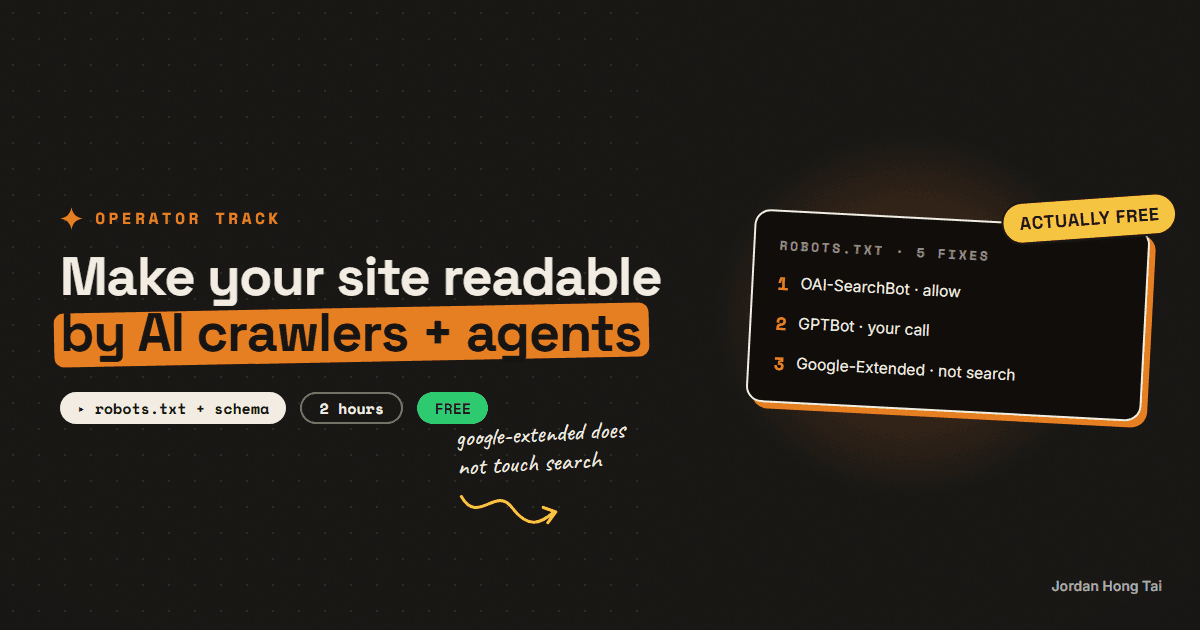
Vercel counted 569 million GPTBot requests and 370 million from Anthropic's crawler in one month on its network, and found that none of the major AI crawlers render JavaScript. Cloudflare has blocked AI crawlers by default on new domains since 1 July 2025 and set new defaults on 15 September 2026. So plenty of sites are unreadable to their fastest-growing kind of visitor, and their owners do not know it.
For twenty years a website had one kind of visitor that mattered: a person, usually sent by Google. That is changing, and the new visitor does not scroll.
It is a crawler fetching your page so ChatGPT or Perplexity can quote it. It is an assistant opening your pricing page because someone asked "how much is X". More and more it is an agent: a browser run by an AI that reads the page, fills in the form and books the call for somebody.
These visitors are already here. Vercel counted 569 million GPTBot requests and 370 million from Anthropic's crawler across its network in a single month, in a study published in December 2024. The same study found that none of the major AI crawlers currently render JavaScript.
So I think a lot of sites are unreadable to their fastest-growing kind of visitor, and most owners do not know it. Here are the five fixes, in the order I'd do them. Every rule below links back to the vendor's own documentation, read on 25 September 2026.
What you'll have when you're done
- A robots.txt that lets the AI search crawlers in on purpose, and blocks training only if you choose to
- A check that your host or CDN is not quietly blocking AI bots for you
- Your prices, hours and policies as real text on the page, not locked in an image or PDF
- Structured data that says what the page is, matching what a person sees
- Pages that answer the question in the first two sentences
- An honest view of llms.txt, so you do not spend a day on it before the rest
- [SCREENSHOT: the robots.txt on jordanhongtai.com next to the page source showing the JSON-LD block]
Before you start
- Access to your site's robots.txt, either the file or the setting in your site builder
- Access to your CDN or host dashboard if you use Cloudflare, Vercel, Netlify or similar
- A browser with "View page source". That is the whole testing kit.
- About two hours for a small site. Cost: free.
Step 1: Decide which AI crawlers get in, on purpose
Each AI company runs more than one crawler, and they do different jobs. Blocking one is not the same as blocking the others.
| Company | User agent | What it does |
|---|---|---|
| OpenAI | OAI-SearchBot | Finds pages for ChatGPT search answers |
| OpenAI | GPTBot | Collects pages for model training |
| OpenAI | ChatGPT-User | Fetches a page because a user asked |
| Anthropic | Claude-SearchBot | Search for Claude's answers |
| Anthropic | ClaudeBot | Collects pages for model training |
| Anthropic | Claude-User | Fetches a page because a user asked |
| Perplexity | PerplexityBot | Indexes pages for Perplexity answers, not used for training |
| Perplexity | Perplexity-User | Fetches a page because a user asked |
Google-Extended | A robots.txt token, not a crawler. Controls Gemini training and grounding |
Three details that decide what you write.
OpenAI's settings are independent. OpenAI's bot docs say each setting is independent, so you can block GPTBot from training and still allow OAI-SearchBot. If you block OAI-SearchBot, your pages will not be shown in ChatGPT search answers. Changes take about 24 hours to apply.
Google-Extended does not touch Search. Google says it does not impact a site's inclusion in Google Search. AI Overviews and AI Mode are governed by ordinary Googlebot. Blocking Google-Extended keeps you out of Gemini training. It does not keep you out of AI Overviews, and allowing it does not get you in.
The user-triggered fetchers may not obey robots.txt at all. OpenAI says that for ChatGPT-User robots.txt rules may not apply, and Perplexity says Perplexity-User generally ignores robots.txt. Those are fetches a person asked for. Anthropic says its bots honour robots.txt, including Crawl-delay.
If you want to be cited and would rather not be trained on, this is the shape:
# AI search: allowed, so answers can quote and link the site
User-agent: OAI-SearchBot
Allow: /

User-agent: Claude-SearchBot
Allow: /

User-agent: PerplexityBot
Allow: /

# Training: your call. Delete these blocks to allow it.
User-agent: GPTBot
Disallow: /

User-agent: ClaudeBot
Disallow: /

User-agent: Google-Extended
Disallow: /

User-agent: *
Allow: /
Disallow: /admin
For what it is worth, my own site allows everything except the admin area and the API, training included. I want these systems to know what I do, and I made that trade on purpose.
Check it worked: open yoursite.com/robots.txt in a browser. Every AI user agent you care about is either named or covered by the * block, and none of them is blocked by accident.
Step 2: Check your CDN is not blocking them for you
This is the fix almost nobody knows they need. I was surprised how often it is the whole problem.
Since 1 July 2025, Cloudflare has blocked AI crawlers by default on new domains, and its managed robots.txt adds disallow rules for GPTBot, ClaudeBot, Google-Extended, CCBot and others. In July 2026 Cloudflare split the setting into Search, Agent and Training groups and wrote that on September 15, 2026, we'll be setting new defaults, with Training and Agent blocked by default on pages that display ads.
So you can write a perfect robots.txt and still be invisible, because the block happens before the request reaches your site.
- Cloudflare: Security → Bots, and the AI Crawl Control section. Check which groups are blocked, and whether managed robots.txt is on.
- Other hosts and CDNs: look for any "bot protection", "AI scrapers" or "block AI" toggle.
- Your firewall rules: search for user agents like GPTBot or ClaudeBot in any custom rule.
A side note on why this matters. On 4 August 2025 Cloudflare published a post accusing Perplexity of crawling with undeclared, stealth user agents after being blocked. I mention it because the blocking is a real fight between real companies, and your site is standing in the middle of it whether you picked a side or not.
Check it worked: your CDN's bot settings match the choice you wrote in step 1. If they disagree, the CDN wins, so fix the CDN.
Step 3: Put the facts in the HTML, as text
An assistant answering "how much does X cost" or "is X open on Sunday" needs to find the answer as text in the page. Three common patterns hide it.
Prices in an image. A pricing table designed in Canva and uploaded as a JPG is a picture to a crawler. Put the numbers in HTML text, even if the design suffers slightly.
Menus, hours and policies in a PDF. Some crawlers will read a PDF and many will not bother. The refund policy is exactly the thing an agent checks before it buys. Make it a page.
Content that only appears after JavaScript runs. Vercel's study is the reason this is on the list. If your prices load from a script after the page opens, the major AI crawlers see an empty box. Google's own crawlers do run JavaScript, which is why this breaks quietly: the site looks fine in Google.
The test is dull and it works.
1. Open the page.
2. Right-click -> View page source (not Inspect).
3. Ctrl+F for your price, your opening hours, your refund window.
4. If a fact is not in the source, the AI crawlers cannot see it either.
Check it worked: every price, hour, fee and policy line appears in View page source as plain text.
Step 4: Add structured data that matches the page
Structured data is a small block of code, usually JSON-LD, that says in a fixed vocabulary what the page is: this is an Organization, this is a Product with this price, this is an FAQ.
Two honest sentences from Google first. Its AI optimisation guide says structured data isn't required for generative AI search. And its structured data rules say the markup must describe what is visible on the page, so never mark up anything a person cannot see.
So I don't think of this as a trick for ranking. It is labelling. It removes guesswork for any system reading the page, and it costs an hour.
The types that cover most small sites:
OrganizationorLocalBusinesson the home page: name, logo, address, hours, contact,sameAslinks to your profilesProductorServicewithOfferon pricing pages: price, currency, availabilityFAQPageon pages that answer questionsArticleon guides and blog posts
<script type="application/ld+json">
{
  "@context": "https://schema.org",
  "@type": "LocalBusiness",
  "name": "[Business name]",
  "url": "https://[yoursite.com]",
  "telephone": "[+1 555 000 0000]",
  "address": {
    "@type": "PostalAddress",
    "streetAddress": "[street]",
    "addressLocality": "[city]",
    "postalCode": "[zip]",
    "addressCountry": "[US]"
  },
  "openingHours": ["Mo-Fr 09:00-17:00"],
  "sameAs": ["[profile URL]", "[profile URL]"]
}
</script>
Every guide on this site ships an Article, an FAQPage and a BreadcrumbList block. You can see them in the page source of this page.
Check it worked: paste the page URL into Google's Rich Results Test or the Schema Markup Validator at validator.schema.org. No errors, and every value matches what is on screen.
Step 5: Answer first, on the pages that matter
I expect this is the fix that pays longest. An assistant pulls a sentence or two out of your page and moves on. If the answer is in the fourth paragraph after a story about your founding, somebody else's page gets quoted.
For each page that answers a buying question:
- Make the heading the question, in the words a customer uses
- Put the direct answer in the first two sentences, with the number
- Put the conditions and exceptions in the next paragraph
- Keep one topic per page, so the page can be quoted whole
Rewrite the opening of this page so that the first two sentences
directly answer: "[the question a customer asks]".
Include the specific number, price or time if the page has one.
Keep everything else on the page as it is. Plain language, no hype.

[paste the page text]
Check it worked: read only the first two sentences of each key page aloud. If they answer the page's question on their own, it is done.
What about llms.txt?
llms.txt is a proposal from Jeremy Howard of Answer.AI, first published on 3 September 2024: a Markdown file at /llms.txt that gives language models a short, clean map of your site. It is sensible, and it is cheap to write.
It is also a proposal with uneven adoption. Google's AI optimisation guide says you don't need to create new machine readable files, AI text files and that Google Search itself doesn't use them. Google's John Mueller compared it to the old keywords meta tag in April 2025. No major AI company has published documentation saying its crawler reads llms.txt.
My site does not have one yet, and honestly I doubt it is costing me anything. I would do the five fixes above first. If you have an afternoon left after that, add it. It costs nothing, and it may matter later.
Where this connects to the rest of GEO
Readability is the floor. Once the crawlers can get in and read the page, whether an AI answer actually names you comes down to the harder things: a clear, consistent description of what you are, and other sites mentioning you. That is what the related guides below cover, and it is what I am building CiteScore to measure: which AI engines name you, for which questions, week over week.
Do this page first, though. None of the rest works on a site the crawlers were never allowed to read.
What I'd do differently
Check the CDN before the robots.txt. It is the setting that overrides everything else, and it is the one nobody remembers turning on.
Test with View page source, not with your eyes. The site always looks fine in a browser. The source is what the crawler gets.
Decide the training question on purpose. Blocking training and allowing search is a legitimate choice. Leaving it to whatever your host defaulted to is not a choice at all.
Fix the pricing page first. It is the page an assistant is most likely to be sent to, and the one most often built as an image.
FAQ
Should I block GPTBot?
Only if you do not want your pages used for OpenAI's model training. OpenAI says each of its settings is independent, so you can block GPTBot and still allow OAI-SearchBot, which is the crawler that finds pages for ChatGPT search. Block OAI-SearchBot and your pages will not be shown in ChatGPT search answers.
Does blocking Google-Extended remove me from AI Overviews?
No. Google says Google-Extended does not impact a site's inclusion in Google Search. It controls whether your content is used for Gemini training and grounding. AI Overviews and AI Mode are governed by ordinary Googlebot.
Do AI crawlers run JavaScript?
Mostly not. Vercel's December 2024 study of its network found that none of the major AI crawlers currently render JavaScript, while Google's crawlers do. If your prices or content load from a script, check View page source: if a fact is not there, the AI crawlers probably cannot see it.
Is my host blocking AI crawlers without telling me?
It might be. Cloudflare has blocked AI crawlers by default on new domains since 1 July 2025, its managed robots.txt disallows GPTBot, ClaudeBot, Google-Extended and others, and it announced new defaults for 15 September 2026 that block training and agent crawlers on pages that show ads. Check your CDN's bot settings, because they override your robots.txt.
Do I need an llms.txt file?
Not first. llms.txt is a proposal from Jeremy Howard published in September 2024. Google's AI optimisation guide says you don't need new machine-readable or AI text files and that Google Search itself doesn't use them, and no major AI company documents its crawler reading llms.txt. It is cheap to add after the five fixes.
Do AI assistants obey robots.txt?
Their search and training crawlers generally do. The user-triggered fetchers may not: OpenAI says robots.txt rules may not apply to ChatGPT-User, and Perplexity says Perplexity-User generally ignores robots.txt, because a person asked for that page. Anthropic says its bots honour robots.txt, including Crawl-delay.
Related guides
Track whether AI answers name you, with a spreadsheet and Claude
Ask ChatGPT the same buying question twice and you will often get two different lists of sources. NJIT researchers measured it across 11,500 real queries and found AI Overview source sets overlapping at a Jaccard score of 0.66 between two runs of the identical query, against 0.78 for the ordinary results page. A newer paper ran 50 questions across 6 engines 15 times each and found five of the six still naming brands they had never named before at run 15. So a single audit is not a measurement, it is one draw from a distribution. The repetition is the product, and you can get it with a spreadsheet for nothing.
GEO for a small brand: entity, quotable structure, third-party mentions
There are three things that decide whether an AI answer names your brand, and only three. A clear entity, pages that can be quoted without editing, and mentions on the sites the engines already trust. This is what to do for each one, in the order that works when you have no team and no budget.
AI Overviews vs Perplexity vs ChatGPT: what each one actually cites
Three AI engines answer the same buying question and cite three different kinds of source. Perplexity shows a numbered list you can read straight off the page. ChatGPT browses and names a handful inline. Google AI Overviews mostly pulls from pages already ranking underneath it. Those are three different games, and a single audit run tells you almost nothing about any of them, because the answers shuffle between runs. This is the test, the comparison, and the logging sheet that turns it into a trend.
Get the next build in your inbox
One email a week: the newest guides, plus one thing I only share with the list.
No spam. Unsubscribe anytime.
Build alongside others
Join the free community and share what you're shipping.

Jordan Hong Tai
I've scaled products to over 500K users, and now I build AI systems in public from a balcony in Tokyo.