See which AI bots read your site, in 10 minutes: GPTBot, OAI-SearchBot, ClaudeBot, PerplexityBot and the robots.txt that keeps you cited
Last updated October 2026 · 10 minutes for the first look, a week before you change robots.txt · Free (Vercel Observability Plus is needed only for bot-category filters) · Comfortable
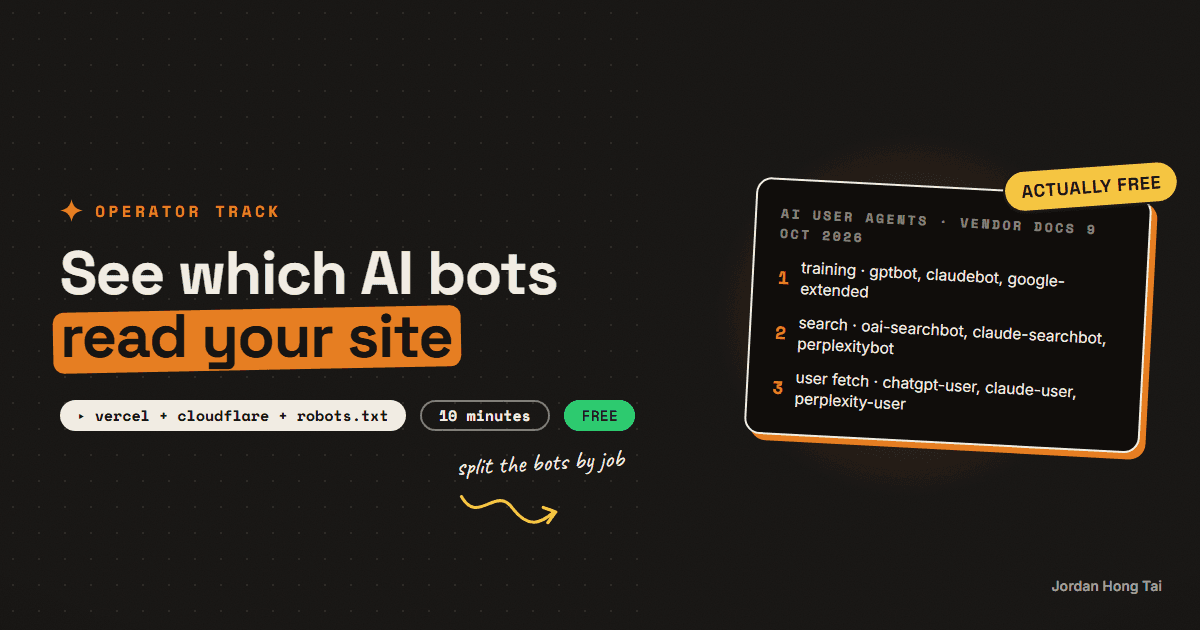
OpenAI, Anthropic and Perplexity each send at least two different bots to your site. One collects pages that may train the next model, another indexes pages so the chatbot's search can cite them, and a third only shows up when a person asks about you. If your robots.txt treats them as one thing called AI, you're probably blocking the wrong one.
OpenAI, Anthropic and Perplexity each send at least two different bots to your site, and they don't do the same job. One collects pages that may train the next model. Another indexes pages so the chatbot's search can cite them. A third only shows up when a person asks the chatbot about you. If your robots.txt treats them as one thing called "AI", you're probably blocking the wrong one.
This guide is the list of those bots from each vendor's own documentation, read on 9 October 2026, then three ways to see which ones actually hit your site in about ten minutes, a robots.txt decision table, and an honest note on llms.txt.
I tried to pull the real bot split for jordanhongtai.com for this guide. I'll show you what I got and what I didn't, the same way I did in the page-types guide, because a guide about logs that invents a log would be a bad joke.
What you'll have when you're done
- A list of the AI user agents that matter, what each one is for, and whether robots.txt stops it
- The bot traffic on your own site, from Vercel, Cloudflare or a raw access log
- A way to tell a real GPTBot from a scraper pretending to be one
- A robots.txt that blocks training if you want, and keeps you in AI search
- A clear view on whether llms.txt is worth your afternoon
- [SCREENSHOT: Vercel Observability, Edge Requests broken down by bot name, next to the robots.txt]
Before you start
- Access to your site's hosting: a Vercel or Cloudflare dashboard, or a server where you can read the access log.
- The ability to edit robots.txt. On Next.js that's
app/robots.ts. On WordPress, an SEO plugin or a file in the site root. - Ten minutes for the first look, then a week before you change anything.
- Nothing paid. Everything here works on free plans, with one exception noted in step 3.
Step 1: Know which bot does what
Here's every user agent worth knowing, in the vendors' own words as of 9 October 2026.
| User agent | Company | What it does | Does robots.txt stop it |
|---|---|---|---|
| GPTBot | OpenAI | Crawls content that may be used to train its foundation models | Yes. Disallowing it says your content shouldn't be used for training |
| OAI-SearchBot | OpenAI | Finds pages to surface in ChatGPT search | Yes. OpenAI recommends allowing it; changes take about 24 hours |
| ChatGPT-User | OpenAI | Visits a page when a ChatGPT user's question needs it | OpenAI says robots.txt rules "may not apply" because a user started it |
| ClaudeBot | Anthropic | Collects content that could train its models | Yes. Blocking it excludes your future pages from training |
| Claude-SearchBot | Anthropic | Indexes content to improve Claude's search results | Yes. Blocking it can reduce your visibility in Claude's search |
| Claude-User | Anthropic | Fetches a page when a Claude user asks a question | Yes, per Anthropic, which warns it may reduce your visibility |
| PerplexityBot | Perplexity | Surfaces and links sites in Perplexity results, not training | Yes. Perplexity recommends allowing it |
| Perplexity-User | Perplexity | Visits a page a user asked about, not crawling or training | Perplexity says it "generally ignores robots.txt rules" |
| Google-Extended | A robots.txt token for Gemini training and grounding | It's only a token, with no user agent of its own; blocking it doesn't affect Google Search |
Two lines in that table are easy to miss. Google-Extended never shows up in a log. Google crawls with its usual user agents and reads the token as an instruction, so you control it in robots.txt and never see it. And blocking Google-Extended doesn't take you out of Google Search or its ranking, per Google's own crawler page.
So the bots sort into three jobs. Training (GPTBot, ClaudeBot, Google-Extended). Search indexing (OAI-SearchBot, Claude-SearchBot, PerplexityBot). And a fetch a person started (ChatGPT-User, Claude-User, Perplexity-User). Keep those three in your head for step 5.
Check it worked: you can say, without looking, which of the three jobs GPTBot, OAI-SearchBot and ChatGPT-User each do. If you can't, read the table once more, because the robots.txt decision depends on it.
Step 2: Look at what you have now
Before you read a single log, open your own robots.txt in a browser at yoursite.com/robots.txt. Here's mine, read on 9 October 2026.
User-Agent: *
Allow: /
Disallow: /api/
Disallow: /admin

Host: https://www.jordanhongtai.com
Sitemap: https://www.jordanhongtai.com/sitemap.xml
There's no rule naming any AI bot, so every one of them is allowed everywhere except the API and the admin area. I think that's the right call for a site whose whole job is to be cited, and it's also the default most sites have without ever deciding it. I also checked jordanhongtai.com/llms.txt. It returns a 404. More on whether that matters in step 6.
Check it worked: you know whether your robots.txt names any AI bot. Most don't, which means you've allowed all of them by default.
Step 3: See the bots on Vercel
Vercel gives you three places to look, and one of them didn't work for me.
- Observability, Edge Requests. Vercel added a breakdown of edge requests by bot name and bot category, including AI crawlers, in May 2025. Every plan can see the dashboard. Filtering by category and breaking it down in the query builder needs Observability Plus, the one paid piece in this guide.
- Firewall, AI Bots ruleset. In the project's Firewall, under Bot Management, the AI Bots managed ruleset is off by default. Set it to Log, not Deny. Log records the AI bot traffic without blocking anything, and the Firewall view then shows top user agents and top paths.
- The CLI.
vercel logspulls request logs from the terminal. Here's the honest part. I ran it against jordanhongtai.com's production logs, and each row carries the path, the status code, the cache result and the source, with no user agent field. Filtering by user agent didn't work either. So the CLI can't tell you which bot asked for a page. The dashboard can, and in an unattended run I didn't have a dashboard session, so I don't have my own bot split to show you this week.
What the CLI did show me was one request in the last week for /guides/llms.txt, which returned a 404. Something was looking for an llms.txt file in the wrong folder. I can't tell you what it was without the user agent.
vercel logs --environment production --since 7d --status-code 404 --json
Check it worked: you've set the AI Bots ruleset to Log and opened Observability, Edge Requests. After a day you should see bot names in the breakdown.
Step 4: See the bots on Cloudflare or in a raw log
Cloudflare. If your domain runs through Cloudflare, open AI Crawl Control, which used to be called AI Audit. Cloudflare's docs say it's available on all plans and works with no setup. It shows which AI services are crawling, their request patterns, and which ones follow your robots.txt, and it lets you allow or block each crawler one by one.
A raw access log. On your own server, the user agent is the last quoted field on each line of a standard nginx or Apache log. This counts hits per AI bot.
grep -oE "GPTBot|OAI-SearchBot|ChatGPT-User|ClaudeBot|Claude-SearchBot|Claude-User|PerplexityBot|Perplexity-User" access.log | sort | uniq -c | sort -rn
And this shows which pages one bot asked for, most requested first.
grep "GPTBot" access.log | awk '{print $7}' | sort | uniq -c | sort -rn | head -20
Now the catch. A user agent is just text, and anyone can send it. A scraper can call itself GPTBot. Every vendor publishes the IP ranges its real bots use: openai.com/gptbot.json, openai.com/searchbot.json, openai.com/chatgpt-user.json, claude.com/crawling/bots.json, perplexity.com/perplexitybot.json and perplexity.com/perplexity-user.json. Check a few of the IPs from your log against those lists before you trust the count.
Check it worked: you have a count per bot for the last week, and you've checked at least three IPs against the vendor's list. If they don't match, some of your "GPTBot" traffic is somebody else.
Step 5: Decide your robots.txt, one job at a time
This is where the three jobs from step 1 matter. Here's how I'd decide.
| If you want to | Training bots | Search bots | User-started fetches |
|---|---|---|---|
| Be cited in AI answers, and you don't mind training | Allow | Allow | Allow |
| Be cited, but keep your pages out of training | Block | Allow | Allow |
| Stay out of AI entirely | Block | Block | You can't fully, see below |
The middle row is what most businesses actually want, and it's a few lines.
User-agent: GPTBot
Disallow: /

User-agent: ClaudeBot
Disallow: /

User-agent: Google-Extended
Disallow: /

User-agent: OAI-SearchBot
Allow: /

User-agent: Claude-SearchBot
Allow: /

User-agent: PerplexityBot
Allow: /

User-agent: *
Allow: /
The bottom row has a hole in it. OpenAI says robots.txt "may not apply" to ChatGPT-User, and Perplexity says Perplexity-User generally ignores it, because a person asked for the page. If you really need those out, it's a firewall rule by user agent and IP, which is what Cloudflare's per-crawler block and Vercel's Deny action do.
One thing I'd never do: block the search bots to stop training. That's the mistake this whole guide is about. Block GPTBot and you've opted out of training. Block OAI-SearchBot and you've opted out of being found in ChatGPT search.
Check it worked: after your change, re-read yoursite.com/robots.txt and confirm the search bots are allowed. Then give it a week and look at step 3 or 4 again.
Step 6: llms.txt, honestly
llms.txt is a proposed file that gives AI tools a plain-text map of your site. It's cheap to make, which is why so many sites added one. The evidence that it does anything for citations is thin.
SE Ranking studied nearly 300,000 domains in November 2025. About 10% had an llms.txt, and its analysis found the file doesn't affect how AI systems cite content today. None of the vendor pages in step 1 mention it either. My own site doesn't have one, and the only request for one in my logs was a 404 in the wrong folder.
I'd spend the afternoon on robots.txt and on the pages themselves first. If you want an llms.txt anyway, it costs you twenty minutes and no harm, as long as you don't expect it to move a number.
Check it worked: you've decided on llms.txt for a reason you can say in one sentence, either way.
What I'd do differently
Split the bots by job before you touch robots.txt. One rule for "AI" is how sites end up invisible in ChatGPT search.
Log before you block. Set Vercel's AI Bots ruleset or Cloudflare's crawler view to watch for a week first.
Check IPs, not just names. A user agent is a claim, and the vendor IP lists are the receipt.
Don't spend a day on llms.txt. Spend it on the pages you want cited.
FAQ
What is the difference between GPTBot, OAI-SearchBot and ChatGPT-User?
Per OpenAI's bot documentation read 9 October 2026, GPTBot crawls content that may train its foundation models, OAI-SearchBot finds pages to surface in ChatGPT search, and ChatGPT-User visits a page when a user's question needs it. Disallowing GPTBot opts you out of training without affecting search. OpenAI recommends allowing OAI-SearchBot, and says robots.txt rules may not apply to ChatGPT-User because a user started the fetch.
Does blocking Google-Extended remove me from Google Search?
No. Google's crawler documentation says Google-Extended doesn't affect a site's inclusion in Google Search and isn't a ranking signal. It's a robots.txt token that controls whether content may be used for training future Gemini models and for grounding. It has no user agent of its own, so it never appears in your logs.
How do I see AI bot traffic on Vercel?
Set the AI Bots managed ruleset in the project's Firewall to Log, which records AI bot traffic without blocking it, and open Observability, Edge Requests, which breaks requests down by bot. Filtering by bot category needs Observability Plus. The vercel logs CLI rows I pulled on 9 October 2026 carried path, status and cache but no user agent, so the CLI can't tell you which bot made a request.
How can I tell if a GPTBot request is real?
Check the IP, not just the user agent, which anyone can send. OpenAI publishes its bot IP ranges at openai.com/gptbot.json, openai.com/searchbot.json and openai.com/chatgpt-user.json, Anthropic at claude.com/crawling/bots.json, and Perplexity at perplexity.com/perplexitybot.json and perplexity.com/perplexity-user.json. If the IPs in your log aren't on the list, the traffic is somebody else.
Should I block AI crawlers in robots.txt?
Decide by job. If you want to be cited but keep your pages out of training, block GPTBot, ClaudeBot and Google-Extended and allow OAI-SearchBot, Claude-SearchBot and PerplexityBot. Blocking the search bots removes you from those AI search results. User-started fetchers such as ChatGPT-User and Perplexity-User may not follow robots.txt, so keeping them out takes a firewall rule.
Does llms.txt help AI citations?
The evidence says not yet. SE Ranking studied nearly 300,000 domains in November 2025, found about 10% had an llms.txt, and concluded the file doesn't affect how AI systems cite content today. It's cheap to add, so add one if you like, but spend the time on robots.txt and on the pages you want cited first.
Related guides
The page types AI answers cite most, and how to build each one for your business
Your homepage is the page you polish most and the page AI answers cite least. In Wix's March 2026 study of 1,056,727 citations across ChatGPT, Google AI Mode and Perplexity, homepages took 5.3% of them. Ranked list pages took 21.9%, articles that answer one question took 16.7%, and product pages took 13.7%. So the question is not whether your site is good. It is whether you have built the page types the engines actually pull from, and most small business sites have built one of them, if that.
Your site's next visitor is an AI assistant: five fixes to make your website readable by AI crawlers and agents
Vercel counted 569 million GPTBot requests and 370 million from Anthropic's crawler in one month on its network, and found that none of the major AI crawlers render JavaScript. Cloudflare has blocked AI crawlers by default on new domains since 1 July 2025 and set new defaults on 15 September 2026. So plenty of sites are unreadable to their fastest-growing kind of visitor, and their owners do not know it.
Track whether AI answers name you, with a spreadsheet and Claude
Ask ChatGPT the same buying question twice and you will often get two different lists of sources. NJIT researchers measured it across 11,500 real queries and found AI Overview source sets overlapping at a Jaccard score of 0.66 between two runs of the identical query, against 0.78 for the ordinary results page. A newer paper ran 50 questions across 6 engines 15 times each and found five of the six still naming brands they had never named before at run 15. So a single audit is not a measurement, it is one draw from a distribution. The repetition is the product, and you can get it with a spreadsheet for nothing.
Get the next build in your inbox
One email a week: the newest guides, plus one thing I only share with the list.
No spam. Unsubscribe anytime.
Build alongside others
Join the free community and share what you're shipping.

Jordan Hong Tai
I've scaled products to over 500K users, and now I build AI systems in public from a balcony in Tokyo.