Track whether AI answers name you, with a spreadsheet and Claude
Last updated September 2026 · 90 minutes for the first run, about 30 minutes a week after that · Free · Beginner
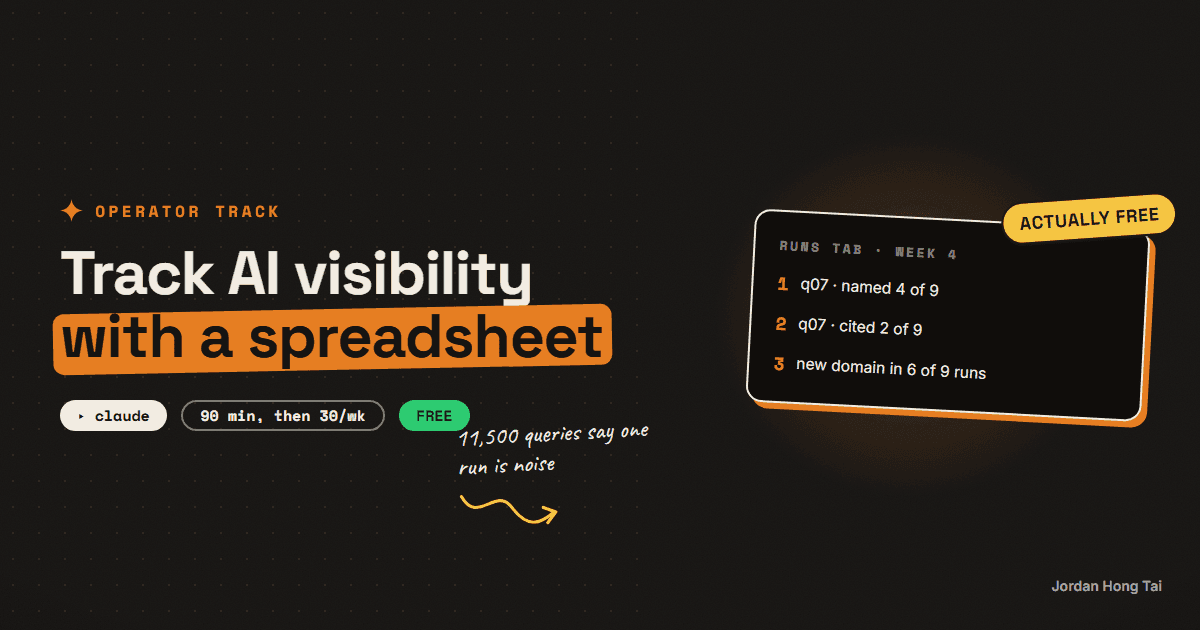
Ask ChatGPT the same buying question twice and you will often get two different lists of sources. NJIT researchers measured it across 11,500 real queries and found AI Overview source sets overlapping at a Jaccard score of 0.66 between two runs of the identical query, against 0.78 for the ordinary results page. A newer paper ran 50 questions across 6 engines 15 times each and found five of the six still naming brands they had never named before at run 15. So a single audit is not a measurement, it is one draw from a distribution. The repetition is the product, and you can get it with a spreadsheet for nothing.
Ask ChatGPT the same buying question twice and you will often get two different lists of sources. That is not a glitch and it is not your prompt, whatever you might think. It is how these systems work, and it is the single fact that decides whether an AI visibility check is worth doing at all.
Researchers at NJIT ran 11,500 real user queries through Google and its AI Overviews and measured what came back on two runs of the identical query, same device, same location. The source sets overlapped at a Jaccard score of 0.66 for AI Overviews against 0.78 for the traditional results page. Their wording: the generative results are less consistent when processing two runs of the same query.
A second paper, published two weeks ago, pushed on it harder. 50 questions, 6 engines, 15 runs each. Five of the six engines were still naming brands they had never named before at run 15, in 86% to 92% of the question-engine cells. Only the one engine doing live retrieval settled down, and even that one was still adding names in 64% of cells.
So one audit run is a coin flip with more than two sides. I know, because I published a one-run audit guide on this site and it is still the right place to start. It is just not a measurement.
The product is the repetition. Here is how to get it, with a spreadsheet, before you spend $99 a month.
What you'll have when you're done
- A question set of 10 to 15 buying questions your customers actually type
- A run protocol that survives the variance instead of pretending it is not there
- One sheet, three tabs, that holds every run so week four can be compared to week one
- A weekly read that reports the diff rather than the snapshot
- A clear line for when a paid tool is worth it and what it costs when you get there
- [SCREENSHOT: the tracking sheet with four weeks of runs and the diff column filled in]
Before you start
- Free accounts on ChatGPT and Perplexity, and a browser for Google. No paid tier is needed for this.
- Claude, free or paid, for the tallying step. Any capable model works. I use Claude because I already have it open.
- 90 minutes for the first full run. About 30 a week after that.
- Zero dollars. That is the entire argument for doing it this way first.
Step 1: Write the question set
Fifteen questions, maximum. I'd rather you ran 12 every week for six months than 100 once.
The vendors disagree with me here and I think it is worth knowing why. Conductor tells enterprise teams to run about 100 prompts per topic across 10 to 30 topics. Parse says start near 50 and grow toward 200. Both of those companies sell a tool that runs the prompts for you, so a hundred prompts costs them nothing and costs you an afternoon a week. I went looking for an independent benchmark on prompt-set size and could not find one. So pick the number you will still be running in month four.
Four kinds of question, and the mix matters more than the count.
| Kind | Example shape | Why it earns a row |
|---|---|---|
| Unbranded buying | "best CRM for a two-person agency" | This is where you are either named or absent. Most of the set should be this. |
| Category definition | "what is answer engine optimisation" | Cheap to win, feeds the others, and it is where reference sites get cited. |
| Competitive | "X vs Y for [use case]" | Tells you who the engine thinks your competitors are, which is often not who you think. |
| Objection | "is [category] worth it for a small team" | The question that decides the deal, asked where you cannot answer it. |
Write them the way a person types them into a chat box, which I'd say is longer and messier than any keyword. Never put your brand name in more than one or two of them. A question with your name in it tests recall, and recall is not the thing you are short of.
Check it worked: read the list to somebody in sales or support. If they cannot point at three questions they get asked every week, the set is written for a search engine rather than a customer, and you should start again.
Step 2: Run each question three times, on purpose
This is the step that separates the method from a browsing session.
Three engines: ChatGPT, Perplexity, Google AI Overviews. Three runs per question per engine, in a fresh chat each time, logged out or in a private window where you can, so your history stops shaping the answer.
Fifteen questions × three engines × three runs is 135 prompts. That is the 90 minutes.
Why three and not one has a number behind it now. SE Ranking, who do sell a visibility tool, parsed 10,000 US keywords in Google AI Mode three times on the same day. Average URL overlap across all three runs was 9.2%. Domain overlap was 14.7%. On 21.2% of keywords the three runs shared no URL at all. Their average answer carried 12.6 sources.
Read that again. On a fifth of queries, three runs an hour apart agreed on nothing.
For Google, run the question as a normal search and read the AI Overview if one appears. You will not always get one. In the NJIT study 51.5% of representative real user queries produced an AI Overview, so roughly half your Google rows will read "no AIO", and that is data.
Step 3: The sheet
Three tabs. I mean it about keeping them dull.
Tab 1, Questions. One row per question: an ID, the text, the kind from the table above, and the date you added it. Never edit a question after week one. If you must change it, retire the old ID and add a new one, because an edited question quietly breaks every comparison behind it.
Tab 2, Runs. One row per question, per engine, per run. This is the tab that does the work.
| Column | What goes in it |
|---|---|
date | The run date |
qid | The question ID |
engine | chatgpt / perplexity / google |
run | 1, 2 or 3 |
named | yes / no, were you named in the answer body |
cited | yes / no, was your domain in the sources |
position | Where in the answer you appeared, if you did |
sources | Every domain named, comma separated |
competitors | Every competing brand named |
notes | Anything odd. You will want these later. |
Tab 3, Weekly. One row per question per week, holding the counts: named in how many of nine runs, cited in how many of nine, and the domains that appeared in all three runs of an engine.
That last column is the useful one and I don't think anybody builds it. A domain that shows up in one run of nine is noise. A domain that shows up in all nine is the thing the engine actually believes about your category.
Paste the nine answers for one question below. For each one, list only:
1. every brand named in the answer body
2. every domain cited as a source
3. whether [YOUR BRAND] appears in either list

Then give me a single table: domain, how many of the 9 runs cited it.
Sort by count, highest first. No commentary.
Check it worked: your first weekly tab should already be uncomfortable. If you are named in fewer than two of nine runs on your best question, that is the honest baseline, and it is far more useful than a score out of ten.
Step 4: Read the diff, never the snapshot
Here is where I expect most people put the work down, so it gets its own step.
A single week's sheet tells you almost nothing that you did not already suspect. The second week tells you a little. The fourth week is the first one with a real finding in it, and the finding is always one of four shapes.
| What moved | What it means |
|---|---|
| A domain you never saw starts appearing in 6+ of 9 runs | The engines found a new authority in your category. Go and get on it. |
| A competitor's count climbs three weeks running | They shipped something. Find out what and read it. |
| Your count moves from 1/9 to 4/9 after a change you made | The first signal worth anything. Note what you changed and the date. |
| Everything jumps at once on every question | A model update, not you. Do not write a strategy memo about it. |
That fourth row is why the log has to run continuously. Without the history you cannot tell your own improvement apart from a Tuesday model release, and I have watched people take credit for both.
One honest limit on the diff. Volatility is not constant across topics. Conductor tracked 274 million US searches between September 2025 and February 2026 and watched AI Overview coverage peak at 47% in January 2026 and fall to 34.5% the following month. Conductor sells an enterprise platform, so treat the figure as directional. The point stands: a 12-point swing in whether an AI Overview appears at all will move your numbers without anything on your site changing.
Step 5: What Search Console gives you, and what it does not
This changed in 2026, and the change is smaller than the announcement made it sound.
Google now ships a generative AI performance report in Search Console, rolled out to every site worldwide by 31 August 2026. It covers AI Overviews and AI Mode. Google's own help page is direct about the limits: it reports impressions only, it excludes Search Labs experiments, and it draws from the Web search type in the main performance report rather than sitting beside it as its own bucket.
So Search Console will tell you that pages of yours were shown inside an AI answer somewhere. It will not tell you what the answer said, whether you were named as a brand in the text, or which competitor was named in your place. Those three are the whole question, and the sheet is what fills the gap.
Bing is a little further along on one axis. Bing Webmaster Tools added an AI Performance report in public preview on 10 February 2026 with three metrics: Total Citations, Grounding Queries and Cited Pages, covering Microsoft Copilot and AI answers in Bing. Microsoft says plainly that the data represents a sample of overall citation activity, and that it shows nothing about placement, ranking or clicks.
There is no equivalent for ChatGPT. OpenAI publishes no webmaster console. Your only ways to see ChatGPT are to ask it, to watch referral traffic in your analytics, or to buy a tool.
Step 6: What the tools cost, so you know what you are saving
You should buy one eventually. Here is the bill, read from each vendor's own pricing page on 18 September 2026.
| Tool | Published price | Prompts included |
|---|---|---|
| Otterly.AI Lite | $29/mo ($25 annual) | 15 |
| Otterly.AI Standard | $189/mo ($160 annual) | 100 |
| Otterly.AI Premium | $489/mo ($422 annual) | 400 |
| Semrush AI Visibility Toolkit | $99/mo per domain, billed annually | 25 |
| Ahrefs | Brand Radar included from Lite, $129/mo | prompt packs from $50/mo |
| Scrunch AI Starter | $250/mo annual, $300 monthly | not published |
| Conductor | no public price | usage based |
| BrightEdge | no public price | demo form only |
The cheapest credible entry is $29 a month for 15 prompts, which is about the size of the set in step 1. A hundred-prompt setup lands between $99 and $250 a month. The enterprise names publish no price at all, which tells you who they are selling to.
The switch happens on one of three things, and none of them is a feeling. You have kept the log for at least eight weeks, so you know the shape of your own data. You want more than about 20 questions or more than three engines, which is when the manual run stops fitting in a morning. Or somebody other than you needs to see the numbers on a schedule, at which point a shared dashboard is worth real money.
Until one of those is true, the sheet gives you the same finding for nothing, and it teaches you what the finding means, which a dashboard never does.
The three things this method cannot do
It cannot tell you what a stranger sees. Your logged-out browser is not a clean room. Location, prior sessions and the engine's own A/B tests all move the answer. The sheet measures a consistent observer over time, and that is the honest claim for it.
It cannot separate correlation from a model update. If your count doubles the same week a new model ships, you do not know why. The only defence is the long log and the notes column.
It cannot prove revenue. Being named in an AI answer is not a visit and a visit is not a sale. Pew Research Center tracked 900 US adults across 68,879 Google searches and found that when an AI summary appeared, 8% clicked a traditional result, against 15% when no summary appeared. Only 1% clicked a link inside the summary, and 26% ended the session entirely, against 16%. That is independent research rather than vendor marketing, and it cuts both ways: the AI answer is where the attention is going, and it is also where the click is not.
What I'd do differently
Start at 12 questions, not 50. I have started three of these logs and the only one still running is the small one.
Log the competitor names from week one. I skipped that column on my first attempt and lost two months of the most interesting data in the whole exercise. Who the engine thinks you compete with is a better strategy input than your own count.
Run it on the same day each week. Honestly, not for rigour. Because a weekly thing with no fixed day quietly becomes a monthly thing and then nothing.
Write down what you changed, on the day you changed it, in the notes column. Four weeks later that one line is the difference between a finding and a story you tell yourself.
The AI visibility tracking pack: question set, three-tab sheet spec, tally prompts, weekly diff worksheet
FAQ
Why run the same question three times instead of once?
Because one run is a draw from a distribution rather than a reading. NJIT researchers measured 11,500 real user queries and found AI Overview source sets overlapping at a Jaccard score of 0.66 between two runs of the identical query on the same device, against 0.78 for the ordinary results page. SE Ranking, who sell a visibility tool, parsed 10,000 US keywords in Google AI Mode three times on one day and found 9.2% average URL overlap across the three runs, with 21.2% of keywords sharing no URL at all. Three runs will not remove the variance. It will stop you mistaking a single draw for a finding.
How many questions should be in the set?
Ten to fifteen, and I'd rather you ran twelve every week for six months than a hundred once. The vendors say otherwise and it is worth knowing why: Conductor tells enterprise teams to run about 100 prompts per topic across 10 to 30 topics, and Parse suggests starting near 50 and growing toward 200. Both sell a tool that runs prompts for you, so a hundred prompts costs them nothing and costs you an afternoon a week. There is no independent benchmark for prompt-set size that I could find.
Can I script this instead of typing the prompts by hand?
Not against the consumer apps. OpenAI's terms prohibit using any automated or programmatic method to extract output from the service except through the API, and Perplexity's prohibit robots, spiders and scrapers against the service. A person typing into a chat box is ordinary use. A script hitting the consumer interface on a schedule is the thing those terms forbid, and carrying that operational burden is a large part of what the paid tools are charging for.
Doesn't Search Console show me this now?
Partly, and the gap is the whole point of the sheet. Google's generative AI performance report reached every site worldwide by 31 August 2026 and covers AI Overviews and AI Mode, but Google's own help page says it reports impressions only, excludes Search Labs experiments, and draws from the Web search type in the main performance report. So it tells you that a page of yours appeared inside an AI answer somewhere. It does not tell you what the answer said, whether your brand was named in the text, or who was named instead. Bing Webmaster Tools added an AI Performance report in public preview on 10 February 2026 with citations, grounding queries and cited pages, and says the data is a sample. There is no equivalent for ChatGPT at all.
When should I stop doing this by hand and buy a tool?
On one of three triggers, none of which is a feeling. You have kept the log eight weeks or more, so you know the shape of your own data. You want more than about 20 questions or more than three engines, at which point the manual run stops fitting in a morning. Or somebody other than you needs the numbers on a schedule, which is what a shared dashboard is genuinely worth paying for. Read on 18 September 2026, Otterly.AI Lite is $29 a month for 15 prompts, Semrush's AI Visibility Toolkit is $99 a month per domain billed annually for 25 prompts, Ahrefs includes Brand Radar from its $129 Lite plan, and Scrunch AI starts at $250 a month on annual billing. Conductor and BrightEdge publish no price at all.
Is being named in an AI answer worth anything?
It is worth attention, and attention is not a click. Pew Research Center tracked 900 US adults across 68,879 Google searches and found that when an AI summary appeared, 8% clicked a traditional result against 15% when no summary appeared, only 1% clicked a link inside the summary, and 26% ended the browsing session entirely against 16%. That is independent research rather than vendor marketing, and it cuts both ways. The AI answer is where the attention is moving, and it is also where the click is not. Track the naming because it is the new shelf position, and do not promise anyone it is traffic.
Related guides
Does ChatGPT cite you? The 5-question AI visibility audit (30 minutes, free)
You'll find out, in about 30 minutes, whether ChatGPT, Perplexity and Google's AI Overviews name you when your customers ask the questions that lead to a purchase. Five questions, three engines, one sheet, and a score out of 15. Then you'll know which of three levers to pull first.
AI Overviews vs Perplexity vs ChatGPT: what each one actually cites
Three AI engines answer the same buying question and cite three different kinds of source. Perplexity shows a numbered list you can read straight off the page. ChatGPT browses and names a handful inline. Google AI Overviews mostly pulls from pages already ranking underneath it. Those are three different games, and a single audit run tells you almost nothing about any of them, because the answers shuffle between runs. This is the test, the comparison, and the logging sheet that turns it into a trend.
GEO for a small brand: entity, quotable structure, third-party mentions
There are three things that decide whether an AI answer names your brand, and only three. A clear entity, pages that can be quoted without editing, and mentions on the sites the engines already trust. This is what to do for each one, in the order that works when you have no team and no budget.
Get the next build in your inbox
One email a week: the newest guides, plus one thing I only share with the list.
No spam. Unsubscribe anytime.
Build alongside others
Join the free community and share what you're shipping.

Jordan Hong Tai
I've scaled products to over 500K users, and now I build AI systems in public from a balcony in Tokyo.