Sell YouTube comment auto-replies to creators: 200 free replies a day from the YouTube Data API, the guardrails, and what to charge
Last updated November 2026 · About 2 hours for the first client · $0 in API quota; Vercel Pro $20/mo or any always-on scheduler · Builder
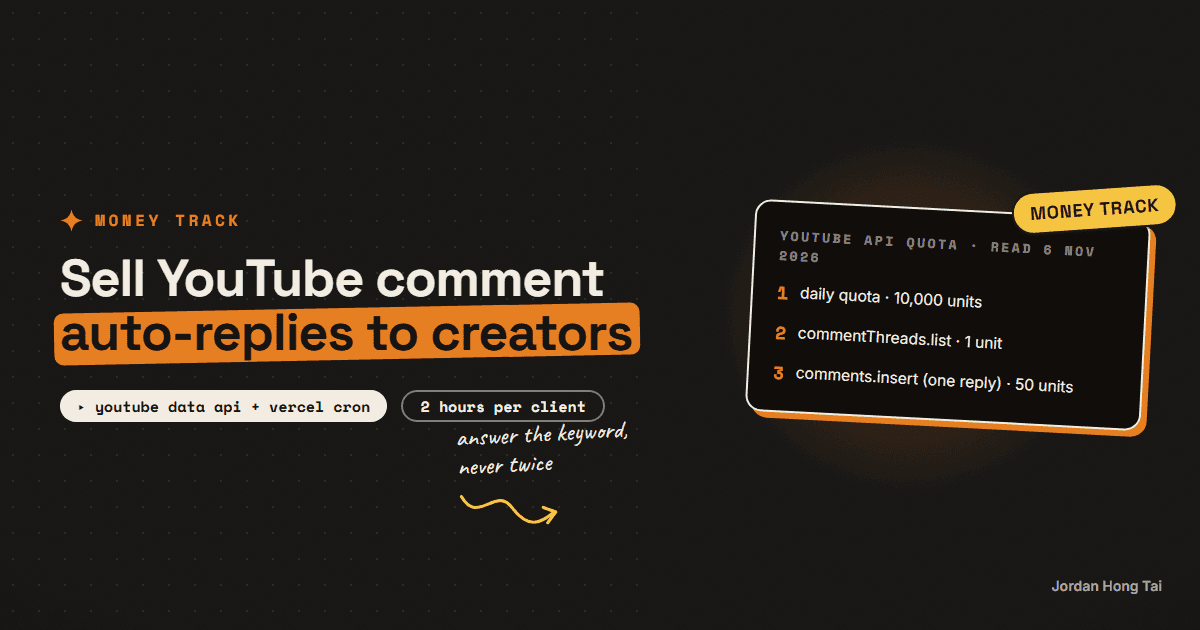
The YouTube Data API gives a new project 10,000 quota units a day, and posting a reply to a comment costs 50. That's about 200 keyword replies a day for $0 in API fees. Creators who already say "comment GUIDE" on Instagram usually leave their YouTube comments unanswered, and that gap is the service.
The YouTube Data API gives a new project 10,000 quota units a day, and posting a reply to a comment costs 50. That's about 200 keyword replies a day for $0 in API fees, from Google's own quota table, read 6 November 2026.
Creators who say "comment GUIDE" on Instagram usually have a tool answering there. On YouTube the same comments sit unanswered. ManyChat, which I use for Instagram and TikTok, doesn't cover YouTube comments, so I built a bot that answers in the thread from the channel itself, with the link. It has run on my channel since 22 August 2026.
This guide is that bot as a service you set up for a creator: the Google setup, the keyword rule, the script, the guardrails that stop it from embarrassing anyone, the schedule and the price. Results vary. Nothing here is a forecast of what you or anyone will earn.
What you'll have when you're done
- A Google Cloud project with an OAuth client the creator approved once
- A keyword table that maps each keyword to a link with UTM tags
- A script that reads new comments every 10 minutes and answers keyword comments in the thread
- Three guardrails: a decision log, a live-thread check and a cap per run
- A monthly report the creator can read in a minute, and a pitch
- [SCREENSHOT: a YouTube comment "GUIDE" with the channel's reply and link underneath]
Before you start
- A Google Cloud project. Free. You enable the YouTube Data API v3 in it.
- The creator's YouTube channel, and the creator present for one approval click. If the channel is a Brand Account, they pick the channel, not their personal account, on the consent screen.
- Somewhere to run it every 10 minutes. Vercel's Hobby plan runs cron jobs once a day only, so it's too slow. Pro is $20 a month and runs as often as once a minute. A machine that's always on works too.
- A log. A JSON file is fine for one client. I use a Supabase table; the free plan includes a 500 MB database, and Supabase pauses free projects after a week of inactivity, which a 10-minute job never hits.
- Node.js 18 or newer for the script below.
- About 2 hours for the first client.
There's no download pack for this one. The script and the checklists are on the page.
Step 1: Know the quota you're selling
Google's quota table, read 6 November 2026:
YouTube Data API, default quota: 10,000 units per day (resets midnight Pacific)
commentThreads.list   1 unit    (read up to 100 threads)
comments.list         1 unit
comments.insert      50 units   (post one reply)
comments.delete      50 units   (remove one reply)

A 10-minute schedule reads 144 times a day:    ~144 units
Left for replies:                               ~9,850 units
Replies that fit:                               ~197 a day
Google says the default quota is subject to change, so read the table again before you quote a client.
Check it worked: you can say how many replies a day one channel's project can post. If the creator gets more keyword comments than that, they need a quota increase from Google, and you should plan for it before you sell.
Step 2: Set up OAuth so the token doesn't die in a week
The reply endpoint needs the youtube.force-ssl scope. That means the channel owner approves your app once and you keep a refresh token, a long-lived key that gets fresh access tokens.
Here's the trap I think catches almost everyone. Google's docs say a consent screen with the External user type and a publishing status of Testing issues refresh tokens that expire in 7 days. Your bot works for a week and then dies quietly. Publish the app to production first, then authorise.
Google Cloud setup checklist
1. New project, enable "YouTube Data API v3"
2. OAuth consent screen: User type External, then Publish app (In production)
3. Credentials: OAuth client ID (Desktop or Web), note client ID + secret
4. Scope: https://www.googleapis.com/auth/youtube.force-ssl
5. Creator signs in once, picks the CHANNEL (Brand Account if they have one)
6. Store: CLIENT_ID, CLIENT_SECRET, REFRESH_TOKEN, CHANNEL_ID (starts with UC)
My own setup failed on an Internal consent screen with a 400 error, because a Brand Account sits outside the Workspace. Switching to External and In production fixed it.
Check it worked: a token request with the refresh token returns an access token. Write the date down and check again after 8 days: if it still works, the project really is in production.
Step 3: Write the keyword table, and keep common words out
Each keyword maps to one link with UTM tags, so the creator can see the clicks in their analytics.
The rule that matters: many keywords are ordinary English words. A comment like "this system is great" isn't asking for a link. My bot only counts a keyword when the comment is four words or fewer, or the keyword is written in capitals, or it's the keyword of the video being commented on. Some words are too common even for that. I keep ENGINES exact-only, with no typo variants, because a loose match on "engine" would fire on normal sentences.
Keyword table
KEYWORD   link (with ?utm_source=youtube&utm_medium=comment&utm_campaign=...)
GUIDE     https://creator.com/guide?utm_source=youtube&utm_medium=comment&utm_campaign=guide
PRESET    https://creator.com/presets?utm_source=youtube&utm_medium=comment&utm_campaign=presets

Counts as a keyword comment when:
- the comment is 4 words or fewer, OR
- the keyword is in CAPITALS, OR
- it's this video's own keyword
Never auto-reply to anything else.
Check it worked: you can read ten real comments from the channel and say, for each one, whether the bot would reply. If you hesitate on one, tighten the rule.
Step 4: Run the script, dry first
This is a working minimum. It reads the newest 100 threads, finds keyword comments, skips any thread where the channel already replied, and posts a reply with the link. It's a dry run unless you pass --live. I ran the dry run against my own channel on 6 November 2026: it read 44 threads and correctly found nothing new to answer, because the channel had already replied to every keyword comment.
// node yt-reply.mjs          -> dry run: prints what it would reply
// node yt-reply.mjs --live   -> posts the replies
import { readFileSync, writeFileSync, existsSync } from "node:fs";

const { CLIENT_ID, CLIENT_SECRET, REFRESH_TOKEN, CHANNEL_ID } = process.env;
const LIVE = process.argv.includes("--live");
const MAX_PER_RUN = 10;
const LOG = "replied.json"; // one line per decision, written BEFORE the next post

// keyword -> link. Keep ordinary English words out, or use them exact-only.
const KEYWORDS = {
  GUIDE: "https://example.com/guide?utm_source=youtube&utm_medium=comment",
};

const log = existsSync(LOG) ? JSON.parse(readFileSync(LOG, "utf8")) : {};
const save = () => writeFileSync(LOG, JSON.stringify(log, null, 2));

async function token() {
  const r = await fetch("https://oauth2.googleapis.com/token", {
    method: "POST",
    body: new URLSearchParams({
      client_id: CLIENT_ID, client_secret: CLIENT_SECRET,
      refresh_token: REFRESH_TOKEN, grant_type: "refresh_token",
    }),
  });
  if (!r.ok) throw new Error(`token ${r.status}: ${await r.text()}`);
  return (await r.json()).access_token;
}

const API = "https://www.googleapis.com/youtube/v3";
const at = await token();
const auth = { Authorization: `Bearer ${at}` };

// 1 quota unit: newest 100 threads across the channel's videos
const url = `${API}/commentThreads?part=snippet,replies&allThreadsRelatedToChannelId=${CHANNEL_ID}&order=time&maxResults=100`;
const res = await fetch(url, { headers: auth });
if (!res.ok) throw new Error(`list ${res.status}: ${await res.text()}`);
const threads = (await res.json()).items ?? [];

let posted = 0;
for (const t of threads) {
  const top = t.snippet.topLevelComment;
  if (log[top.id]) continue; // already decided
  // live-thread guard: if the channel already replied here, never reply again
  const ours = (t.replies?.comments ?? []).some(
    (c) => c.snippet.authorChannelId?.value === CHANNEL_ID
  );
  if (ours) { log[top.id] = "already-answered"; save(); continue; }

  const text = top.snippet.textOriginal ?? "";
  const words = text.toUpperCase().replace(/[^A-Z0-9]+/g, " ").trim().split(/\s+/);
  const hit = words.find((w) => KEYWORDS[w]);
  const strong = hit && (words.length <= 4 || new RegExp(`\b${hit}\b`).test(text));
  if (!strong) { log[top.id] = "no-keyword"; save(); continue; }
  if (posted >= MAX_PER_RUN) break; // leave the rest for the next run

  const name = top.snippet.authorDisplayName.replace(/^@/, "");
  const reply = `Here you go, ${name}: ${KEYWORDS[hit]}`;
  if (!LIVE) { console.log(`[dry] ${top.id} "${text}" -> ${reply}`); continue; }

  log[top.id] = "posting"; save(); // cannot log = must not post
  const p = await fetch(`${API}/comments?part=snippet`, {
    method: "POST",
    headers: { ...auth, "Content-Type": "application/json" },
    body: JSON.stringify({ snippet: { parentId: top.id, textOriginal: reply } }),
  });
  log[top.id] = p.ok ? "posted" : `error ${p.status}`;
  save();
  if (p.ok) posted++; // 50 quota units each
}
console.log(`${LIVE ? "posted" : "dry run"}: ${posted} replies, ${threads.length} threads read`);
Run it with the four values from Step 2 in the environment:
CLIENT_ID=... CLIENT_SECRET=... REFRESH_TOKEN=... CHANNEL_ID=UC... node yt-reply.mjs
Two things I learned the hard way about reading comments. The replies that come back inside a comment thread are a partial slice, not the full list, so when you need every reply in a thread, call comments.list with the thread's id as parentId. And reply in the thread with comments.insert and snippet.parentId; commentThreads.insert starts a new top-level comment instead.
Check it worked: the dry run prints one line per keyword comment it would answer, and nothing for comments the channel already answered. Only then run it with --live.
Step 5: Add the guardrails before you sell it
On 9 September 2026 my bot posted roughly 160 replies to 16 comments on one Short before I spotted it. The cause was small. The bot posted first and logged the whole run in one write at the end. One row failed, so nothing was recorded, and that switched off both the "already handled" check and the rate cap, because both read that log. Every 10-minute run answered the same comments again.
These are the rules that came out of it, and the script above follows the first three:
Guardrails
1. Write each decision to the log BEFORE the next post. If a write fails, stop posting.
2. Live-thread check: skip any thread where the channel already has a reply,
   read from YouTube itself, so it still works when your database doesn't.
3. Cap per run (10) and per hour (25).
4. Anything that isn't a keyword or a plain "link?" goes to a queue the creator reads.
5. Never add a new status or category in code without adding it to the database too.
If you use Claude or any other model to draft answers to the non-keyword comments, keep those drafts in the queue. Auto-post only the keyword replies, which say the same thing every time.
Check it worked: delete or rename your log file and run the script again. It should post nothing, because the live-thread check sees the channel's earlier replies.
Step 6: Put it on a 10-minute schedule
On Vercel this is one entry in vercel.json pointing at a route that runs the same logic, and it needs the Pro plan:
{
  "crons": [
    { "path": "/api/cron/youtube-comments", "schedule": "*/10 * * * *" }
  ]
}
Protect the route so only the scheduler can call it, and keep the four OAuth values in the project's environment variables, never in the code.
Check it worked: after an hour the log shows six runs. Comment the keyword on one of the creator's videos from another account, and the reply should appear within 10 minutes.
Step 7: Price it monthly, and report the clicks
I don't think there's a public market for this exact build yet. The closest reference I have is my own count of 39 Fiverr gigs advertising ManyChat build work on 12 September 2026: starting prices ran $5 to $95, the most common was $30, and none offered a monthly plan. That's a one-off Instagram build, so don't anchor on it. What you're selling is the YouTube side, kept running and reported every month.
Monthly report: [channel], [month]
Keyword replies posted:   ___
Clicks from those links:  ___  (utm_source=youtube, utm_medium=comment)
Comments sent to you:     ___  (questions, praise, criticism)
Keywords added/retired:   ___
Hi [name], people comment "[KEYWORD]" on your YouTube videos and
nobody answers. Here are [3] from the last month: [links].

I can set up your channel to reply in the thread within 10 minutes
with the link, from your own account. It only answers the keyword,
so real comments still come to you.

One setup fee and a monthly fee, with a report of replies and clicks.
Want me to show you on your next upload?
Jordan
Check it worked: your pitch shows the creator real unanswered keyword comments from their own channel. If you can't find any, they don't need this yet.
The honest part about this service
I think the automation is the easy half. A bot replying from someone's channel speaks in their name, and a mistake is public. The service is the guardrails and the restraint: answer keywords, hand everything else to a person, and never reply twice.
Honestly, it also can't create demand. If the creator's videos don't ask for a keyword, there's nothing to answer. Start with creators who already run comment funnels on Instagram.
What I'd do differently
Publish the OAuth app before the first token. The 7-day expiry wastes a week.
Log every decision as it happens. One write per run is how a reply storm starts.
Read the channel's own replies from YouTube. It's the guard that doesn't depend on your database.
Keep common words exact-only. A public reply to "great system" is worse than no reply.
FAQ
Is the YouTube Data API free for comment replies?
Yes, inside the quota. Google's docs give a new project 10,000 units a day for most endpoints, and the quota resets at midnight Pacific. Listing comment threads costs 1 unit and posting a reply costs 50, so a channel can post about 200 replies a day before it runs out. Deleting a comment also costs 50, which matters when you clean up mistakes.
Why does my YouTube refresh token stop working after a week?
Google says an OAuth consent screen with the External user type left in Testing issues refresh tokens that expire in 7 days. Publish the app to production before you hand the bot to a client, then authorise once more. The reply endpoint needs the youtube.force-ssl scope.
Can I run it on Vercel's free plan?
Not at a useful speed. Vercel's docs limit Hobby cron jobs to once a day, with up to an hour of drift. Pro is $20 a month and runs cron as often as once a minute. Any always-on scheduler works, including a small server or a scheduled task on a machine that stays on.
What stops the bot from replying to the same comment over and over?
Two separate checks. Write the decision for each comment to your log before you post the next one, and stop posting if a write fails. Then skip any thread where the channel itself already has a reply, read from YouTube, so the guard still works if your database is down. My own bot once posted about 160 replies to 16 comments in an evening because both safeguards depended on one database write.
Should the bot answer every comment?
No. Auto-post only keyword comments and plain link requests. Everything else goes to a queue the creator reads, because praise, criticism and questions deserve a person. Common English words like SYSTEM or VOICE should only count when the comment is short or written in capitals.
What should I charge a creator?
There's no public market for this exact build yet. The closest reference is ManyChat build gigs on Fiverr, which started at $5 to $95 with a mode of $30 when I counted 39 of them on 12 September 2026, with no monthly offers. A monthly fee is easier to justify when you send a short report each month: replies posted and the clicks they sent.
Related guides
The comment-to-DM funnel as a product: set it up for a creator and charge monthly
The build is a commodity. Across 39 Fiverr gigs advertising ManyChat work, the starting prices ran $5 to $95 with $30 the single most common number, and not one of them sold it as a monthly service. So if you want a retainer, you are not selling the build. You are selling the part that happens after it, and you will do it better than almost everyone if you understand two things nobody in this niche states correctly: how Meta's private reply window really works, and what happens when you point a funnel at an account that has no reach.
The comment-to-DM system that grows your email list on autopilot
You'll build the flow where one word in your comments turns into a DM with your link and an email on your list. Twenty-five minutes in ManyChat, on the free plan.
Automations that work while you sleep (free, no Zapier)
You'll put your AI research on a timer: it runs at 7 in the morning and the results are waiting when you wake up. Twenty minutes of setup, no Zapier, no subscription.
Get the next build in your inbox
One email a week: the newest guides, plus one thing I only share with the list.
No spam. Unsubscribe anytime.
Build alongside others
Join the free community and share what you're shipping.

Jordan Hong Tai
I've scaled products to over 500K users, and now I build AI systems in public from a balcony in Tokyo.