Check your sites for the PHP2Shell bug with AI (2-minute audit)
Last updated October 2026 · About 2 minutes per site to check; longer if you need to update · Free · Beginner
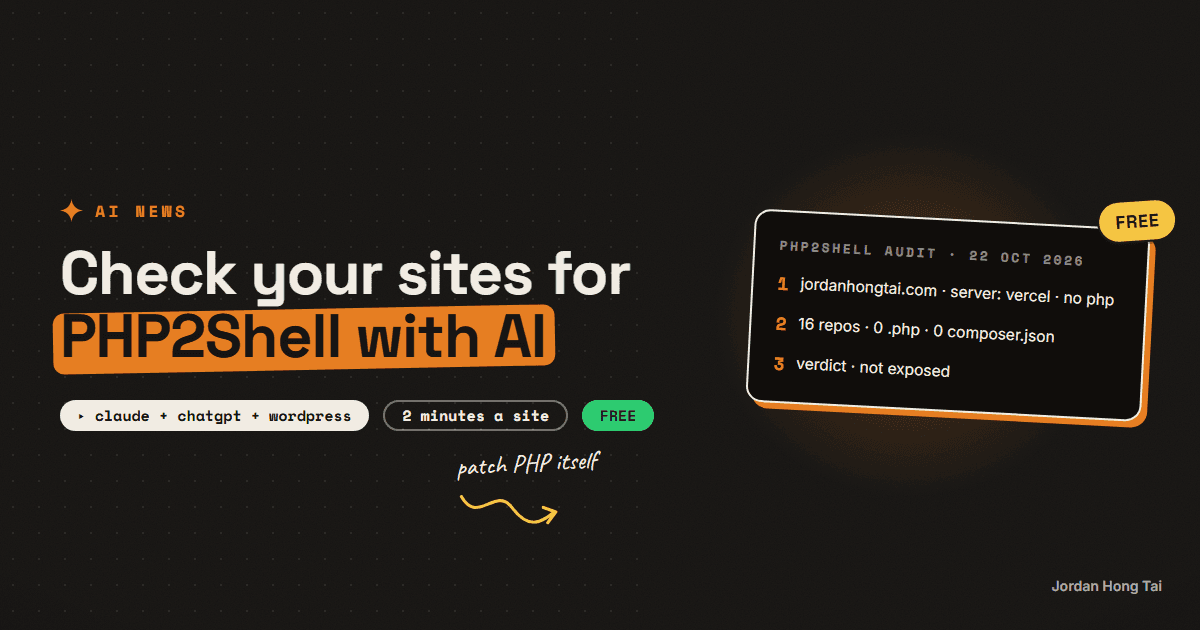
PHP shipped fixes on 21 October 2026 for two critical bugs that let a stranger take over a server with no password. Wiz named them PHP2Shell. If your site runs WordPress, Drupal or Joomla, it runs PHP. Here's the prompt I used to have AI check my sites in about two minutes, and what to do if yours comes back exposed.
On 21 October 2026, PHP shipped fixes for two critical bugs that let a stranger run their own code on a server, with no password. Security firm Wiz named the pair PHP2Shell. PHP is the language under WordPress, Drupal and Joomla, and Wiz puts it behind about 70% of all websites (that's Wiz's figure, not mine).
You don't need to be a developer to find out whether your sites are exposed. I had AI check my 4 live sites and 16 code projects. It took about two minutes, and all of them came back clean, because they run on Vercel and none of them run PHP. This guide gives you the same prompt, a version for people who only have a WordPress site and a hosting dashboard, and what to do if the answer is "yes, I'm exposed".
What you'll have when you're done
- A yes or no for every site you own: does it run PHP, and is that PHP patched?
- The exact PHP version each site is on, read from your host panel or WordPress
- An update plan, or a message to send your host, for any site that isn't patched
- A stopgap setting you can switch off today if you can't update yet
- A short list of things to check if you think someone got in
Before you start
- Any AI assistant. Claude, ChatGPT or Gemini, free tiers are fine. If you have a coding agent like Claude Code and your sites live in code projects, it can check the files too.
- A list of your websites. Every domain you own, including old ones you forgot about.
- Access to your hosting dashboard (cPanel, Plesk, or your host's own panel) or your WordPress admin login.
- About 2 minutes per site. Longer if you need to update.
Nothing here costs money. If you pay a developer or agency to run your site, you can forward them this page and stop reading after Step 1.
Step 1: Understand what PHP2Shell is, in plain words
PHP is the code that builds a page on the server every time someone visits. WordPress is written in it, so are Drupal and Joomla, and so are a lot of older custom sites.
The two bugs (CVE-2026-109618 and CVE-2026-109619) both score 9.2 out of 10 for severity. In plain words: someone on the internet can send a crafted request to a server running an affected PHP version and take it over, without logging in. Wiz says even a "Hello World" page on an affected version can be vulnerable. Your plugins and your own code don't matter here. The version of PHP does.
A few more things worth knowing:
- Almost every PHP version of the last decade is affected, back to PHP 5.4, by at least one of the two bugs.
- AI found it. Wiz credits Google's Gemini model with finding the bug and building the working attack, plus detection and patch checks.
- Wiz showed a working takeover against the latest WordPress, Drupal and Joomla setups, and a second path that can leak passwords, tokens and API keys from server memory.
- The details leaked on 20 October, before the planned release, so PHP pushed the fix out a day early.
- Are attackers using it yet? Sources disagree. watchTowr says it saw attacks as of 21 October. Huntress and Cisco hadn't seen any at the time of their posts. The safe read is that attacks may already be starting, so patch now rather than wait for the answer.
Check it worked: you can say in one sentence whether each of your sites runs PHP. If you can't, that's what Step 2 is for.
Step 2: Check who's affected and who isn't
Probably affected (check it):
- WordPress sites, whether self-hosted or on a managed WordPress host
- Drupal and Joomla sites
- Shared hosting plans, anything with a cPanel or Plesk dashboard
- Older custom sites with
.phpin the page addresses - A VPS or server you set up yourself with PHP on it
Not affected by this bug:
- Sites on Vercel or Netlify built with Next.js, Astro or plain HTML
- Static sites (GitHub Pages, Cloudflare Pages)
- Website builders that don't run your own PHP, like Squarespace, Wix, Webflow or Shopify. That's down to how they're built, and it's their job to patch their own servers.
One catch: a site can look modern and still have a WordPress blog or an old landing page on a subdomain. Check every domain, not just the main one.
Check it worked: every site on your list is sorted into "might run PHP" or "doesn't run PHP".
Step 3: Run the AI audit (if you have code projects or a coding agent)
This is the prompt I ran. Paste it into Claude Code, Cursor or any agent that can read your projects and fetch web pages. Replace the bracketed part with your domains.
Check every website and server I own for PHP2Shell (CVE-2026-109618 and CVE-2026-109619).

My sites: [list every domain, one per line]
My code projects: [folder path, or "every repo in this folder"]

For each site:
1. Fetch the homepage and read the response headers. Report the Server and X-Powered-By headers.
2. Tell me if it runs PHP: a PHP version in the headers, .php URLs, WordPress paths like /wp-login.php or /wp-content/, or Drupal/Joomla signs.
3. If it runs PHP, tell me the version if you can see it, and whether it's at or above the patched versions: 8.5.12, 8.4.27, 8.3.36 or 8.2.35. Anything older than 8.2 has no patched release in this advisory and needs a bigger upgrade.

For each code project:
4. Look for .php files, composer.json, wp-config.php, or a Dockerfile or server config that installs PHP.

Then give me a table: site or project, host, runs PHP (yes/no/unsure), PHP version, patched (yes/no/unknown), next step.

For anything unpatched, give me the exact update steps for that host, and the php.ini line to turn off session.upload_progress until I can patch. Do not change anything yourself. Report only.
Mine came back as a table of 4 sites, all served by Vercel, with no PHP header, no .php files, no composer.json and no wp-config.php in any of the 16 projects. Verdict: not exposed.
A header check can miss things. Many hosts hide the PHP version, so "unsure" is a normal answer. When you see it, go to Step 4 and read the version from the dashboard.
Check it worked: you have a table with one row per site and project, and every row says yes, no or unsure.
Step 4: The no-code version (WordPress site + hosting dashboard)
If you only have a WordPress site and a login to your host, you can get the PHP version yourself in a minute. Use either route.
Route A: WordPress Site Health
- Log in to WordPress admin.
- Go to Tools → Site Health, then the Info tab.
- Open the Server section. The PHP version is listed there.
Route B: your hosting dashboard
- cPanel: look for Select PHP Version or MultiPHP Manager under Software. Some hosts also show it in the right-hand "General Information" panel.
- Plesk: open your domain and look for PHP Settings. The version is at the top.
- Other hosts: search the help docs for "PHP version". Every host has a page for it.
Then paste this into Claude, ChatGPT or Gemini:
I run a WordPress site on [host name, e.g. Bluehost / SiteGround / GoDaddy].
Site Health says my PHP version is [paste the version].

A PHP security advisory on 21 October 2026 (PHP2Shell, CVE-2026-109618 and CVE-2026-109619) says the fixed versions are 8.5.12, 8.4.27, 8.3.36 and 8.2.35.

1. Am I on a patched version? Explain in one line.
2. If not, walk me through updating PHP on my host, step by step, using its dashboard. Don't assume I can use a command line.
3. Write me a short, polite message to my host's support asking them to confirm my server is patched for PHP2Shell, in case I can't update it myself.
Check it worked: you know your PHP version number, and you know whether it's at or above the patched one for its line (8.2, 8.3, 8.4 or 8.5).
Step 5: Fix it
1. Update PHP itself. The fixed versions are 8.5.12, 8.4.27, 8.3.36 and 8.2.35, released 21 October 2026. php.net's advice is that all PHP users update immediately.
Updating WordPress doesn't fix this. The WordPress "Update now" button updates WordPress, not the PHP underneath it. The fix has to happen at the server level, in your host panel or on your server.
2. On shared or managed hosting, ask your host. Many hosts patch PHP for you, but don't assume it. Send them the message from Step 4 and ask for a yes in writing. If you're on PHP 8.1 or older, ask them to move you to a supported version. That's a bigger change, so test your site after, or ask your host to.
3. If you can't patch today, use the stopgap. Huntress and Wiz both point to one setting that blocks the known way of abusing the bug. In your php.ini file (or the PHP settings screen in your host panel):
session.upload_progress.enabled = Off
Then restart PHP, or ask your host to. This doesn't replace the update, it only buys you time.
4. Turn on a web firewall if you have one. Cloudflare, Fastly and Vercel shipped firewall rules for this. If your site already sits behind Cloudflare, check that its managed rules are on. A firewall is a second layer and you should still update PHP.
Check it worked: re-run Step 3 or Step 4. Every PHP site shows a patched version, or your host has confirmed in writing that it's patched.
Step 6: If you think you were hit
You don't need to panic if you were unpatched for a few days. Exploitation is still disputed. But if a site was exposed, it's worth ten minutes to look.
The specific technical signs are in Huntress's write-up. Hand that page to your host, your developer, or your AI coding agent and ask it to check your server logs against it. In plain words, the usual signs that someone ran their own code on a site are:
- New admin users in WordPress that you didn't create (Users → All Users, sort by role)
- New or changed files you didn't put there, especially
.phpfiles insidewp-content/uploads, which should only hold images and documents - Odd behaviour: redirects to other sites, spam pages you didn't write, or your host emailing you about high CPU or outgoing spam
- Strange requests in your access logs around 20 to 22 October, from addresses you don't recognise
Because one path can leak passwords, tokens and API keys from server memory, change the secrets your site uses once it's patched: database password, WordPress admin passwords, and any API keys stored in wp-config.php or your environment settings.
If you find any of the above, take the site offline or restore a backup from before 20 October, and get your host or a security professional involved. Don't just delete the strange file and move on.
Check it worked: you either found nothing and rotated your secrets, or you've handed the site to someone who can clean it properly.
Sources
- php.net security advisory, 21 October 2026: the two CVEs, the 9.2 severity scores and the fixed versions
- Wiz: PHP2Shell: the name, the affected version range, the AI-found angle, the WordPress/Drupal/Joomla demos and the 70% figure
- Huntress: PHP2Shell: the early leak, the in-the-wild status, the stopgap setting and the indicators
This page is a checklist, not security advice for your specific setup. If your site holds customer data or takes payments, have a professional confirm the fix.
FAQ
What is PHP2Shell?
PHP2Shell is the name Wiz gave to two critical PHP bugs, CVE-2026-109618 and CVE-2026-109619, fixed on 21 October 2026. Both let someone on the internet run their own code on a server running an affected PHP version, without logging in. Wiz credits Google's Gemini model with finding them.
Is my WordPress site affected by PHP2Shell?
WordPress runs on PHP, so it's affected unless the PHP underneath it is on a patched version: 8.5.12, 8.4.27, 8.3.36 or 8.2.35 or later in each line. Check your version in WordPress under Tools, Site Health, Info, Server. Updating WordPress itself doesn't fix it.
Are Next.js or Vercel sites affected by PHP2Shell?
No. Sites on Vercel or Netlify built with Next.js, and static sites, don't run PHP, so this bug doesn't apply to them. Check for subdomains though, since an old WordPress blog on blog.yourdomain.com would still be exposed.
What if my host won't let me update PHP?
Ask your host's support to confirm in writing that your server is on a patched PHP version. Until then, setting session.upload_progress.enabled = Off in php.ini and restarting PHP blocks the known way of abusing the bug. A web firewall like Cloudflare's managed rules adds a second layer.
Is PHP2Shell being exploited right now?
Sources disagree. watchTowr reported seeing exploitation as of 21 October 2026, while Huntress and Cisco had not seen it at the time of their posts. The details leaked a day before the release, so treat it as urgent and patch now.
Can AI really check my site for this?
An AI assistant can read your site's response headers, look for PHP and WordPress signs, and check your code projects for PHP files. Many hosts hide the PHP version, so you may still need to read it from your hosting dashboard or WordPress Site Health. The AI tells you what to check; it doesn't patch anything for you.
Related guides
Your site's next visitor is an AI assistant: five fixes to make your website readable by AI crawlers and agents
Vercel counted 569 million GPTBot requests and 370 million from Anthropic's crawler in one month on its network, and found that none of the major AI crawlers render JavaScript. Cloudflare has blocked AI crawlers by default on new domains since 1 July 2025 and set new defaults on 15 September 2026. So plenty of sites are unreadable to their fastest-growing kind of visitor, and their owners do not know it.
See which AI bots read your site, in 10 minutes: GPTBot, OAI-SearchBot, ClaudeBot, PerplexityBot and the robots.txt that keeps you cited
OpenAI, Anthropic and Perplexity each send at least two different bots to your site. One collects pages that may train the next model, another indexes pages so the chatbot's search can cite them, and a third only shows up when a person asks about you. If your robots.txt treats them as one thing called AI, you're probably blocking the wrong one.
Get the next build in your inbox
One email a week: the newest guides, plus one thing I only share with the list.
No spam. Unsubscribe anytime.
Build alongside others
Join the free community and share what you're shipping.

Jordan Hong Tai
I've scaled products to over 500K users, and now I build AI systems in public from a balcony in Tokyo.