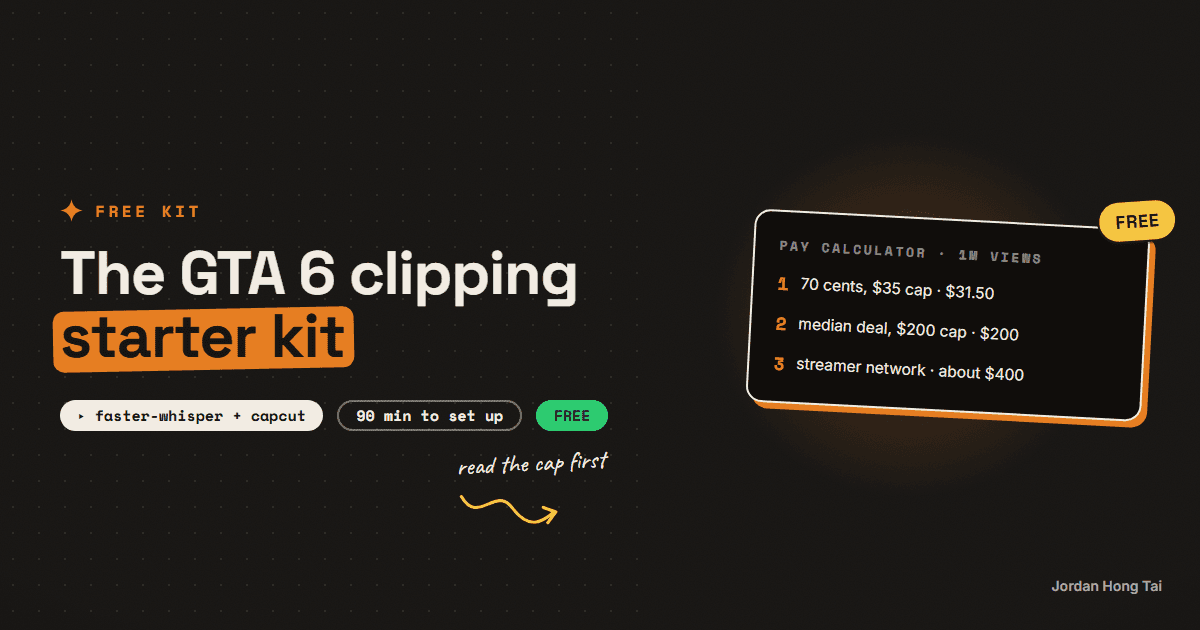
The pitch going round is that clipping GTA 6 streams pays $5,000 per million views. I found a real GTA 6 campaign that pays $31.50 for a million views. The rate on that campaign is 70 cents per 1,000 views, and the number that decides your pay is the $35 cap printed next to it.
So you can't judge a clipping deal by the rate. You have to do one division first, and that's what this kit is for.
This is the kit from my video on clipping GTA 6 streams with AI. It has three things you can copy today: a pay calculator with the arithmetic worked out, the free tool stack with the five-step workflow, and a rules checklist. GTA 6 is the example, and I think the method will outlast the launch. Nothing here is a forecast of what you'll earn, and it isn't legal or financial advice.
What you'll have when you're done
- A pay calculator for all three ways clippers get paid, with the views where a cap stops paying you
- A free tool stack and a five-step workflow for clipping from a recording
- A rules checklist for YouTube, TikTok, paid-post disclosure and gambling promos
- A plan for your first week, and an honest idea of what the first couple of months look like
Before you start
- A streamer or a campaign that says yes in writing. Downloading a stream yourself is outside the platforms' terms without permission. I cover that in Part 2.
- A computer that can run a free transcription tool. Everything in the stack is free. The paid tools are optional, and I'll show you what they cost.
- Accounts on the platforms the campaign pays for. Each campaign lists which platforms count.
- About 90 minutes to fill in the calculator and set up the stack. The clipping itself takes as many hours as you give it.
One warning about the numbers. GTA 6 launched on 19 November 2026 and I did this research on 20 November, so every launch figure here is days old and preliminary. Several of the pay numbers come from companies that profit from clipping. I've marked those as vendor numbers where they appear.
There's no download pack for this one. The calculator, the workflow and the checklist are all on the page, so copy the blocks straight into your own doc.
Part 1: The pay calculator
Start here, because the deal you pick decides more than how well you edit. Clippers get paid three ways: a marketplace campaign, a prize pool, and a streamer's own network. I'll work through each one.
The numbers the examples use
| Number | Value | Where it comes from |
|---|---|---|
| The pitch going round | $5,000 per 1 million views | Benzinga via Yahoo Finance, 19 November 2026 |
| One real GTA 6 campaign | $0.70 per 1,000 views, $35 cap | same Benzinga piece, a finding by YouTuber Guljemo Alliaj |
| Marketplace fee on that campaign | 10% | same piece |
| Median rate across live campaigns | about $1.09 per 1,000 views | Content Rewards data snapshot, 10 November 2026, 707 fixed-rate campaigns (vendor number) |
| Median cap per clip | $200 | same snapshot (vendor number) |
| Deals that cap what one clip can earn | 98% | ClippingAlpha, 2,157 pay terms, published 24 October 2026 |
| One GTA 6 launch prize pool | $12,500, split by views | the campaign's own page, checked 20 November 2026 |
| Views in that pool by the first evening | about 19 million from 67 clippers | Content Rewards article (the marketplace's own count) |
| Minimum views to get a share of that pool | 750,000 or 1,000,000 | the rules page says 750,000 and the article says 1,000,000 |
| One streamer's own network | about $40 per 100,000 views | Business Insider via Tubefilter, 29 April 2026 |
Way 1: a marketplace campaign with a cap
A marketplace campaign is basically a streamer paying you for the views your clips collect, at a rate per 1,000 views. The cap is the most a single clip can earn, however many views it gets.
Here's the campaign from the top of the page, worked out.
The $31.50 campaign: $0.70 per 1,000 views, $35 cap, 10% fee

What 1,000,000 views would pay with no cap:
  1,000 x $0.70                      = $700

What it actually pays:
  The cap                            = $35.00
  Marketplace fee, 10% of $35        =  $3.50
  You keep                           = $31.50

Views where the cap stops paying you:
  $35 / $0.70 x 1,000                = 50,000 views

Your real rate at 1,000,000 views:
  $31.50 / 1,000                     = about 3 cents per 1,000 views
So on that campaign, a clip with 50,000 views and a clip with 1 million views pay you the same $31.50. Everything after 50,000 views is free work for somebody else.
Now the typical deal. The median rate in the Content Rewards snapshot is $1.0875 per 1,000 views, and the median cap is $200.
The median deal: about $1.09 per 1,000 views, $200 cap

Views where the cap stops paying you:
  $200 / $1.0875 x 1,000             = about 184,000 views

What 1,000,000 views would pay with no cap:
  1,000 x $1.0875                    = about $1,090

What it actually pays:
  The cap                            = $200
  If the marketplace takes 10%       = $180 to you

Your real rate at 1,000,000 views:
  $200 / 1,000                       = 20 cents per 1,000 views
In the video I round that first number to about 180,000 views. I only know the 10% fee from the one campaign in the Benzinga piece, so check the fee on your own marketplace before you use that line.
Here are the formulas on their own, so you can run any campaign through them.
Views where the cap bites   = cap / rate per 1,000 x 1,000
Pay for one clip            = the smaller of (views / 1,000 x rate) and the cap
What you keep               = pay x (1 - fee)
Your real rate per 1,000    = what you keep / views x 1,000
I think this is the most useful habit in the whole kit. If you read the cap before you read the rate, you'll know in about ten seconds how much a great clip can actually pay you.
And look at the pitch again with those formulas. For a million views to pay $5,000, the rate would have to be $5 per 1,000 views with no cap in the way. The median rate I found is about a fifth of that, and 98% of the pay terms in ClippingAlpha's data have a cap.
Way 2: a prize pool
A prize pool is a fixed amount of money that gets shared out between clippers when the campaign ends. The one I looked at was listed at $12,500 and split by views. By the first evening, the marketplace's own article counted about 18.9 million views from 67 clippers.
The $12,500 pool, split by views

Rate so far = pool / total views x 1,000
  $12,500 / 18,900,000 x 1,000       = about 66 cents per 1,000 views

The rate falls as more views come in:
  At 25,000,000 total views          = 50 cents per 1,000
  At 40,000,000 total views          = about 31 cents per 1,000

Your share = your approved views / total views x pool
  1,000,000 of 18,900,000 views      = about $661
  1,000,000 of 40,000,000 views      = about $313
The 25 million and 40 million rows are my own what-if lines. They aren't a prediction of where that pool ended up.
Two things about a pool are easy to miss. The first is that you can't know your rate until the campaign closes, because every other clipper's views shrink your share. The second is the minimum. On this pool you only get a share if your clips pass a minimum number of approved views, and the two sources I read disagree on it. The rules page says 750,000 and the marketplace's article says 1,000,000.
Under the minimum:
  700,000 approved views             = $0
So if you were to put 700,000 views into that pool, you'd get nothing. A big headline number can still be a small rate, and for most new clippers it can be a rate of zero. I couldn't tell from those pages what fee comes off a pool payout, so I've left the fee out of this block.
Way 3: a streamer's own network
The third way is a streamer who pays clippers directly. Business Insider reported that one streamer, N3on, paid $1.4 million to about 300 clippers in five weeks, at around $40 per 100,000 views. I read that through Tubefilter's write-up from 29 April 2026 and not the original article.
A streamer's own network: about $40 per 100,000 views

Rate per 1,000 views:
  $40 / 100                          = 40 cents

What 1,000,000 views pays:
  10 x $40                           = $400

The same 1,000,000 views elsewhere:
  The median marketplace deal        = $200 (the cap)
  The $31.50 campaign                = $31.50
The rate is lower than the marketplace median, and I know that sounds backwards. The difference is that the reporting doesn't describe a small cap on each clip, so a good clip keeps getting paid. Treat that as my reading of a press report. I haven't seen that network's terms, and I don't know how you'd get into it as a beginner.
One thing I won't tell you is that a platform pays this rate. That number is one streamer's deal, as reported.
Your numbers
Fill this in for every campaign before you cut a single clip.
| Line | Formula | Yours |
|---|---|---|
| A. Rate per 1,000 views | from the campaign page | ____ |
| B. Cap per clip | from the campaign page | ____ |
| C. Marketplace fee | from the marketplace's terms | ____ |
| D. Views where the cap bites | B / A x 1,000 | ____ |
| E. Minimum views before a clip pays | from the campaign page | ____ |
| F. Views you really expect on one clip | your own recent clips, not your best one | ____ |
| G. Pay for that clip | the smaller of (F / 1,000 x A) and B | ____ |
| H. What you keep | G x (1 - C) | ____ |
| I. Your real rate per 1,000 views | H / F x 1,000 | ____ |
| J. Pool size (pools only) | from the campaign page | ____ |
| K. Total views in the pool so far | from the campaign page | ____ |
| L. Pool rate so far | J / K x 1,000 | ____ |
| M. Pool minimum | from the rules page | ____ |
Check it worked: you can say three numbers out loud for the campaign you picked: the views where the cap bites, what you keep on a clip with the views you really expect, and the minimum. If line F is under line E or line M, that campaign pays you $0.
Part 2: The free tool stack and the workflow
This is the AI part. I'd start with what the paid tools cost, because I think most people buy one before they know what it does.
What the paid tools cost
I checked the pricing pages for Eklipse, StreamLadder, OpusClip and Vizard on 20 November 2026.
| What I found | Detail | Source |
|---|---|---|
| A gaming tool with no export on the free plan | Eklipse | Eklipse help page, updated 30 August 2026 |
| The other free plans | they stamp a watermark on the clip | the pricing pages, checked 20 November 2026 |
| Gaming tools that find moments for you | from $24.99 a month at Eklipse, and from $27 a month for StreamLadder's ClipGPT | both pricing pages, same day |
| An independent test of AI clippers against a person | I couldn't find one | my own search |
So the free plans are mostly a demo. And every accuracy number I traced went back to the company selling the tool, so I'm not going to quote one. In my opinion you should learn the free version first. You'll know what you're paying for if you upgrade later.
The free stack
| Job | Free tool | What to know |
|---|---|---|
| Find where the chat spiked | the stream's chat log | TwitchDownloader, an open-source tool, can download the chat from a recording. The same permission rule applies as for the video |
| Check the spike against viewers | Twitch's list of viewer-made clips | Twitch's API lists a channel's clips by view count, with the timestamp in the stream |
| Turn the stream into text | faster-whisper | free and open source. I use it on my own videos |
| Rank the moments | the AI model you already use | give it the transcript and the timestamps, not the whole video |
| Cut vertical and caption | CapCut | the free version stacks the facecam over the gameplay and adds captions |
Live or recording: pick one on purpose
There are two ways to clip, and you should know which one you're doing.
| Clip live | Clip from the recording | |
|---|---|---|
| What you do | watch the stream as it happens and grab the moment when it lands | go back through the finished stream and pull the best moments |
| What it's good for | getting the clip posted within minutes | choosing better moments |
| What it costs you | hours of watching | speed |
| Where AI helps | not much | the most |
I think clipping live is your best shot at being early. That's my opinion and I have no data for it. Nobody I found has measured how much being first is worth.
The signal both ways run on: chat volume
When something big happens on stream, a few thousand people type at once and the chat speeds up. So you count the messages per minute and you look for the spike. Researchers have found highlights in esports streams from chat timing alone. That's the LIGHTOR paper from 2020, on Dota 2 and League of Legends. I haven't read the full paper, so I'm not quoting an accuracy figure from it.
If you're live, the spike is your cue to clip right now. If you're on the recording, the spikes give you a map of where to look, so you're not sitting through six hours of somebody driving around.
The five-step recording workflow
Step 1. Get the footage with permission in writing.
Downloading a stream yourself is outside the platforms' terms unless the streamer allows it. Twitch's Terms of Service, last modified 12 August 2026, say the licence doesn't permit "downloading (except page caching) of any portion of the Twitch Services". YouTube's terms and Kick's terms, dated 23 March 2026, are the same kind of thing. So start with streamers and campaigns that say yes in writing, and keep a copy.
Permission file (one per streamer)
streamer:                    ______
where the yes is written:    campaign page / Discord rules / email
link or screenshot saved:    yes / no
date you saved it:           ______
what it allows:              clips / full download / chat log
platforms it covers:         ______
anything it bans:            ______
Step 2. Find the spikes.
Pull the chat log and count the messages per minute. This is a small Python script that does the counting. It expects a plain text file with one number per line, and each number is how many seconds into the stream a message was sent. Your chat export will have its own layout, so you'll need to pull that one column out first.
# chat_spikes.py: count chat messages per minute and print the busiest minutes
from collections import Counter

with open("chat_offsets.txt") as f:
    seconds = [float(line) for line in f if line.strip()]

per_minute = Counter(int(s // 60) for s in seconds)
typical = sorted(per_minute.values())[len(per_minute) // 2]

print(f"typical minute: {typical} messages")
for minute, count in per_minute.most_common(20):
    hours, mins = divmod(minute, 60)
    print(f"{hours:02d}:{mins:02d}  {count} messages  ({count / typical:.1f}x typical)")
Then check the spikes against Twitch's list of the clips viewers made on that channel. It's sorted by views and each clip carries its timestamp in the stream. When the chat spiked and a lot of viewers clipped the same thirty seconds, that's your moment.
Candidate table
#   time in stream   chat vs typical   viewer clips there   what happened
1   ______           ____ x            ______               ______
2   ______           ____ x            ______               ______
3   ______           ____ x            ______               ______
(keep going to about 20)
Step 3. Transcribe it.
faster-whisper turns hours of stream into text with timestamps. This is the short version of how I call it.
# transcribe.py: stream audio to a timestamped transcript
# first: pip install faster-whisper
from faster_whisper import WhisperModel

model = WhisperModel("small", device="cpu", compute_type="int8")
segments, _ = model.transcribe("stream.mp4")

with open("transcript.txt", "w", encoding="utf-8") as out:
    for seg in segments:
        out.write(f"[{seg.start:.0f}s to {seg.end:.0f}s] {seg.text.strip()}\n")
You don't have to transcribe all six hours. I'd cut out about two minutes around each candidate and transcribe those.
Step 4. Ask an AI model to rank the moments.
Give the model the transcript and your candidate table. Ask it to rank them and to explain why each one works, because the explanation is how you catch a bad pick.
Here are [20] moments from a [GTA 6] stream by [streamer]. For each one
you have the time in the stream, how much the chat sped up, how many
viewers clipped it, and the transcript from one minute before to one
minute after.

Rank them from best clip to worst. For each one, tell me:
1. What the setup is, and at what second it starts
2. What the payoff is, and at what second it lands
3. If a viewer who never saw the stream would understand it with no context
4. One line of on-screen context I could add
5. What you can't judge from text alone

Don't invent anything that isn't in the transcript. If the transcript
doesn't show why the chat reacted, say so and mark it "watch this one".
Step 5. Cut it vertical and caption it.
Cut the moment, stack the facecam over the gameplay, and add captions. CapCut does that for free. Then watch the first and last second of the cut yourself, because that's where AI gets it wrong.
Where AI lets you down
| AI is good at | AI is bad at |
|---|---|
| Transcripts | Jokes |
| Captions | Setup and payoff |
| Reframing a wide shot to vertical | Cutting on the right second. It'll be a second early or a second late |
| Sorting a long list of candidates | Fast action. A model watching video samples about one frame a second, per Google's Gemini documentation, so it misses what happened between frames |
So the chat and the AI find you about twenty candidates, and you still pick the three.
Which streamer and which moment
A short version of the pick, because the tools don't fix a bad one.
- I'd skip the five biggest names. CreatorDB counted 3,266 Kai Cenat clips from 759 accounts in a single month, in a report dated 26 August 2026. I doubt you'll win that as a new account.
- Look at who really led the launch. Streams Charts measured a combined peak of about 7.9 million viewers on 19 November 2026, around four and a half times the old launch record. The biggest peaks came from Spanish, Portuguese and Indonesian streamers, and more than 200 creators set their all-time record that day.
- Pick a streamer in the middle. I'd look for a live campaign, a real audience, and a few dozen clippers instead of a few hundred.
- Selection beats volume. In that same CreatorDB count, the top clip channel got about 111 million views from 23 clips.
- Know what there is to clip. GTA 6 launched with no online mode and no PC version, and there's no date for either, according to press coverage from 10 to 19 November 2026. So there's no roleplay yet. Today it's first reactions, chaos and glitches.
Check it worked: you have a written yes saved for one streamer, a candidate table with about 20 moments, and three clips where you've watched the first and last second yourself.
Part 3: The rules checklist
I'm not a lawyer, and platform rules change. This is the list of rules I found, where each one comes from, and what I'd do about it.
1. YouTube's reused-content policy
You'd think the plan is to build a clip channel and collect ad revenue. YouTube's channel monetization policies say clips put together "with little or no narrative" don't qualify. Then the page says the policy "applies even if you have permission from the original creator".
So a streamer's permission lets you post the clip. It doesn't make the channel monetizable.
[ ] I've read YouTube's channel monetization policies page myself
[ ] My plan doesn't depend on ad revenue from a clip channel
[ ] Every clip has something of mine in it (see section 7)
[ ] I still have the streamer's written yes on file
2. The Shorts revenue bar from February 2027
YouTube announced on 10 August 2026 that from February 2027, earning Shorts revenue takes 10 million views every 90 days.
The Shorts bar, as a daily number
10,000,000 views / 90 days           = about 111,000 views a day, every day
[ ] I know my channel's Shorts views for the last 90 days
[ ] I've done the division above against my own number
[ ] The campaign is what pays me, and I'm not counting on Shorts revenue
3. TikTok and reused material
TikTok's Community Guidelines, effective 24 September 2026, say reused material with nothing new added isn't eligible for the For You feed. So a plain re-upload starts with a handicap.
[ ] No clip goes up as a straight re-upload
[ ] Each clip has my own context on screen in the first seconds
4. Disclose paid posts
If somebody pays you to post, you have to disclose it. That's in the FTC's Endorsement Guides FAQ. A campaign that pays per view is a paid post. Content Rewards also lists a missing disclosure as a reason clips get rejected, in its rejection reasons from 9 November 2026. So a missing disclosure can cost you the payout too.
[ ] Every campaign clip says it's paid, where a viewer will actually see it
[ ] I've turned on the platform's paid or sponsored label where there is one
[ ] I've read the campaign's own disclosure rule and copied its wording
[ ] I check the label is still on after the post goes live
5. No gambling promos on TikTok
TikTok bans content that markets gambling. I have that from press coverage in Covers on 6 November 2026 and SBC News on 4 November 2026. I didn't retrieve TikTok's own wording, so read the current guideline before you rely on mine. It matters because some of the biggest streamers are casino-sponsored, and the sponsor can end up inside your clip.
[ ] I've checked whether the streamer is sponsored by a gambling brand
[ ] No casino logo, overlay, code or link is visible in any clip I post to TikTok
[ ] The campaign isn't asking me to promote the sponsor
6. Game content: endings, cutscenes and nudity
Rockstar's policy on posting copyrighted material singles out endings and cutscenes. It's the general policy, updated 10 January 2025. I read it through secondary summaries, because the official page wouldn't load for me. And Notebookcheck reported on 19 November 2026 that YouTube has issued strikes over nudity in GTA 6 gameplay.
I can't tell you that GTA 6 clips are safe to monetize. Rockstar's policy is framed around non-commercial posting, so paid clipping relies on the publisher tolerating it. I'd also say nothing about the in-game music, because I couldn't confirm what's allowed.
[ ] No endings and no cutscenes
[ ] No nudity in the gameplay, even for a second
[ ] I know that the publisher could change its mind on paid clips
7. What to add so a clip is your own
Both YouTube and TikTok are asking for the same thing, and it's also what makes a clip travel.
[ ] A line of context on screen: who this is and what's about to happen
[ ] My own framing: a title or a first line that says why this moment matters
[ ] A cut I chose: the setup stays in, the dead air goes
[ ] Captions I've read and corrected
[ ] Optional: my own voice or a reaction, if that's my channel
I can't promise that a line of context is enough to satisfy either policy. Neither platform publishes a threshold, so treat that list as the minimum.
Check it worked: every clip you're about to post passes sections 3, 4, 5 and 6, and has at least the first two lines of section 7.
The honest part about clipping
In your first couple of months, I'd expect somewhere between nothing and a few hundred dollars. If you want a number to plan around, I'd use roughly $0 to $300, and that's my own guess. I couldn't find one independent figure for what beginners earn. Every number promising more came from somebody selling a tool or a course.
So I'd treat it as practice. You're getting paid a little to learn how to spot a moment and edit it fast, and that skill pays in a lot of places. If you were to judge it as income in month one, I think you'd quit before the practice paid off.
Your first week
Day 1  Find three campaigns. Fill in the calculator for each one.
       Drop any campaign where your expected views are under the minimum.
Day 2  Pick one streamer in the middle. Save the written yes.
       Read the campaign's disclosure rule.
Day 3  Set up the stack. Transcribe one old recording as a test.
Day 4  Run the full workflow on one finished stream.
       20 candidates, the AI ranking, then your three picks.
Day 5  Cut the three clips. Add your context line and the disclosure.
       Run the rules checklist on each one.
Day 6  Post them. Write down the views after 24 hours.
Day 7  Put your real views into line F of the calculator.
       Decide whether this campaign is worth a second week.
What I'd do differently
Read the cap first. The rate is the number in the headline, and the cap is the one that pays you.
Do the pool division on day one and again on the last day. The rate only falls.
Start with the recording. It's slower than clipping live, and it's where you learn to choose.
Keep the written yes. If you only do one thing from Part 2, I'd make it that one.
Add the context line before you add anything fancy. It's the cheapest thing on the rules checklist.
FAQ
How much does clipping GTA 6 streams pay?
It depends on the cap more than the rate. A Content Rewards snapshot from 10 November 2026 puts the median at about $1.09 per 1,000 views with a $200 cap per clip. Benzinga reported one GTA 6 campaign at $0.70 per 1,000 views with a $35 cap, and that one pays $31.50 for a million views after a 10% fee.
How do you make money clipping streams?
There are three ways. A marketplace campaign pays a rate per 1,000 views up to a cap. A prize pool splits a fixed amount between clippers by views once the campaign ends. And some streamers run their own network and pay clippers directly.
What is a cap in a clipping campaign?
It's the most one clip can earn, however many views it gets. In ClippingAlpha's data, published 24 October 2026, 98% of pay terms had one. Divide the cap by the rate per 1,000 views and multiply by 1,000 to get the views where your clip stops earning. At the median deal, that's about 184,000 views.
How does a clipping prize pool pay?
A fixed pot is shared by views. One GTA 6 launch pool was listed at $12,500 and held about 19 million views by the first evening, by the marketplace's own count. That's about 66 cents per 1,000 views, and it falls as more views come in. You also needed between 750,000 and 1,000,000 approved views to get any share.
Can I monetize a clip channel on YouTube if the streamer gives permission?
Permission lets you post the clip. YouTube's channel monetization policies say clips with little or no narrative don't qualify, and that the policy applies even if you have permission from the original creator. And from February 2027, Shorts revenue needs 10 million views every 90 days.
Do I need a paid AI clipping tool?
No. The free stack is the chat log to find spikes, Twitch's list of viewer-made clips, faster-whisper for the transcript, an AI model to rank the moments and CapCut to cut and caption. On the pricing pages I checked on 20 November 2026, gaming tools that find moments start at around $25 a month, and I couldn't find an independent test of how well they pick.
Is it allowed to download a stream to clip it?
Not without permission. Twitch's Terms of Service, last modified 12 August 2026, say the licence doesn't permit downloading any portion of the service, and YouTube's and Kick's terms are similar. Start with streamers and campaigns that say yes in writing, and keep a copy.
How much can a beginner clipper earn?
I couldn't find one independent number. Every figure promising more came from a company selling a tool or a course. My own guess for the first couple of months is somewhere between $0 and a few hundred dollars, so I'd treat it as paid practice. This isn't financial advice.
Related guides
Get the next build in your inbox
One email a week: the newest guides, plus one thing I only share with the list.
No spam. Unsubscribe anytime.

I can build this for you.
If you would rather not do the steps yourself, tell me what you need and I will show you how I would approach it.