A faceless "what if it doubled every day?" Shorts channel rendered in Blender by code: 0 credits a reel, the 10-million-view YPP bar, and the mass-produced content rule
Last updated November 2026 · About 3 hours for the first reel, then 1 hour plus an unattended render · Free (Blender is free; your PC does the rendering) · Builder
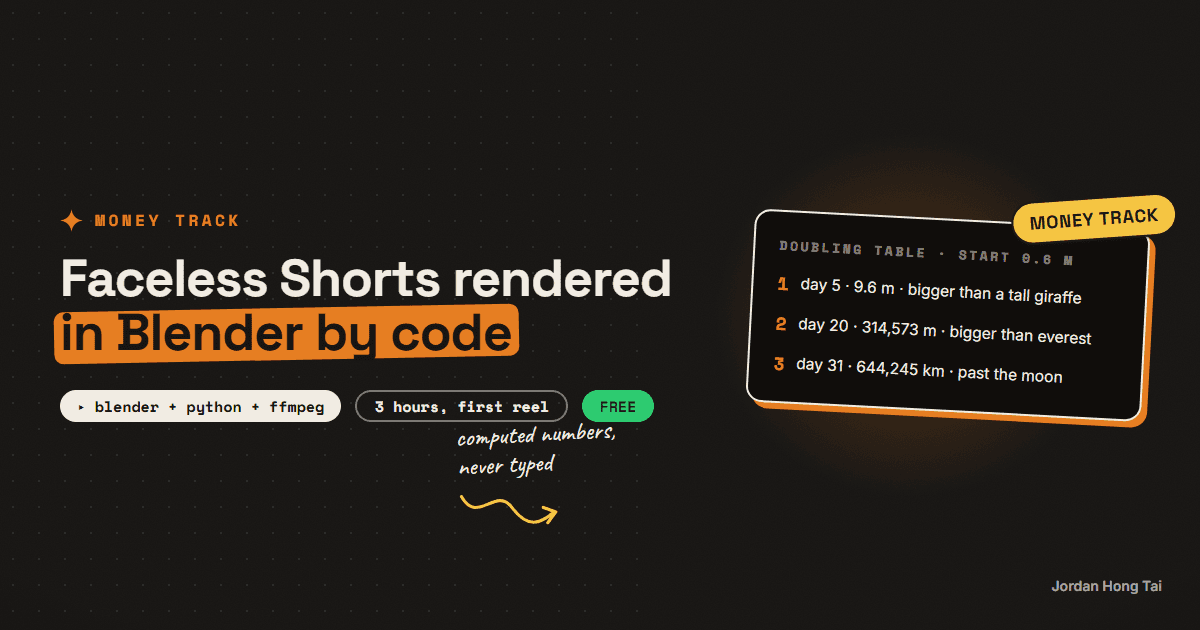
A low-poly "what if it doubled every day?" account on Instagram showed 50.9K followers and a top reel at 14.1 million views when I checked it on 30 October 2026. I copied the format, not the jokes, and render the scenes in Blender from a Python script. It costs 0 credits a reel, against about 135 AI video credits a reel the way I made the first one.
A low-poly "what if it doubled every day?" account on Instagram, @polystoriesdaily, showed 50.9K followers and a top reel at 14.1 million views when I checked it on 30 October 2026, with only nine posts. Its bio credits an AI 3D-animation tool.
I copied the format, not the character or the jokes, and started my own account the same day. The first reel used AI stills animated with image-to-video: about 135 Higgsfield credits a reel, plus repairs. Since 2 November I render every scene in Blender from a Python script instead. That's 0 credits a reel. What it costs is about 20 to 25 minutes of my PC rendering while I do something else.
This guide is that pipeline: the premise, the computed number table, a Blender script I tested on 6 November 2026, the headless render, the text on top, and the rules YouTube pays under. Results vary a lot. Nothing here is a forecast of what you or anyone will earn, and my own channel is too new to have numbers worth quoting.
What you'll have when you're done
- A premise and a number table where every value is computed and every comparison is checked
- A Python script that builds a low-poly scene in Blender and animates the doubling on the beat
- A 1080x1920 MP4 rendered headless, with no clicking around in Blender
- The counter and a deadpan line of text burned on top with ffmpeg
- A checklist for YouTube's monetisation and inauthentic content rules
- [SCREENSHOT: a rendered frame, the red low-poly object beside a 1.8 m figure, counter top-left]
Before you start
- Blender. Free, released under the GNU GPL. I use the portable 4.5 LTS zip, no installer. Blender's licence page says what you create with it is your property and it can be used commercially.
- Python 3 for the number table, and ffmpeg for the text.
- A PC that can render for 20 minutes. Mine peaked at 1.1 to 1.25 GB of RAM per clip, so it doesn't need a big machine, just time.
- Audio you own. I make the music bed and sound effects with ElevenLabs so nothing gets muted.
- Claude Code or any coding assistant helps a lot once you go past the starter script: new props, camera moves, characters.
- About 3 hours for the first reel.
There's no download pack for this one. Both scripts are on the page.
Step 1: Pick a premise and compute the table
The format is one quantity that doubles each step: size, speed, loudness, weight. The story climbs through scales, room to street to city to space, and the payoff is how absurd the end is. Funny attributes beat plain size. My first reels were size because it was the easiest to build.
The rule that keeps the channel honest: the numbers are computed, never typed. Write the start value once and let the code do the doubling.
START_M = 0.6  # day 1: a sitting dog, in metres

# (metres, comparison) - check every value at a source before you use it
LADDER = [
    (1.8, "a tall person"),
    (5.5, "a tall giraffe"),
    (330, "the Eiffel Tower"),
    (8_849, "Mount Everest"),
    (384_400_000, "the distance to the Moon"),
]

for day in range(1, 32):
    m = START_M * 2 ** (day - 1)  # computed, never typed
    passed = [name for size, name in LADDER if m >= size]
    note = f"bigger than {passed[-1]}" if passed else ""
    print(f"day {day:>2}: {m:>16,.1f} m   {note}")
Day 31 comes out at 644,245 km, which is past the Moon. That's a real result of doubling 60 cm thirty times, and it's the kind of ending this format lives on.
Now fact-check every comparison against a source before you render anything. I was wrong on my first try. Here's one my own test caught: at day 4 the object is 4.8 m, and I'd written "taller than a giraffe". A tall giraffe is about 5.5 m. The line was wrong, and the counter on screen would have shown it.
Check it worked: every row you'll put on screen has a number from the table and a comparison you checked at a source. If you can't source a comparison, cut it.
Step 2: Build the scene in code
This script builds a ground, a faceted low-poly object that doubles, a 1.8 m figure that never changes so the growth reads, a sun and a camera. Each doubling lands on the beat over 0.55 seconds and then holds. The camera pulls back with the object so it always fills the lower half of the frame, which is where it belongs: the top half stays calm for the text.
import bpy, math

FPS = 30
STEP_S = 3.8          # seconds per doubling beat
STEPS = 5             # days shown in this clip
START_M = 0.6         # day-1 size in metres

scene = bpy.context.scene
for o in list(bpy.data.objects):
    bpy.data.objects.remove(o, do_unlink=True)

scene.render.engine = "BLENDER_EEVEE_NEXT"
scene.render.resolution_x, scene.render.resolution_y = 1080, 1920
scene.render.fps = FPS
scene.frame_start = 1
scene.frame_end = int(STEPS * STEP_S * FPS)

# ground
bpy.ops.mesh.primitive_plane_add(size=2000)
ground = bpy.context.object
gmat = bpy.data.materials.new("ground")
gmat.diffuse_color = (0.35, 0.6, 0.3, 1)
ground.data.materials.append(gmat)

# the thing that doubles: a faceted low-poly rock, origin on its base
bpy.ops.mesh.primitive_ico_sphere_add(subdivisions=1, radius=0.5, location=(0, 0, 0.5))
hero = bpy.context.object
bpy.context.scene.cursor.location = (0, 0, 0)
bpy.ops.object.origin_set(type="ORIGIN_CURSOR")
hmat = bpy.data.materials.new("hero")
hmat.diffuse_color = (0.84, 0.15, 0.2, 1)
hero.data.materials.append(hmat)

# a 1.8 m "person" that never changes size, so the growth reads
bpy.ops.mesh.primitive_cube_add(size=1, location=(1.2, 0, 0.9))
person = bpy.context.object
person.scale = (0.45, 0.3, 1.8)
pmat = bpy.data.materials.new("person")
pmat.diffuse_color = (0.95, 0.75, 0.2, 1)
person.data.materials.append(pmat)

# light + camera
bpy.ops.object.light_add(type="SUN", rotation=(math.radians(50), 0, math.radians(30)))
bpy.context.object.data.energy = 3
bpy.ops.object.camera_add()
cam = bpy.context.object
scene.camera = cam

ROLL = int(0.55 * FPS)  # each doubling lands over 0.55 s, then holds

for day in range(1, STEPS + 1):
    size = START_M * 2 ** (day - 1)          # computed, never typed
    frame = int((day - 1) * STEP_S * FPS) + 1
    if day > 1:  # hold the previous size until the beat, then roll up
        hero.keyframe_insert("scale", frame=frame - ROLL)
        cam.keyframe_insert("location", frame=frame - ROLL)
        person.keyframe_insert("location", frame=frame - ROLL)
    hero.scale = (size, size, size)
    hero.keyframe_insert("scale", frame=frame)
    # keep it filling the lower half: camera distance scales with size
    cam.location = (0, -size * 3.2, size * 0.9)
    cam.rotation_euler = (math.radians(85), 0, 0)
    cam.keyframe_insert("location", frame=frame)
    cam.keyframe_insert("rotation_euler", frame=frame)
    # the person steps aside so they stay in shot, next to the edge
    person.location = (size * 0.55 + 0.4, -0.6, 0.9)
    person.keyframe_insert("location", frame=frame)
    print(f"day {day}: {size:,.2f} m at frame {frame}")

# video out (H.264 MP4)
scene.render.image_settings.file_format = "FFMPEG"
scene.render.ffmpeg.format = "MPEG4"
scene.render.ffmpeg.codec = "H264"
The object is 1 m tall at scale 1, so its scale is its height in metres. When you swap the rock for a real model, keep that true and the counter and the picture can never disagree.
Check it worked: the script prints five lines, day 1 at 0.60 m up to day 5 at 9.60 m, with the frame each one lands on.
Step 3: Render it headless
Headless means Blender runs with no window. Render one still from the middle first, then the full clip.
# one frame to check the framing (absolute output path)
blender -b -P doubling.py -t 2 -o "C:\renders\test_####" -F PNG -f 457

# the whole clip as MP4
blender -b -P doubling.py -t 2 -o "C:\renders\clip_" -a
-b runs in the background, -P runs your script, -o sets the output, -f renders one frame and -a renders the animation. -t 2 limits it to two threads so the PC stays usable. Use an absolute output path: with no saved .blend file, the relative // path points at the drive root and Windows refuses to write there. That cost me one failed render.
On my PC, at 1080x1920, 30 fps and EEVEE, a full 65-second reel took about 20 to 25 minutes. Half-resolution drafts are about four times faster, so block your shots at draft quality.
Check it worked: frame 457 shows the 9.6 m object with the small yellow figure beside it, both in the lower half of the frame.
Step 4: Put the counter and the line on top
The text is the content in this format: a big counter top-left and one deadpan line under it, high in the frame where people read on a phone. My first cut had the line near the bottom, under Instagram's caption and buttons. Keep it in the top half.
ffmpeg -i clip_0001-0570.mp4 -vf "drawtext=fontfile='C\:/Windows/Fonts/georgia.ttf':text='9.6 m':fontsize=150:fontcolor=white:x=76:y=300:borderw=4,drawtext=fontfile='C\:/Windows/Fonts/georgiai.ttf':text='Day 5\: taller than a giraffe.':fontsize=62:fontcolor=white:x=76:y=720:borderw=3" out.mp4
That draws one fixed counter. For a counter that changes on every beat, add one drawtext per day with enable='between(t,START,END)', or render the text as images in Python. Then lay your owned audio under it with a short sound on every doubling.
Check it worked: the counter on screen matches the table for every beat, and no line of text sits in the bottom quarter of the frame.
Step 5: Check the rules before you post
YouTube's help pages, read 6 November 2026:
Monetisation (YouTube Partner Program, ad revenue):
- 1,000 subscribers, AND
- 4,000 qualified watch hours in the last 12 months, OR
  10 million qualified Shorts views in the last 90 days
Shorts revenue: monetising creators keep 45% of their allocated revenue

Inauthentic content (renamed from "repetitious content", July 2025):
- not mass-produced, generic or repetitive
- templated storylines with minimal narrative or commentary are out
  -> a new premise and new facts every reel, not the same video re-skinned

AI disclosure:
- non-realistic and fully animated content doesn't need the label
I think the inauthentic content rule is the one that ends most faceless channels, and you should read it before your first upload. A doubling reel is a template by design, so what has to change every time is the premise, the jokes and the facts. Ten reels that only swap the object are the mass-produced pattern YouTube describes.
Check it worked: you can name what's new in this reel that wasn't in the last one: the premise, at least three facts and the ending.
Step 6: Know where the money comes from
I think this is the part people skip, so be clear-eyed about it. The money path on YouTube is the Partner Program, and the bar for Shorts is 10 million qualified Shorts views in 90 days with 1,000 subscribers. The reference account reached a 14.1-million-view reel, so the format can travel, but most channels never get there, and Shorts revenue is shared from a pool, not paid per view.
What code rendering changes is the cost of each try. At about 135 credits a reel, every flop costs money. At 0 credits it costs an evening of writing and a render while you sleep, so you can afford enough attempts to find the premise that works.
Per-reel cost sheet
writing + fact-check:    ___ min
render (unattended):     ___ min   (mine: 20-25 for 65 s)
credits:                 0
audio:                   owned bed + sound effects
new this reel:           premise / facts / ending
Check it worked: your cost sheet shows your real minutes per reel after three reels. If writing takes longer than the render, build a premise list before you build anything else.
The honest part about this format
Honestly, the AI scenes looked better. Dense, warm, art-directed rooms beat my sparse kit-bashed sets, and the AI mascot had fingers and facial expressions mine doesn't have yet. Code wins on cost, timing and consistency, not on looks, at least not until you spend time art-directing the sets.
And the reference account has moved on from narrated doubling to dialogue skits with a catchphrase and fast cuts. Copy where a format is going, not where it was.
What I'd do differently
Start with an attribute, not size. Loudness, speed or strength gives the jokes somewhere to go.
Compute the table first and check every comparison. The counter makes wrong facts obvious.
Render a single frame before every full render. A 25-minute render with the camera in the wrong place is a wasted evening.
Make your own character and your own audio. Copy the format, never the brand.
FAQ
Can you monetise a faceless Shorts channel on YouTube?
YouTube's Partner Program page, read 6 November 2026, opens ad revenue sharing at 1,000 subscribers with either 4,000 qualified watch hours in 12 months or 10 million qualified Shorts views in 90 days. Its Shorts monetisation page says creators keep 45% of their allocated revenue. Faceless is allowed; mass-produced, templated content isn't, under the inauthentic content policy.
Do I have to label Blender animations as AI on YouTube?
YouTube's altered or synthetic content page says creators don't need to disclose non-realistic content, and lists a fully animated video as an example. A low-poly code-rendered animation isn't made with generative AI in the first place. Disclosure applies when content looks realistic or makes a real person appear to do something they didn't.
Who owns what I render in Blender?
Blender's licence page says what you create with Blender is your sole property, and that Blender can be used commercially. Third-party models are a separate question: use your own, or assets with a clear licence such as Kenney's CC0 packs, and keep a list of what you used.
How long does a code-rendered reel take?
On my PC, headless Blender with the EEVEE renderer at 1080x1920 and 30 fps took about 20 to 25 minutes per 65-second reel, peaking at 1.1 to 1.25 GB of RAM. Half-resolution drafts render about four times faster, so block the shots at draft quality first.
Why render in code instead of using an AI video tool?
Cost and control. My first reel in this format used AI stills animated with image-to-video, about 135 Higgsfield credits a reel, with glitches to repair. In code the size follows the counter frame by frame, the same input gives the same frames, and a change means editing one line and re-rendering one clip. The AI scenes still look richer; that's the trade.
Can I copy the channel I'm modelling?
Copy the format, not the character or the jokes. The premise of doubling something is open, but a mascot, catchphrase or bit is someone's brand. Make your own character, write your own lines, and only use audio you own or have a licence for.
Related guides
One-person content agency: 30 short videos a week, the real cost sheet
Seven avatar reels cost me $14.71 last week. That is the whole render bill, measured, not estimated. This guide takes the per-unit costs from a pipeline that actually runs every week and does the arithmetic for 30 short videos a week: what HeyGen bills per finished second, what ElevenLabs charges per character, what local editing costs, and what the whole month comes to per finished video. Then it puts that next to what agencies and freelancers publicly charge for short-form retainers, so you can see the gap the business lives in.
I made Claude Code my video editor (cuts, captions, exports)
You'll give Claude Code a skill file that edits your videos: transcribe, cut the dead air, burn captions, export 9:16. After the 30-minute setup, editing a clip is one sentence in a terminal.
A hook lab without trial reels: test 3 openers per reel when Instagram locks you out
Instagram's trial reels feature needs roughly 1,000 followers. My account had 13. That is not a small gap you close in a month, so the entire trial-reel A/B protocol was unusable and I had to replace it with something that works at any account size. This guide is that replacement: three hooks per reel in different archetypes, one variant shipped per platform so every reel gets three real reads instead of one, every post tagged so the clicks are separable, and a set of hard decision rules that stop you retiring a hook on noise.
Get the next build in your inbox
One email a week: the newest guides, plus one thing I only share with the list.
No spam. Unsubscribe anytime.
Build alongside others
Join the free community and share what you're shipping.

Jordan Hong Tai
I've scaled products to over 500K users, and now I build AI systems in public from a balcony in Tokyo.