Did it actually post? The six-hour check for scheduled TikToks and Reels, what each scheduler error means, and when to repost
Last updated November 2026 · About 10 minutes to set up, then 2 minutes a post · Free · Beginner
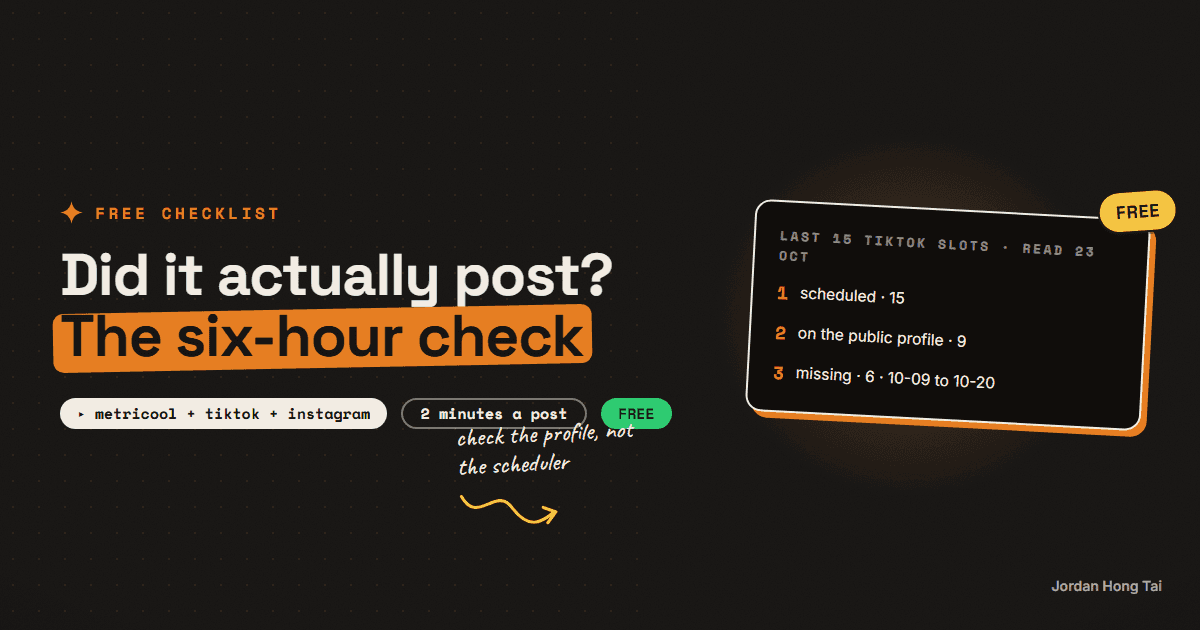
Six of my last fifteen scheduled TikToks never showed up on my public profile, including my two biggest reels that week and the TikTok copy of my best Instagram reel ever. This is the two-minute check that catches it the same day.
I really thought scheduled meant posted. Then I checked my public TikTok profile and 6 of my last 15 scheduled TikToks weren't there: the ones for 9, 12, 14, 16, 19 and 20 October.
Two of the missing ones were my two biggest reels that week. And the worst one was the TikTok copy of my best Instagram reel ever, at 2,349 views on Instagram. On TikTok it hit an internal error and never went out. To me it was just another scheduled post, and I'd never have known if I hadn't looked.
This is the checklist I use now. You open your public profile about six hours after every post, and when something's missing, you read the error, know what it means, and repost it the right way.
What you'll have when you're done
- A six-hour check that catches a missing post on the day it goes missing
- What the real errors mean, word for word, and what to do about each one
- A rule for when to repost and when not to
- A short checklist you can run in two minutes after every post
Before you start
- A scheduler you post through. I use Metricool for Instagram, TikTok and YouTube Shorts. The checks work with any tool.
- Your public profile on each platform, open in a browser where you're logged out, or on someone else's phone. You want to see what a stranger sees.
- Two minutes per post.
Step 1: Open your public profile six hours later
About six hours after a post is meant to go out, open your public profile and look for it on the grid. Do it logged out, so you see what everyone else sees.
That's how I found mine. I wasn't reading the status on each post in my scheduler, so the first sign was the profile: the posts were missing while the days around them were there. By the end of October it was 8 of my last 21 TikTok slots, and Instagram showed the same kind of trouble: one reel sat at 20 plays after 7 days.
My last 15 TikTok slots, read 23 October 2026
scheduled     15
on profile     9
missing        6   (10-09, 10-12, 10-14, 10-16, 10-19, 10-20)
Check it worked: you've opened your public profile, logged out, and you can see your last post on it, or you know it's missing.
Step 2: Read the post's status in your scheduler
If it's missing, go back to your scheduler and open that post. Don't guess. The status tells you which of the cases below you're in. Metricool keeps the error text on the post (I read mine through its API).
What the scheduler says        What it means
ERROR + a message              it didn't go out. Read the message (Step 3)
published, not on your grid    it may exist but isn't being shown (Step 4)
still pending after the time   it hasn't been sent yet. Check again in an hour
Check it worked: you know which of the three cases your missing post is in.
Step 3: Know what each error means
These are the real errors I got, word for word.
"Could not refresh TikTok Business accessToken (-1)"
Your scheduler keeps a login to your TikTok account, and that login has to be renewed every so often. This error means it couldn't renew it at the moment it tried to post, so the post didn't go out. That's all it took to lose one of my two biggest reels that week. On my account the later posts went out fine, so it was a one-off. If it shows up on two posts in a row, reconnect TikTok in your scheduler's settings before you post anything else.
"Tiktok internal error"
That's the exact spelling. This one comes from TikTok's side, and the post never published. It's the error that ate my best reel. There's nothing to fix on your end except posting it again.
"The instagram account does not meet the trial reel follower requirement to create trial reels."
You tried to post an Instagram trial reel, and the account is too small for them. When I hit it, my account had 12 followers, and trial reels need roughly 1,000. A trial reel that errors publishes nothing and gives you no data, so the slot is simply lost. Post it as a normal reel instead.
Check it worked: for each error you get, you can say whether the post went out (it didn't, for all three) and what you'll do next.
Step 4: Check before you repost
This is the case that caught me out the other way. One of my missing TikToks wasn't actually missing. When I looked it up by its direct link, it was there, with 8 plays after 9 days. It had published, but it never showed up on my profile grid.
So "not on the grid" doesn't always mean "not posted". Before you repost, check whether the post exists:
- ERROR on the post: it didn't go out. Repost.
- Published, but you can open it by its link: it's live, just not being shown. Don't repost a copy on top of it. Note it and treat its numbers as missing.
- Published, but there's no link and nothing on the grid: treat it as not posted. Repost.
I'll be straight about the middle case: I don't have a fix I can prove for a post that's live but not shown. I log it and move on.
Check it worked: you never repost something that's already live on the platform.
Step 5: Repost the right way
When a post didn't go out, repost it:
- Use the same video file and the same caption. Nothing about the post was wrong, the delivery was.
- Put it in your next normal posting slot, not straight away on top of whatever's going out next.
- Check it again six hours later. The same problem can hit twice.
And one more thing to check while you're on the post: anything your scheduler said it would add after posting. I set a first comment with my guide link on my TikToks. The scheduler accepted it, and when I opened a live post, the comment wasn't there. If something matters, look at the live post, not at what the scheduler says it sent.
Check it worked: the reposted video is on your public profile six hours after its new slot.
Step 6: Fix your numbers before you read them
Before you read how a week did, line up every post you scheduled against what's actually on your profile. A missing post isn't a flop. It's no data.
I learned this the expensive way. I'd have called those six TikToks duds if I'd only looked at the analytics, and two of them were my best reels that week.
Did-it-post checklist (every post)
+6h   open the public profile, logged out. Is it there?
      no -> open the post in the scheduler and read the status
      ERROR "Could not refresh ... accessToken (-1)"   -> repost, reconnect if it repeats
      ERROR "Tiktok internal error"                     -> repost
      ERROR "... trial reel follower requirement ..."   -> post as a normal reel
      published but not on the grid                    -> open its link first, repost only if it doesn't exist
repost -> same file, same caption, next normal slot, check again at +6h
weekly -> scheduled list vs public profile before you read any numbers
The honest part about this checklist
It catches a missing post. It doesn't tell you why TikTok decided to drop it. I still don't know the root cause of most of my missing TikToks, and some of them may not have had an error at all.
It also doesn't catch a post that went out and got 3 views. Two of mine did exactly that, and they're on the profile, so this check says they're fine. That's a different problem.
What I'd do differently
Check the profile from day one. I found mine in batches at my weekly review, days after they'd gone missing.
Read the error before you repost. Two of these errors are fixed by posting again, one needs a different post type, and one isn't an error at all.
Don't trust "scheduled". It means your scheduler accepted the post, not that anyone can see it.
FAQ
Why didn't my scheduled TikTok post?
Read the post's status in your scheduler. On my account the two errors were 'Could not refresh TikTok Business accessToken (-1)', where the scheduler's TikTok login didn't renew at posting time, and 'Tiktok internal error', which came from TikTok's side. In both cases the post never went out and the fix was to post it again.
What does 'Could not refresh TikTok Business accessToken (-1)' mean?
Your scheduler keeps a login to your TikTok account that has to be renewed. This error means it couldn't renew it when it tried to post, so the post didn't go out. On my account later posts went out fine. Repost it, and if it happens on two posts in a row, reconnect TikTok in your scheduler's settings.
How long after posting should I check my profile?
About six hours. Open your public profile while logged out, so you see what a stranger sees, and look for the post on the grid.
My post says published but it isn't on my profile. Should I repost?
Open it by its direct link first. One of my TikToks wasn't on the grid but existed by its link, with 8 plays after 9 days. If it exists, don't repost a copy on top of it; note it and treat its numbers as missing. If there's no link and nothing on the grid, repost.
Why can't I post an Instagram trial reel from my scheduler?
The error 'The instagram account does not meet the trial reel follower requirement to create trial reels' means the account is too small. Mine had 12 followers and trial reels need roughly 1,000. Post it as a normal reel instead.
Related guides
Automate your weekly social calendar with Metricool + Claude Code
You'll build the task that plans and schedules your whole week of social posts while you're asleep. Claude Code reads last week's numbers out of Metricool, writes them back into your calendar, plans the next seven days, and pushes every post into the scheduler with autoPublish on. My first full run put 48 posts across 5 networks in one pass.
Check your AI API balances every morning: HeyGen, ElevenLabs and Anthropic in one Node script, before a render dies mid-week
An AI content pipeline rarely breaks on a bug. It breaks on a Tuesday when a wallet hits zero and every render after that fails. Each tool keeps its balance somewhere different, and one of them doesn't expose a balance at all. This is the 70-line script that reads all three every morning.
Automations that work while you sleep (free, no Zapier)
You'll put your AI research on a timer: it runs at 7 in the morning and the results are waiting when you wake up. Twenty minutes of setup, no Zapier, no subscription.
Get the next build in your inbox
One email a week: the newest guides, plus one thing I only share with the list.
No spam. Unsubscribe anytime.
Build alongside others
Join the free community and share what you're shipping.

Jordan Hong Tai
I've scaled products to over 500K users, and now I build AI systems in public from a balcony in Tokyo.