Cold Email Spar: 6 Claude sparring partners test your cold email before you send it (free Claude Code skill)
Last updated October 2026 · About 10 minutes · Skill: free (MIT licence). Running it needs Claude Code: Claude Pro ($20/mo) or Max, or API credit · Beginner
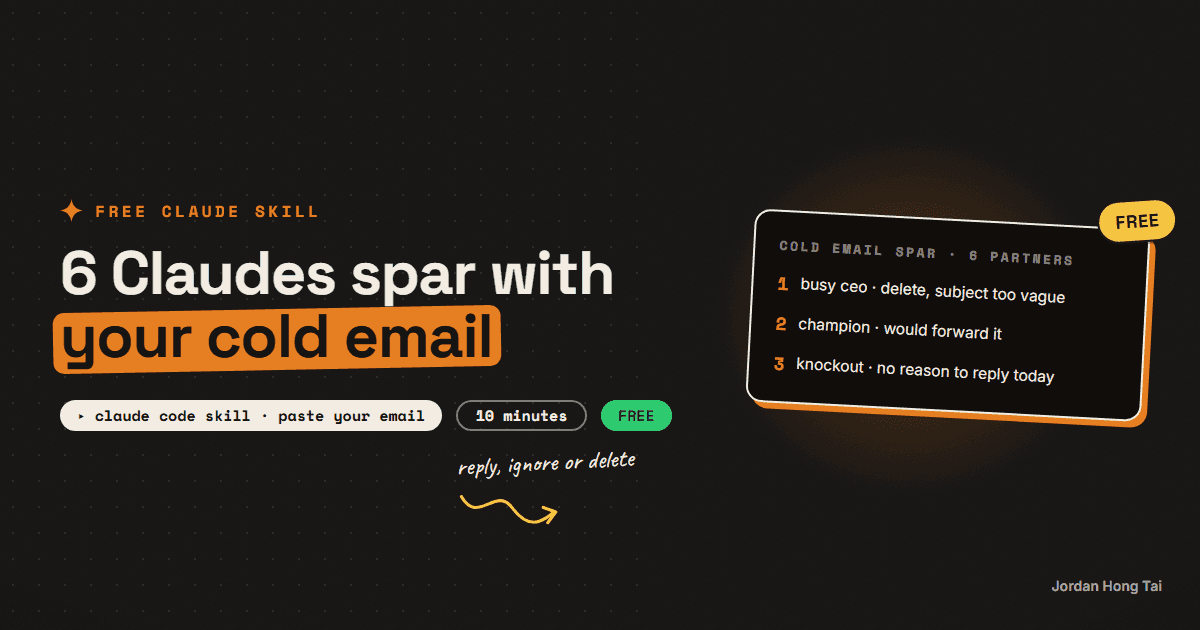
You paste a cold email and say who it's going to. Six Claude sparring partners, each someone your email has to get past, read it separately and vote reply, ignore or delete. You get the one problem costing you the most replies and a rewrite ready to send.
It's a free skill for Claude Code, and you don't need to write any code to use it. You copy a folder, prepare one input and type one line.
Who's on the panel
- The Busy CEO: reads the subject and preview on a phone between meetings
- The Gatekeeper: the assistant who decides whether it reaches the boss at all
- The Spam Filter: checks the words for things that push mail into spam or promotions
- The Skeptic: has seen every template and spots fake personalisation
- The Happy Customer Elsewhere: already uses something for this and needs a reason to reply
- The Champion: the right person, who would forward it inside the company if it's easy
Each one votes REPLY, IGNORE or DELETE, scores the email out of 10, and gives one reason and one fix. They don't see each other's answers: in Claude Code each one runs as its own Claude, with its own fresh context, all 6 at the same time.
What you get
A report short enough to fit in one screenshot:
- who replies, who ignores and who deletes
- a content-only spam check
- the knockout punch: the one problem costing you the most replies
- a rewritten email (90 words or fewer) ready to paste, with two extra subject lines
- a day-3 follow-up line
The last line of the report says how the panel actually ran, so you always know whether you got 6 separate Claudes or one Claude doing 6 passes.
Before you start
- Claude Code. It works in the Claude desktop app (the Code tab) or in a terminal.
- A paid Claude plan or API credit. Claude Code needs a Claude Pro ($20 a month) or Max plan, or pay-as-you-go credit from the Claude Console. Each run starts 6 reviewers, so it uses more of your plan's usage than a single chat message.
- The skill folder. Download it free below. The skill file costs nothing; running it is what needs Claude Code.
- About 10 minutes for the first run, then a minute or two per run after that.
Step 1: Put the folder in place
Unzip the download. Copy the whole cold-email-spar folder (not just the files inside it) into your Claude skills folder:
- Mac:
~/.claude/skills/(in Finder press Cmd+Shift+G and paste~/.claude/skills) - Windows:
C:\Users\YOUR-NAME\.claude\skills\(paste%USERPROFILE%\.claude\skillsinto the File Explorer address bar)
If the skills folder doesn't exist yet, create it.
Check it worked: this file exists on your computer: .claude/skills/cold-email-spar/SKILL.md.
Step 2: Get your cold email ready
Copy the email you want to test: subject line, body and signature. Add one line on who it's going to, for example "marketing director at a 50-person software company".
Check it worked: you have the full email and one line about the person receiving it.
Step 3: Run it
Open Claude Code and start a new session so it picks up the new skill. Then type /cold-email-spar followed by the email (or the path to a text file or screenshot) and who it's for, then press Enter. For example:
/cold-email-spar "/Users/you/Desktop/outreach.txt" to: owners of local gyms
It takes a minute or two. If Claude asks for permission to read your files or to start the sparring partners, say yes.
Check it worked: you see the report in the chat, and its last line starts "Panel: 6 separate Claude reviewers, run in parallel" (or "Panel: 1 Claude, 6 separate review passes" if your setup can't start subagents). It's also saved as cold-email-spar-report.md when Claude is allowed to write files.
What it can't do
- The spam check reads the words only. Whether mail reaches the inbox depends mostly on your sending domain's setup and reputation, which nobody can see from the text. The report says this every time.
- It won't invent personalisation. Where the email needs a detail about the person you're writing to, the rewrite leaves a
[bracket]for you to fill in. - It doesn't send anything. It reviews the email; you send it from your own inbox.
Using the Claude.ai chat app instead
You can upload the skill as a zip in the Claude.ai app (Settings, then Capabilities, then Skills). Chat can't start subagents, so there one Claude plays all 6 sparring partners one after another. It still works, and the report's last line says so.
Cold Email Spar skill: SKILL.md, 6 sparring-partner briefs, chair, optional reviewer agent
FAQ
Is it really free?
The skill is free: download the folder, use it, change it, share it (MIT licence). Running it needs Claude Code, which comes with a paid Claude plan (Pro at $20 a month, or Max) or pay-as-you-go API credit. Each run starts 6 sparring partners, so it uses more of your plan than one chat message.
Will this get my emails out of spam?
Only partly. It flags words and patterns in the email that push mail toward spam or promotions. Inbox placement depends mostly on your domain setup (SPF, DKIM, DMARC) and sending reputation, which the skill can't see.
Does it work for LinkedIn messages and DMs?
Yes. Paste the message the same way and say which channel it's for. The panel judges it as a message on that channel.
Related guides
Cold outreach with AI that gets replies: the sequence, the deliverability work, and what to measure
Almost every cold outreach guide starts with the copy, and that is the wrong end. Since 1 February 2024 Google has required SPF or DKIM, valid reverse DNS, TLS and a spam rate under 0.3% from every sender to Gmail, with SPF and DKIM together plus DMARC and one-click unsubscribe over 5,000 messages a day. Yahoo added a two-day unsubscribe rule. Microsoft started bouncing unauthenticated high-volume senders with 550 5.7.515. Since November 2025 Google has been ramping enforcement to temporary and permanent rejections. If the mail lands in spam, your best sentence has a reply rate of zero.
Pricing Panel: 7 Claude panelists argue over what you should charge (free Claude Code skill)
You describe what you sell and what you charge now. Seven Claude panelists, each a different kind of buyer or advisor, argue over the price separately, and you get one recommended price with the packaging and the lines to put on your sales page.
Website Shoppers: 6 Claude visitors try to buy from your website (free Claude Code skill)
You screenshot your website and say what visitors should do there. Six Claude visitors, each a different kind of person, try to get there separately, and you see exactly where each one gives up and what to fix first.
Get the next build in your inbox
One email a week: the newest guides, plus one thing I only share with the list.
No spam. Unsubscribe anytime.
Build alongside others
Join the free community and share what you're shipping.

Jordan Hong Tai
I've scaled products to over 500K users, and now I build AI systems in public from a balcony in Tokyo.